
How to Reuse a Call to Action Across WordPress Pages
A reusable WordPress call to action lets you change a shared offer without editing every page separately. It is useful when copied sections have drifted into different prices or point to different booking pages.
You should decide whether the offer is truly shared before connecting the sections. A single sitewide message works for one consistent offer, while different audiences may need separate wording and destinations.
GT Page Blocks Builder is our free WordPress plugin for custom sections and reusable page blocks. Its library is useful when a shared call to action includes custom HTML or behavior. Native synced patterns remain a good choice for a straightforward Gutenberg layout.
Use a Synced Pattern for Ordinary Blocks
A native synced pattern can keep the same block content across placements. If your call to action is a heading, paragraph and button, start by checking whether this already solves the maintenance problem.
An unsynced pattern is a starting layout; copies can diverge. A synced pattern retains a shared relationship, so editing it can affect every placement that uses it.
Before changing a shared pattern, identify the pages using it. A campaign-specific promise should not suddenly appear on an unrelated page because the same pattern was reused there months earlier.
Use a Shared Section for Custom Code
Page Blocks Builder gives a custom section a reusable library entry. The useful distinction is maintenance: the HTML, CSS and JavaScript stay with the section instead of being scattered across page-specific code fields.
Create the call to action as a library item, publish the intended version and insert the supported block or shortcode on the target pages. Check the actual library ID in each placement; duplicating the item creates another independent source.
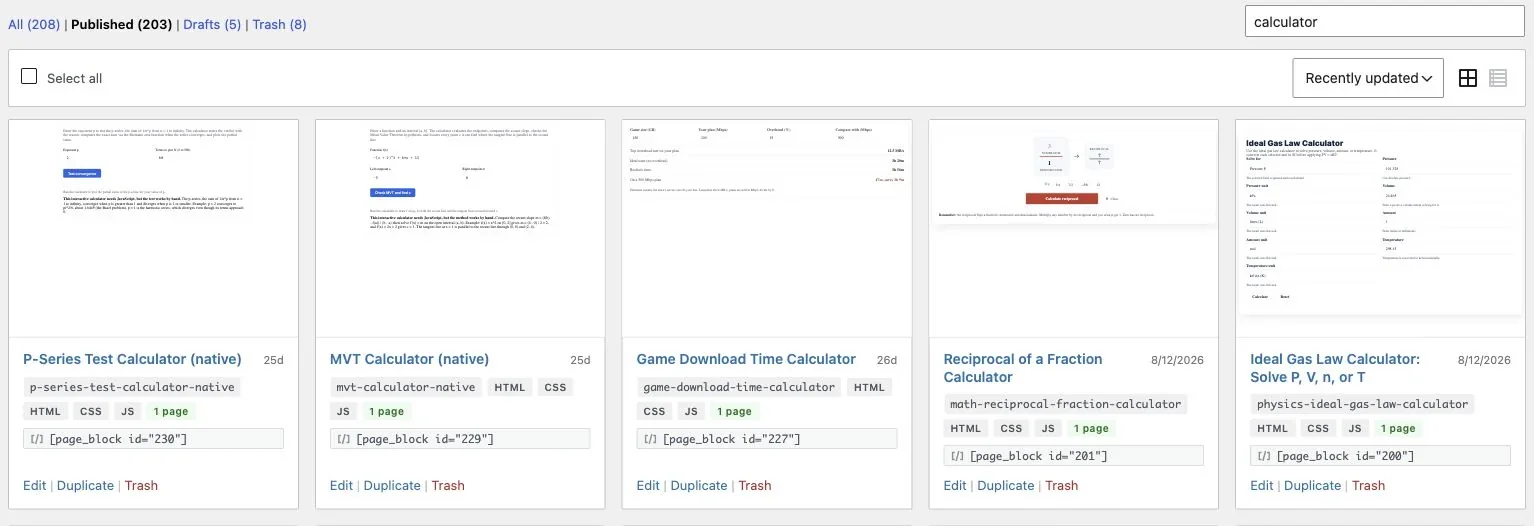
Scope styles to the section wrapper. A call-to-action button should not change every button on the site, and a repeated section should not create duplicate HTML IDs.
Keep the Offer Consistent
The shared section should make one clear promise and take the reader to the page that fulfills it. A button saying “Book a Review” should reach the booking or evaluation path for that review.
Check these fields together:
- The service or product name.
- Any price or eligibility condition.
- The button wording.
- The destination URL.
- The next action the destination actually offers.
If the price changes, update the destination and shared section coherently. If the offer has several tiers, avoid putting an incomplete headline price in every article without the qualification readers need.
Test Each Placement Type
A shared section can appear inside different containers. Test one narrow article placement and one full-width page placement instead of assuming the first preview represents every context.
Check text wrapping and button focus. Confirm that the section remains readable with the site’s supported color modes and that its heading level fits the surrounding page.
For an interactive section, check that multiple placements do not attach duplicate events. A static CTA rarely needs JavaScript; a normal link is usually enough.
You can use the editable reusable wordpress call to action worksheet to record your settings and checks. It is a CSV file you can open in a spreadsheet.
Measure the Click That Matters
Track the CTA event using the page and placement as attributes when your analytics system supports it. Avoid adding internal campaign parameters that replace the visitor’s original acquisition source.
A click is an intermediate action. Check whether visitors reach the product page and complete the intended next step, rather than deciding that a brighter button succeeded because it received more clicks.
If custom sections have become difficult to keep consistent, review Page Blocks Builder. If a native synced pattern already does the job, keep that simpler arrangement and spend the time improving the offer itself.
Tell Google you want more of this.
Add Gatilab as a preferred sourceOne tap, and this site shows up more often in your own Top Stories, AI Overviews and AI Mode. Remove it any time.