
How to Keep Product Review Boxes Consistent in WordPress
WordPress product review boxes should help readers understand your recommendation before they follow the product link. A consistent box makes the useful details easier to find, but it can’t replace the evidence behind a rating.
You should agree on the fields and rating criteria before adding boxes across the site. Otherwise, the design can look consistent while one review’s score means something entirely different from another’s.
GT ACF Blocks is our WordPress block plugin. It includes editorial product-review and product-box layouts for publishing structured recommendations. Check the plugin’s current ACF requirements before installing it.
Choose the Right Box for the Job
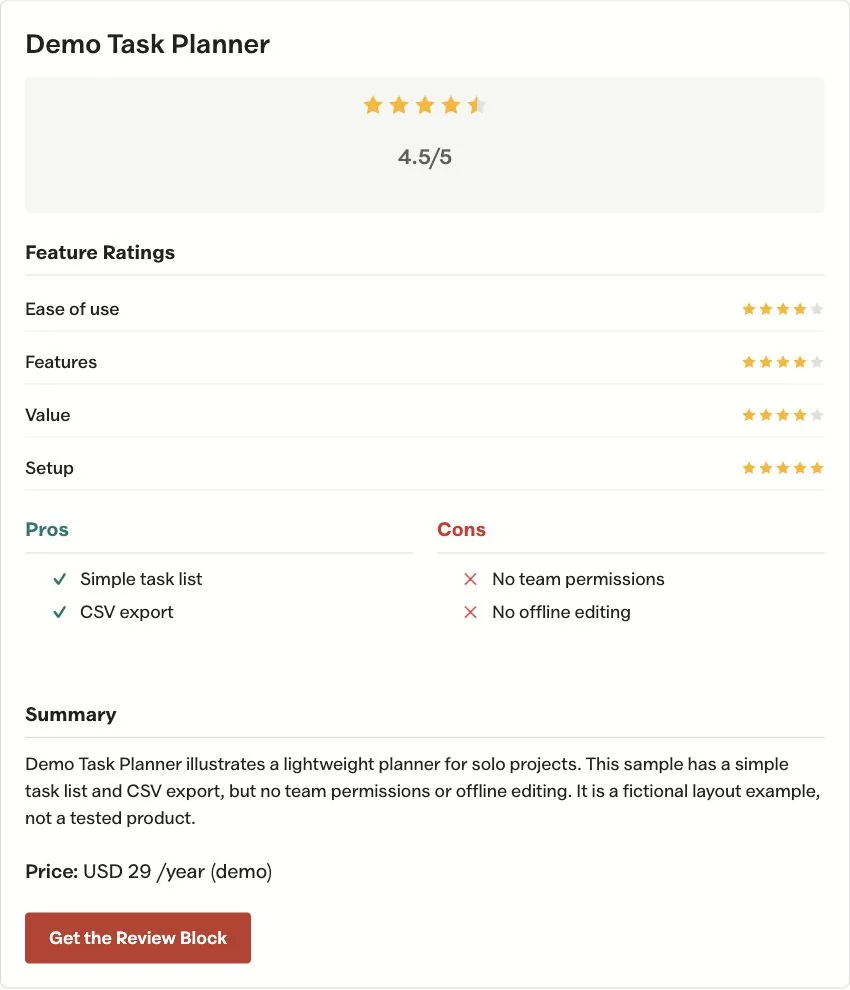
A product box points readers toward an item worth considering. A review box summarizes an editorial assessment. Customer-submitted reviews are a different feature and should not be implied by a publisher’s rating.
For an editorial review, the useful fields are the ones that change the buying decision:
- The exact product being assessed.
- Who it suits.
- The reason for the recommendation.
- A material limitation.
- Relevant price context, when maintained.
- The product destination.
Do not add a score simply because the block has a score field. A clear written verdict is more useful than an unexplained number.
Keep Ratings Comparable
If you use ratings, define the criteria within the product category. Ease of setup and ongoing maintenance may matter for a plugin, while a different category needs different measures.
Keep the same scale when comparing related products. A score should reflect the evidence collected, including limits, rather than how prominently you want the affiliate button to appear.
For an owned product, make ownership clear in the article. The box should not create the impression of an independent third-party endorsement.
Add the Box Where It Helps the Decision
Place the review summary after readers have enough context to understand the product. A short verdict near the opening can work, while a detailed score breakdown may fit beside the evidence it summarizes.
Use the documented ACF block fields and keep the title consistent with the article. If a product changes its name or plan, review the body and button destination as well as the box heading.
The existing WordPress ecommerce guide illustrates why product type affects the recommendation. A box should retain that condition instead of reducing every choice to the same generic “best” label.
Keep Links and Prices Maintainable
Link to the intended product page with descriptive wording. Use the approved affiliate route where appropriate and preserve the relationship attributes required for the link.
Avoid hardcoding a promotional price across many review boxes unless someone owns the maintenance. A link to current pricing can be more accurate than a stale amount that appears precise.
An image belongs in the media library with alt text describing the product or evidence. A decorative logo doesn’t prove the interface is easy to use; a relevant screenshot can show the controls being discussed.
You can use the editable wordpress product review boxes worksheet to record your settings and checks. It is a CSV file you can open in a spreadsheet.
Check the Mobile and Structured Output
Review the box at narrow widths. Long product names should wrap, ratings should remain understandable and the product link should be reachable with a keyboard.
Structured data must describe the visible content accurately and satisfy the relevant search-engine rules. A review block does not guarantee review stars in search results, and an editorial score should not be presented as an aggregate of customer ratings.
Before expanding the pattern, check one completed review against its source evidence and product destination. If you need repeatable editorial layouts, review GT ACF Blocks and choose the block that matches the recommendation you can support.
Tell Google you want more of this.
Add Gatilab as a preferred sourceOne tap, and this site shows up more often in your own Top Stories, AI Overviews and AI Mode. Remove it any time.
This was a useful explanation of how blog commenting has changed with modern SEO. I especially liked the point that comments should add something meaningful to the discussion instead of being used only for backlinks. I’m currently learning Digital Marketing through ODMT, and practical SEO activities have helped me understand why relevance and useful content are important in off-page SEO. The advice about focusing on relevant blogs and genuine conversations is helpful for beginners.
Comments are closed.