
How to Manage Group Booking Capacity in WordPress
WordPress group booking capacity needs to count the places reserved for a session, including the booking states that temporarily hold a place. A list of confirmed attendees alone may miss customers still completing payment or awaiting approval.
You should separate the session’s seat limit from the staff member’s availability. A workshop can accept several attendees at the same time while still occupying the instructor for the whole session.
Core Bookings is our WordPress scheduling plugin for appointments and group sessions. It supports group seat limits and waitlists. As a beta product, it should be checked against your session and payment rules before live use.
Define the Capacity Unit
Decide whether capacity represents people, bookings or another resource. A family booking with several guests can consume more than one seat, even though it creates one booking record.
For a hypothetical 8-seat class, write down what should happen when a booking includes 2 attendees. If your configured workflow only books one seat per request, say that clearly rather than allowing customers to assume they can bring guests.
Your session plan should include:
- The maximum number of attendees.
- The assigned staff member.
- The session duration and required buffers.
- The number of places one request can reserve.
- The booking and cancellation cutoffs.
- Which pending states hold capacity.
The number should come from the room and teaching setup. It should not be increased simply because the booking screen has an empty field for a larger value.
Reserve the Instructor’s Time
Group capacity and staff availability solve different problems. An instructor leading a full workshop cannot usually accept a private consultation during the same hour.
Assign the same staff record consistently across those services and check the overlap. If a business genuinely allows parallel services, that needs an intentional rule and enough staff to fulfill it.
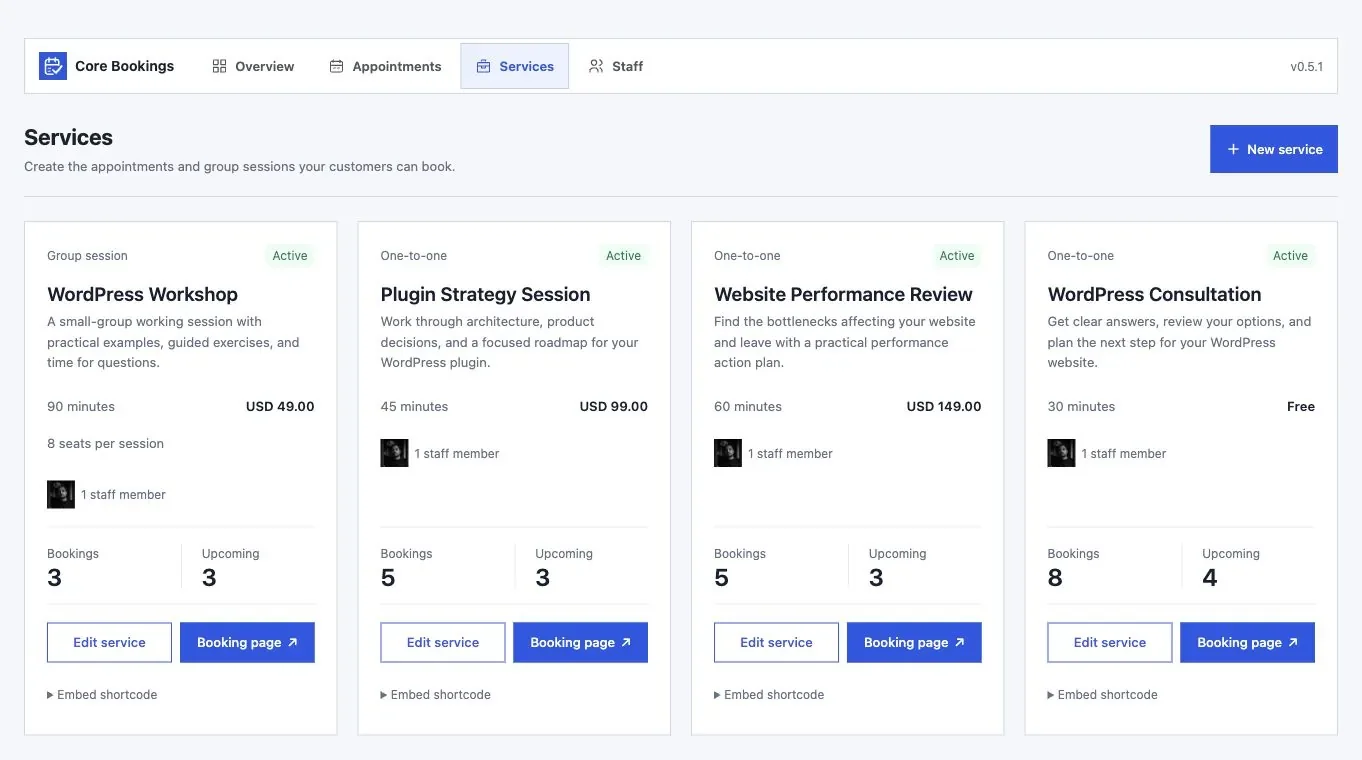
Use a sample group session and try booking an overlapping individual appointment. The expected result should follow your staffing policy, not happen accidentally because the two services were configured separately.
Test the Last Available Place
The final seat is where stale availability becomes visible. Several customers may open the session before another person fills it.
- Create a small test session with harmless details.
- Reserve all but one place.
- Open the final place in 2 independent sessions.
- Complete one request, then submit the older request.
- Confirm that accepted reservations stay within capacity.
Also check an abandoned payment or approval hold. Record when that place becomes available again and whether scheduled jobs are required to release it.
Use a Waitlist With Clear Expectations
A waitlist records interest; it should not be described as a confirmed booking. Customers need to know whether they will receive an offer and how long they have to accept it.
Core Bookings documents verified-email waitlists with private offers when capacity becomes available. Check the offer expiry and reservation behavior before depending on it for a popular session.
If someone misses an offer, staff should be able to explain what happened. An expired invitation should not remain a way to claim a seat that has since gone to another customer.
You can use the editable wordpress group booking capacity worksheet to record your settings and checks. It is a CSV file you can open in a spreadsheet.
Reconcile Cancellations and Attendance
Canceling a reservation and refunding its payment are separate decisions. Check both records and apply the policy the customer accepted.
Before the session, use the current booking records for the attendee list. A CSV exported days earlier may omit late reservations or include people who canceled. Restrict access to the personal details staff actually need.
For classes and small group services, evaluate Core Bookings using your final-seat and cancellation scenarios. Capacity is ready when the accepted bookings, customer messages and staff list agree.
Tell Google you want more of this.
Add Gatilab as a preferred sourceOne tap, and this site shows up more often in your own Top Stories, AI Overviews and AI Mode. Remove it any time.