
Substack is easy to start on, and the cost of that ease shows up later. It takes 10% of every paid subscription on top of Stripe’s fees. Your archive also lives on its domain, and readers often find you through its app rather than your own site.
The right Substack alternative depends on what you want to own. These are the platforms we would look at first, each for a different kind of newsletter:
- Ghost for a paid publication that wants no platform cut of its subscriptions
- beehiiv for a newsletter built around growth tools
- Kit for creators who sell courses or products to their list
- Buttondown for a lean paid newsletter with a light setup
- WordPress with MailerPress for a newsletter that should live on the site you already run
What You Keep and Lose When You Leave Substack
Leaving Substack is mostly a data question, and Substack lets you take the parts that matter:
- Your subscriber list. The Subscribers page exports every reader as a CSV file.
- Your posts. Settings, then Exports, builds a ZIP of your posts and publication data, and Substack emails you when it is ready.
- Your paid subscribers. Their payments run through your own Stripe account, so a platform that connects to the same account can keep billing them without new card details.
- Discovery. Recommendations, the Substack app and Notes stay behind. Your new home has to replace that reach with search, your website and your own promotion.
Substack Alternatives Compared
Prices on these platforms change often, so the table compares how each one charges and how much of the publication you own. Their pricing pages have the current numbers.
| Platform | How it charges | Your archive | Moving from Substack | Best for |
|---|---|---|---|---|
| Ghost | Monthly plan. No platform fee on paid subscriptions from the Publisher plan up | A full site on your custom domain | Built-in Substack importer. Paid members move with the same Stripe account | Paid publications |
| beehiiv | Free plan, then monthly plans by list size | Hosted publication site | Substack importer. Needs a connected Stripe account and a paid tier first | Growth-led newsletters |
| Kit | Free plan up to 10,000 subscribers. Paid plans add automations | Landing pages and a creator profile | Subscriber import from a CSV file | Selling courses and products |
| Buttondown | Free up to 100 subscribers, then monthly plans. No revenue share on paid subscriptions | A web archive of every issue | Substack import. Paid subscribers keep their cards through the same Stripe account | Lean paid newsletters |
| WordPress + MailerPress | Free plugin. You pay for email delivery, and Pro if you need its extras | Every issue on your own domain, with MailerHive | Archive import with MailerHive. Subscribers import as a CSV file | Publishers with a WordPress site |
The Best Substack Alternatives
Ghost
Ghost is the closest like-for-like move for a paid newsletter. It is a publishing platform and a membership system in one, with posts on your own domain and paid tiers billed through your Stripe account.
- Ghost takes no transaction fee on paid subscriptions from the Publisher plan up. Stripe’s fees still apply.
- Its Substack migrator imports posts and subscribers, and paid members carry over when the same Stripe account is connected.
- Ghost(Pro) plans are priced by member count, so the bill rises as the list grows.
beehiiv
beehiiv suits a newsletter that treats growth as the main job. Its referral program, recommendations and ad network replace some of the reach you lose from Substack’s app.
- Its importer brings over Substack posts and subscribers, and a paid tier with a connected Stripe account has to exist before paid content comes across.
- Ghost’s own migration guide notes that a Stripe account connected to beehiiv can’t be used elsewhere, so leaving beehiiv later takes a Stripe-to-Stripe transfer.
- beehiiv renamed and repriced its plans in October 2026, so older comparisons quote plans that no longer exist.
Kit
Kit, formerly ConvertKit, fits a writer whose newsletter sells something: a course, a book, templates or a paid community. Its strength is the automation around the email.
- The free Newsletter plan covers up to 10,000 subscribers but leaves out automations.
- Kit builds landing pages and a creator profile instead of a full publication site, so the archive is less central than on Ghost or Substack.
Buttondown
Buttondown is the lightest serious option. It is a newsletter tool first, with Markdown writing, a clean web archive and paid subscriptions through Stripe.
- It takes no revenue share on paid subscriptions.
- Its Substack guide moves paid subscribers without asking them to enter card details again.
- The free plan stops at 100 subscribers, so most writers moving from Substack start on a paid plan.
WordPress With MailerPress
A WordPress site with a newsletter plugin is the option that puts the most under your control. The list sits in your own database and every issue lives on your domain. The newsletter also builds search traffic for the same site as everything else you publish.
- MailerPress is the free sending plugin. It has no limit on contacts, lists, tags or campaigns, and it sends through your host or an SMTP server.
- MailerPress Pro adds email services such as Amazon SES, Brevo and Mailgun, plus automations, segments and A/B testing.
- Email delivery becomes your job. A sending domain with SPF, DKIM and DMARC set up properly matters more here than on a hosted platform.
Moving a Newsletter From Substack to WordPress
Gaurav Tiwari’s own newsletter, From the Workbench, lived on Substack until October 2026. Moving it to MailerPress brought the list home, but it lost the clean issue pages and the browsable archive that Substack gives every writer.
MailerHive is the free WordPress plugin we built to get those back. It gives every MailerPress issue its own page, collects them in an archive and creates a MailerPress draft the moment you publish an issue.
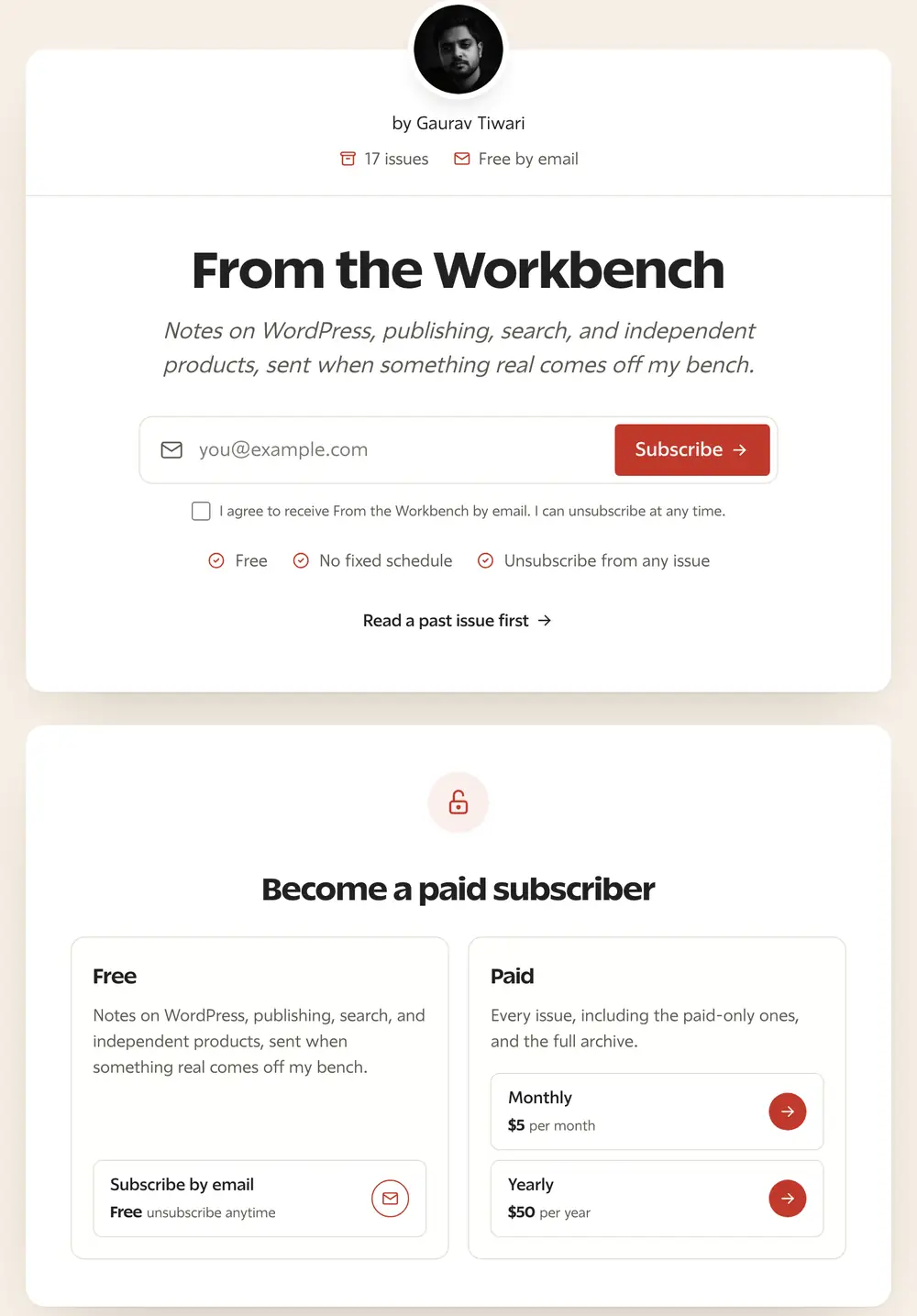
This is what MailerHive adds to a MailerPress newsletter:
- Every issue at its own address, /newsletter/issue/{slug}/, with reading time and previous and next links.
- An archive grouped by year, plus an RSS feed readers and apps can follow.
- Issue pages that keep your theme’s styles and scripts off, so an issue looks like the email it was.
- Light and dark reading modes that follow each reader’s system setting.
- A Substack import that brings past issues across, copies images into your media library and rewrites the links between issues.
- View in browser links from MailerPress that open the issue page instead of a bare email.
MailerHive needs WordPress 6.6 or newer and PHP 8.1. It prepares drafts and leaves the sending, unsubscribes and the List-Unsubscribe header to MailerPress. The guide to moving a Substack archive to WordPress walks through the import, and the MailerPress review covers the sending side in detail.
How to Leave Substack Safely
Whichever platform you choose, this is the order we would follow:
- Both exports first. The subscriber CSV and the full ZIP are your backup if anything goes wrong later.
- A sending domain that is ready. SPF, DKIM and DMARC should pass before the first send. Our email deliverability guide covers the setup.
- Paid subscribers through the same Stripe account. The new platform’s importer moves them, and Stripe stays connected to Substack until it is done.
- Substack’s 10% fee removed by its support team. Once the import is done, we would ask Substack’s support to disconnect Stripe from the publication and remove the 10% application fee, without cancelling or refunding subscriptions. Until support does this, Substack can keep taking its cut.
- The archive next. Old issues on your new domain keep their search value and give new readers something to browse.
- A moving notice on both platforms. A last post on Substack tells readers who arrive there where the newsletter went, since links to a substack.com address keep pointing at Substack.
- The old publication left in place for a while. Deleting it early breaks every link that still points there.
FAQs on Substack Alternatives
Substack is free to publish on. It earns from paid newsletters, taking 10% of every paid subscription, and Stripe charges its own processing fees on top.
Yes. Ghost, beehiiv and Buttondown can import paid subscribers when they connect to the same Stripe account Substack used, so readers don’t have to enter their card again.
No. You import your subscriber list into the new platform. A short issue that explains the move still helps, because readers notice a new sender address.
Ghost takes no transaction fee from its Publisher plan up, and Buttondown takes no revenue share. Stripe’s own fees apply on both.
Yes. Ghost imports posts into your Ghost site, and on WordPress MailerHive imports past issues with their images into your media library.
Where to Start
If you already run a WordPress site and your newsletter supports it, we would move the newsletter onto that site with MailerPress and MailerHive. If the newsletter is the business and most of its revenue is paid subscriptions, Ghost is the simpler move.
For a side-by-side look at platforms by business model, our guide to the best newsletter platforms goes deeper on each one.
Tell Google you want more of this.
Add Gatilab as a preferred sourceOne tap, and this site shows up more often in your own Top Stories, AI Overviews and AI Mode. Remove it any time.