
WordPress Form Submissions Not Reaching Your Inbox
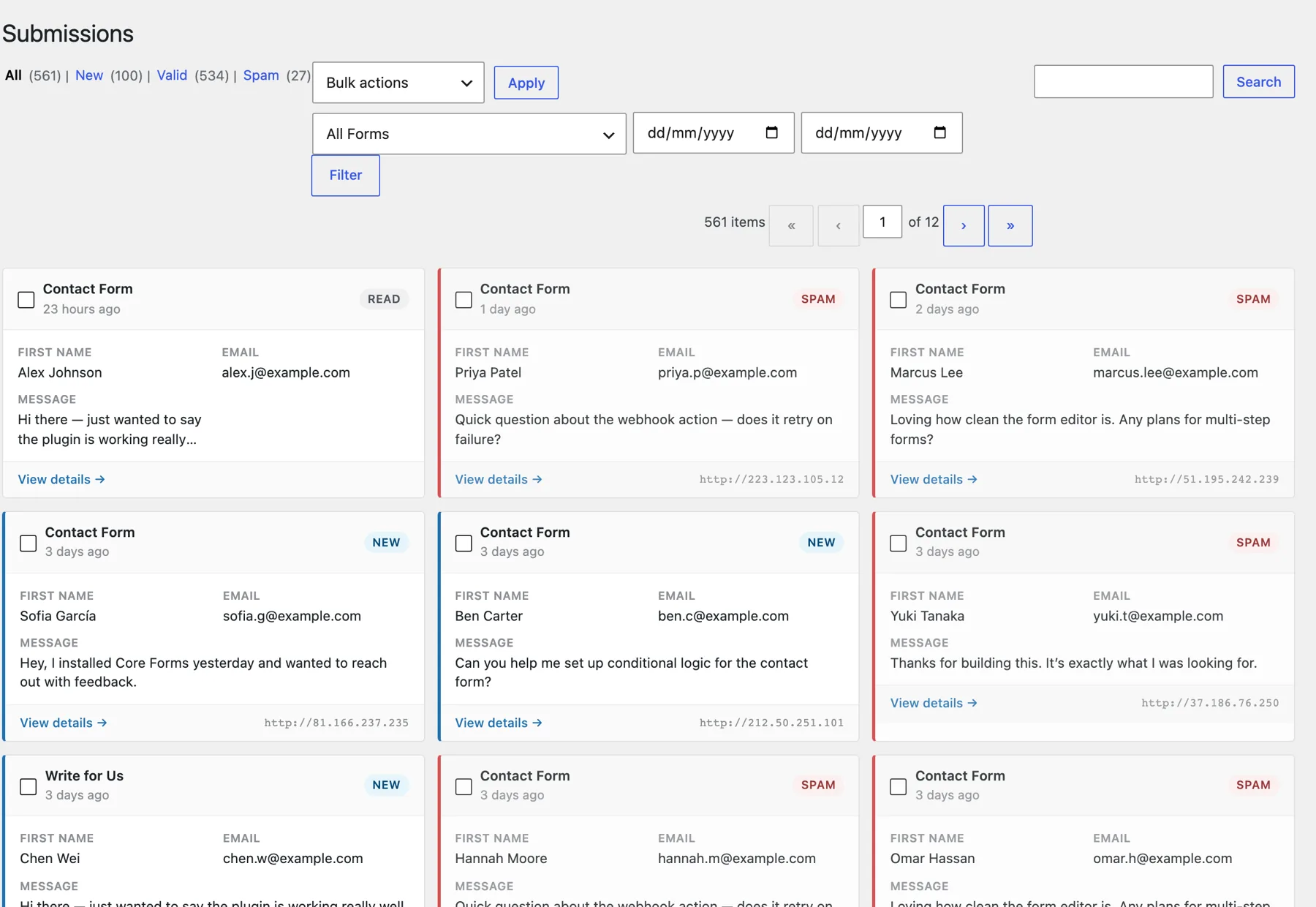
When WordPress form submissions are not received, you should first check whether the form saved an entry. An empty inbox alone cannot tell you whether the visitor’s message was rejected, stored without a notification or accepted by a mail server that didn’t deliver it.
I would separate recovery from repair. Recover the messages that already exist before changing the form or its mail settings, then send a clearly labeled test submission through the complete path. Replacing the plugin too early can make the original failure harder to understand.
Core Forms is our WordPress form plugin. With submission saving enabled, it keeps entries in WordPress and provides form actions for notifications and integrations. That local record is useful when email fails, although it cannot recreate a submission that never reached storage.
Find the Missing Submission
Search the form’s entries using the sender’s address and an approximate time. If the customer can provide the confirmation text, keep that too. A confirmation message is useful evidence, but it doesn’t establish that the notification arrived.
- An entry exists: preserve it and check notification delivery separately.
- An entry is marked as spam: inspect the submitted content and the protection rule before releasing it.
- No entry exists: check the selected form, date filters and retention settings before assuming the browser never submitted it.
- Entry storage was disabled or unavailable: investigate delivery logs and backups, but don’t promise recovery.
Use a short log with the submission time, form name, entry ID and notification result. Avoid copying the full message into multiple spreadsheets; the original form entry is the better place for personal information.
Check the Form Notification
The recipient should be an address that someone actually monitors. This sounds basic, but a working form can still send inquiries to a former employee or an old development address.
Check these settings together:
- The notification action is enabled for this form.
- Conditional rules allow it to run for the submitted answers.
- The recipient is correct, including any dynamically selected address.
- The From address belongs to a domain your sending service can authenticate.
- The visitor’s email belongs in Reply-To where appropriate, rather than impersonating the visitor as the sender.
If an entry was saved but a CRM action failed, that is another delivery problem. Confirm the CRM record independently instead of treating an email receipt as proof that every integration completed.
Follow the Mail Delivery
WordPress passing a message to its mail system is an earlier event than the recipient receiving it. The WordPress function reference explains that a successful wp_mail() result doesn’t establish receipt.
You should inspect the sending provider’s log using the recipient and timestamp. A rejection, bounce or suppressed recipient needs a different fix from a message accepted by the recipient’s mail server and placed in spam.
The email deliverability guide explains authentication and reputation. Changing DNS records without checking the current records and the sending service’s instructions is not a good first diagnostic step.
Run a Controlled Submission
Use harmless sample details and a unique subject such as Contact check September 25. Then keep the stages separate:
- Submit the public form in a logged-out session.
- Note the confirmation or validation error.
- Find the stored entry in WordPress.
- Check whether the notification action ran.
- Find the message in the provider’s delivery log.
- Confirm receipt in the intended mailbox, including spam and filtering rules.
Repeat with the form’s relevant conditional branches. A general inquiry and a sales inquiry may use different recipients, so one successful test need not cover both.
Preserve Leads During the Repair
Someone should check stored entries while mail delivery is unreliable. For a busy form, agree on a review interval with the person handling inquiries. Show visitors a useful alternative contact route if submission itself is failing.
If you resend a notification, label it clearly and check whether another team member has already responded. Recovering a message should not create duplicate replies or duplicate CRM records.
You can use the editable wordpress form submissions worksheet to record your settings and checks. It is a CSV file you can open in a spreadsheet.
A Form Recovery Checklist
You can copy this checklist into your incident notes. Record outcomes beside the checks rather than ticking everything because the form displayed a success message.
- Original entry located or absence documented.
- Recipient and conditional notification rules checked.
- Sender authentication checked against the actual mail provider.
- Delivery log matched to the test submission.
- Intended inbox receipt confirmed.
- CRM or other required action verified separately.
- Staff member assigned to review stored entries during the repair.
Your next check should be one submission you can follow from the browser to the inbox. Once you know where it stops, the settings change becomes much smaller.
If dependable entry storage is missing from your current setup, see Core Forms and its available plans. Check the submission-saving setting on every form you depend on.
Tell Google you want more of this.
Add Gatilab as a preferred sourceOne tap, and this site shows up more often in your own Top Stories, AI Overviews and AI Mode. Remove it any time.