
Best Harvest Alternatives for Freelancers and Agencies
If your Harvest renewal has become difficult to justify, the best Harvest alternatives are the ones that can keep your client billing working without introducing another unpredictable bill. Clockify is a good starting point for lower-cost tracking and invoicing. Ruddr deserves a closer look when an agency also needs expense management and accounting sync.
A freelancer sending a few invoices doesn’t need the same software as an agency planning next month’s workload. These recommendations focus on those differences, using published pricing and product documentation. The migration checklist below will help you check your records before moving the whole business.
Harvest Alternatives at a Glance
The useful comparison is the plan that handles your work. A free timer isn’t a free invoicing system, and a low price per seat can become expensive when you have to buy seats you won’t use.
| Alternative | Best Fit | Relevant Paid Price | Main Catch |
|---|---|---|---|
| Clockify | Lower-cost invoicing | Standard: $6.99/seat monthly; $5.49 annually | Budgets and expenses need Pro; Xero add-on costs extra |
| My Hours | Focused client billing | Pro: $9/user monthly; $8 annually | Invoicing requires Pro |
| Ruddr | Agency time, expenses and invoices | Team: $17/billable user monthly; $14 annually | 50% workspace billing floor; planning features need Pro |
| MinuteDock | Xero-centered billing | Freelancer: $19/month for 1 user | Confirm any required budget-threshold email behavior |
| Paymo | Tasks, estimates and billing | Plus: $15.90/user monthly, regular rate | Cheaper Solo plan limits clients and projects |
| Toggl Track | Time capture and reporting | Starter: $12/user monthly | Check paid-status handling and accounting workflow |
| Everhour | Tracking inside project tools | Team: $8.50/seat monthly equivalent, billed annually | Minimum 5 paid seats |
| Kimai | Hosted value or self-hosted control | Cloud Standard: €3.99/user monthly; €2.99 annually | Self-hosting needs maintenance; billing connections need review |
All dollar prices are USD. Annual rates are monthly equivalents with annual billing; taxes and payment-processing fees are separate. Kimai’s prices are in euros. The Paymo figure is its regular monthly price after the introductory promotion.
For a solo business that already invoices through Xero, MinuteDock is worth comparing early. If your priority is keeping control of the software and its data, Kimai offers both hosted and self-hosted routes.
Why Harvest Users Are Looking for Alternatives
The frustration around Harvest is largely about cost and trust. Several departing users still describe the time tracker as simple and dependable, which matters when choosing a replacement: a larger application can solve a different problem from the one you have.
The discussion on r/HarvestApp contains recurring concerns:
- Users report renewal quotes several times higher than their earlier bills. These are individual account reports, not a uniform increase applying to every customer.
- Some say retention discounts haven’t changed their decision to leave.
- Solo operators want familiar billing features without minimum-seat commitments or a larger workforce-management system.
- People are concerned about recovering old invoices and keeping previously billed time from being invoiced again.
One complainant also posted a September 9, 2026 update saying Harvest had addressed their refund issue and changed the process. That follow-up belongs alongside the complaint. The subreddit is a self-selected group, so it cannot tell us how satisfied Harvest’s entire customer base is.
The cost structure is clearer in Harvest’s own pricing:
- Teams starts at $9 per seat/month with annual billing or $11 with monthly billing.
- Enterprise starts at $14 per seat/month annually or $17.50 monthly.
- The advertised seat rate is a base price. The page also describes usage charges involving projects, clients, tasks and invoices.
Your actual renewal quote is the number to compare. Multiplying a headline seat rate by your team size may leave out part of the bill.
Best Harvest Alternatives
Each option below earns its place for a different kind of work. I want to keep the distinction between recording time and completing the invoice clear, because that’s where an apparently easy switch can leave you with extra administration.
Clockify
Clockify is the first option I’d compare when cost is driving the move. Its plan differences are important, though. Someone who needs expense tracking and project alerts should compare a different tier from someone who only needs to turn hours into an invoice.
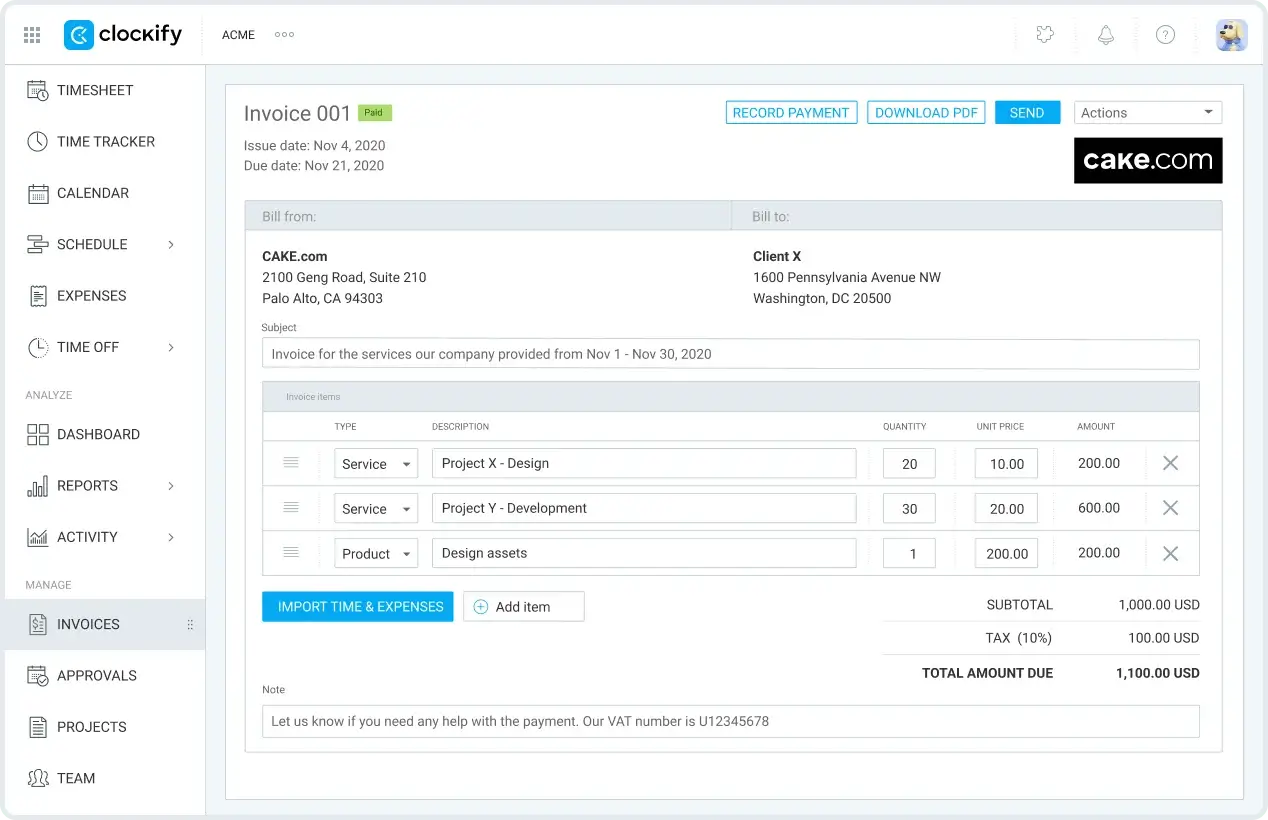
- Standard includes invoicing and time rounding. It costs $5.49 per seat/month annually or $6.99 monthly.
- Pro adds budgets, alerts and expense tracking. It costs $7.99 annually or $9.99 monthly per seat.
- Free currently covers up to 5 users, but it doesn’t include invoicing.
- The Xero add-on requires Standard or higher and costs another $4.99/month.
That connector sends invoices to Xero and brings payment status back. Its documentation also flags differences in tax rounding, so a sample invoice should be reconciled before you rely on it.
Clockify is a sensible budget choice when the required plan still saves money. Readers avoiding employee monitoring should also check their chosen plan’s controls; Pro includes monitoring features alongside its billing features.
My Hours
My Hours is worth considering when the main job is recording client work and billing for it. It gives a solo operator another option before moving into a broader agency-management application.
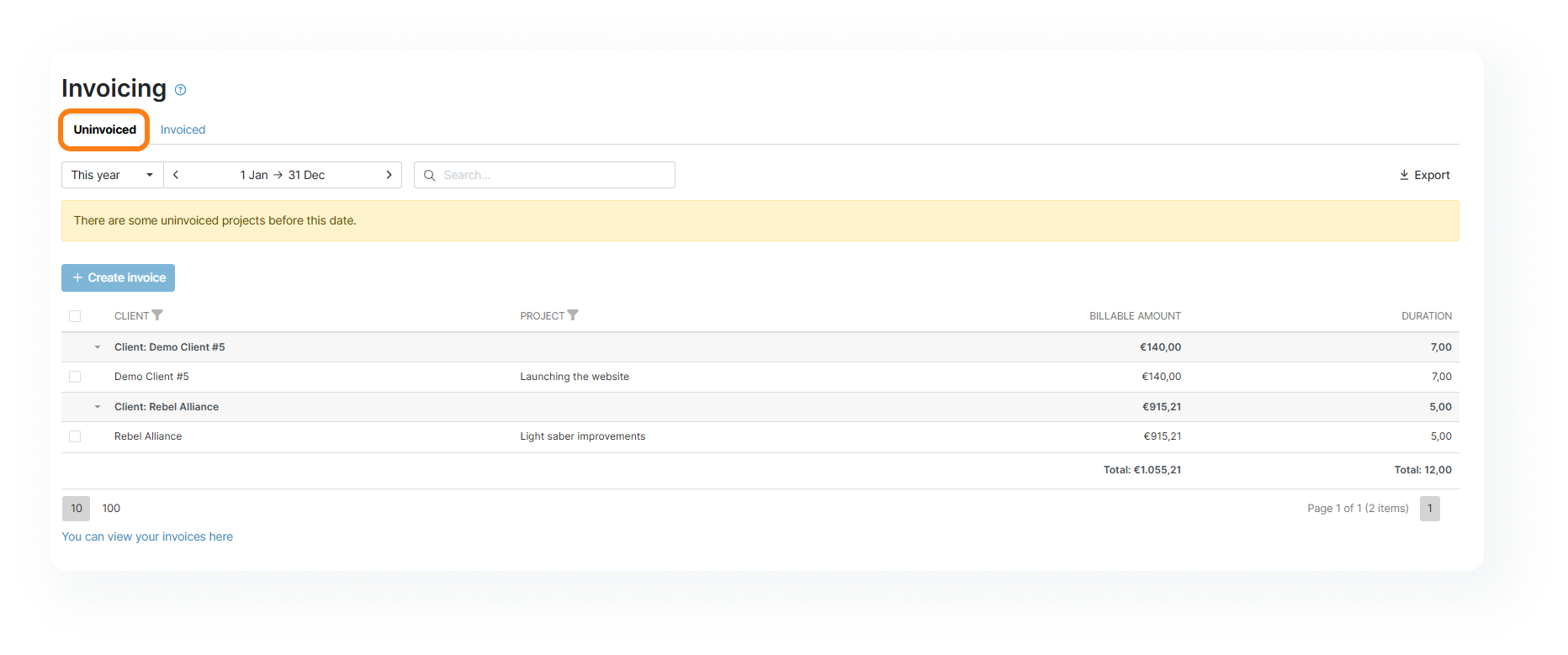
- Pro costs $8 per user/month annually or $9 monthly.
- Invoicing is a Pro feature.
- An invoiceable project needs an assigned client, a billing method and recorded time.
- Its billing setup can use a billable rate or a flat fee.
The important trial is your next invoice. Check whether you can select the right unbilled work and present it in the form your client expects, particularly if the same client has several projects.
For a business that requires Xero invoice synchronization, the documented MinuteDock and Ruddr workflows below provide a more specific starting point. My Hours shouldn’t be chosen on the assumption that every accounting connection is included.
Ruddr
Ruddr is the stronger agency candidate when time and expense records need to feed a shared invoicing process. Its charging model is also different enough to deserve a careful calculation.
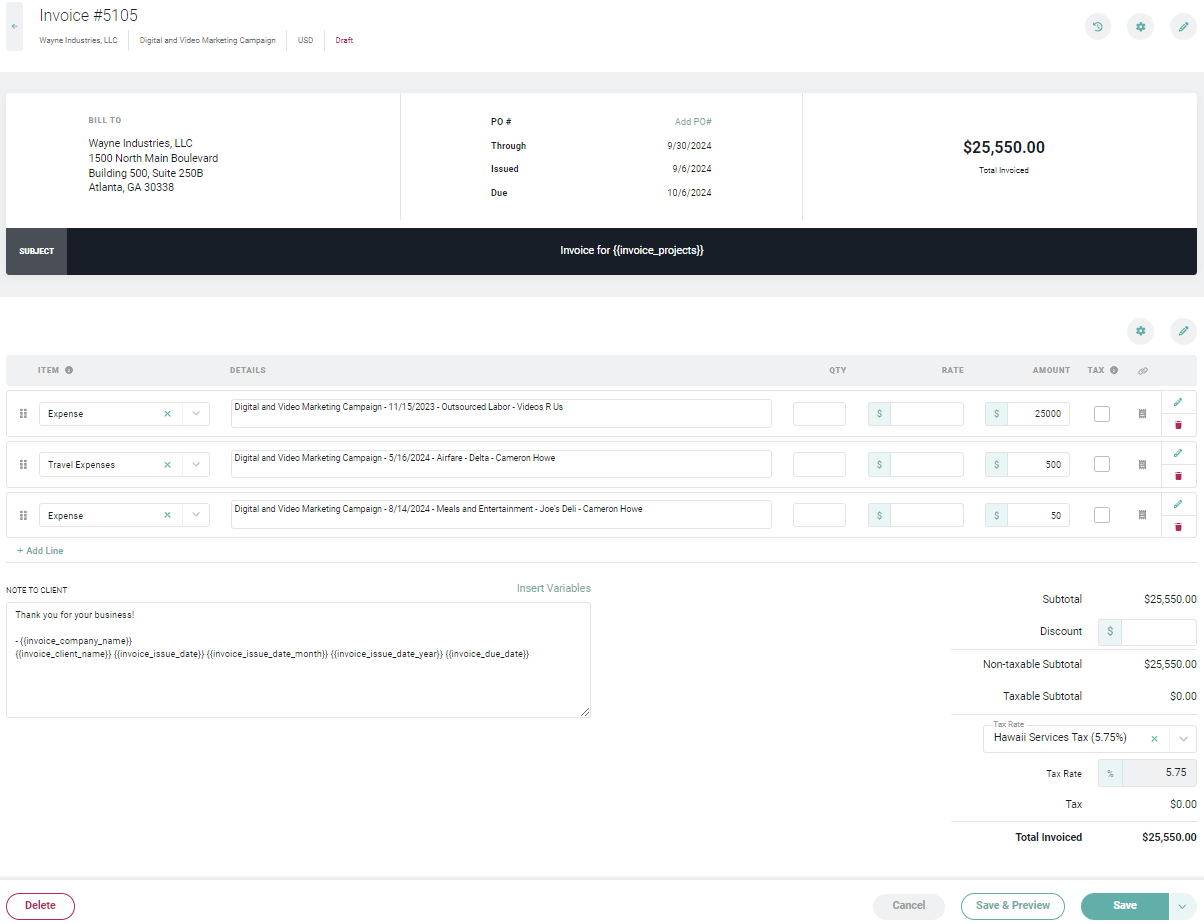
- Team includes time tracking, expenses and invoicing. It costs $14 per billable user/month annually or $17 monthly.
- Non-billable members can be free, but the billing floor is 50% of total workspace members when fewer than half are billable.
- Pro adds resource allocations and multicurrency, at $24 per user/month annually or $30 monthly.
- Its Xero integration supports invoice publishing, payment synchronization and credit notes.
For example, a workspace with 10 members and only 2 billable people is charged for 5 members, not 2. That is still a useful model for some agencies, but “non-billable users are free” needs that condition attached.
Ruddr deserves a trial if your agency is replacing a billing process shared by several people. A freelancer who only needs a timer and an invoice should compare the lighter options first. Ask what migration assistance includes before treating it as a complete transfer of your Harvest account.
MinuteDock
MinuteDock is a focused Harvest alternative for businesses that want to continue invoicing through Xero. The reason to consider it is the handoff between tracked work and accounting, rather than a long list of integrations.
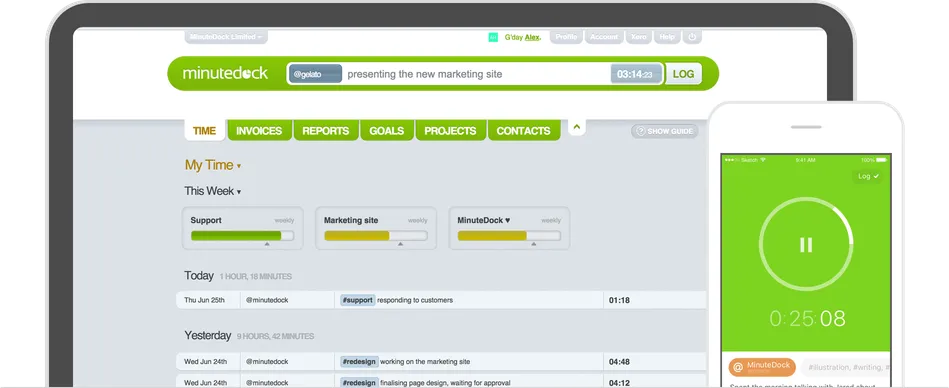
- Freelancer costs $19/month for 1 user.
- Small Team costs $49/month for 5 users.
- The pricing page includes unlimited clients, projects and invoices across its plans.
- Sending an invoice to Xero creates a draft there. The included time entries become invoiced and locked in MinuteDock.
You finish the invoice in Xero, where your accounting process already lives. That can be more useful than a timer button appearing inside another application.
There is a specific requirement to check before choosing it: a visible project budget is not the same as an automatic budget email. MinuteDock documents budget tracking, but if an alert at 80% is essential, confirm that exact behavior during the trial. Its Xero invoice guide is also useful for understanding when time becomes locked.
Paymo
Paymo makes sense when the move from Harvest is also an opportunity to bring task management and estimates into the same application. Plus is the relevant comparison for that combination.
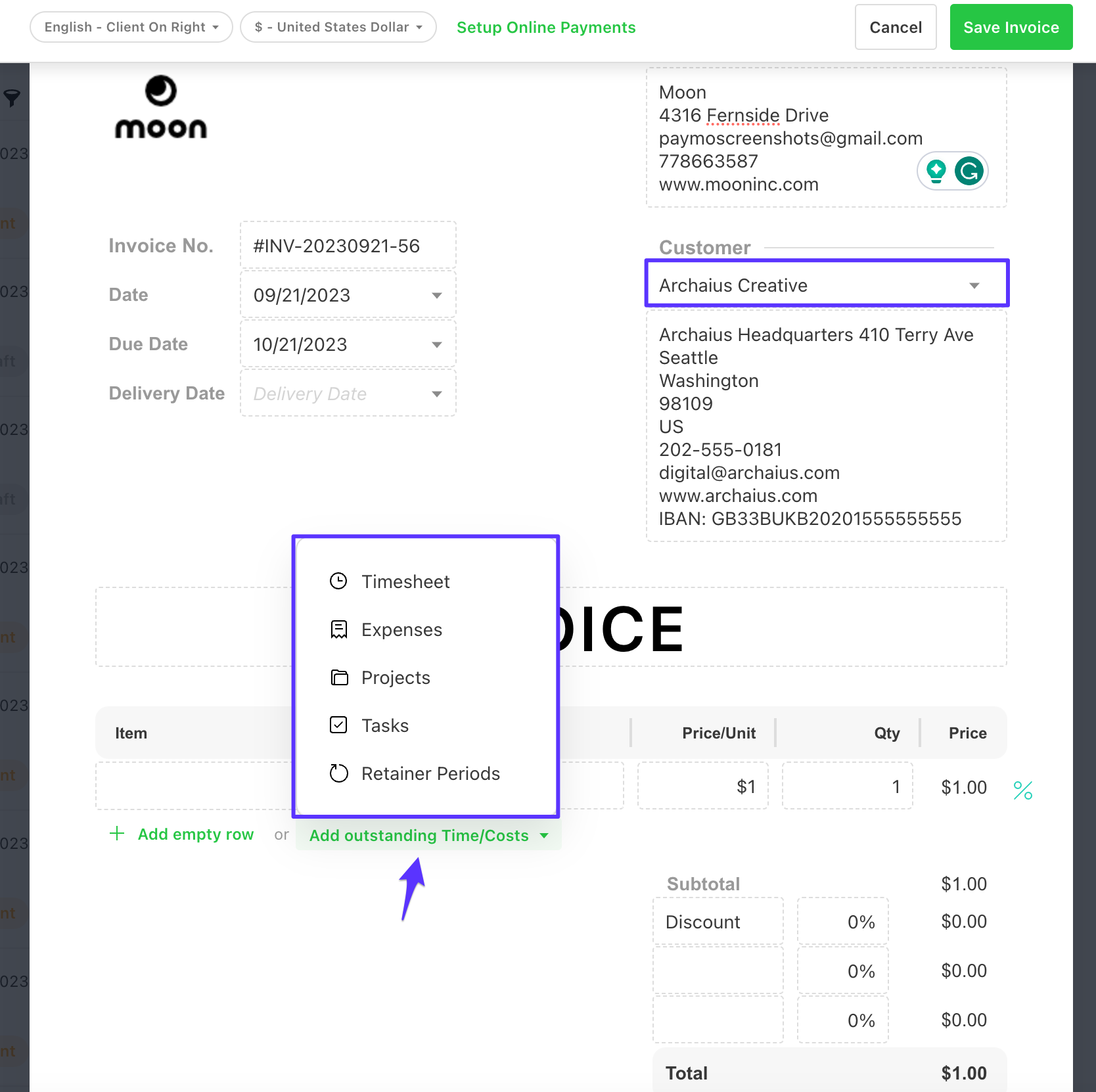
- Plus includes estimates, expenses and recurring invoices.
- Its regular monthly price is $15.90 per user after the introductory discount ends.
- Solo costs $9.90/month at its regular monthly rate, but is limited to 3 clients and 5 projects.
- Plus removes those client and project caps. Pro adds employee scheduling and workload features.
The Solo plan can look appealing until you count the clients you actually need to keep active. For an agency maintaining many small projects, the limit matters more than the lower sticker price.
Paymo should be compared with Ruddr when both project work and billing need attention. If you already have a project management tool your team likes, bringing that work into Paymo also creates a second migration decision.
Toggl Track
Toggl Track belongs on the shortlist for time capture and reporting. It can also create invoices, so the common claim that it has no invoicing is too broad.
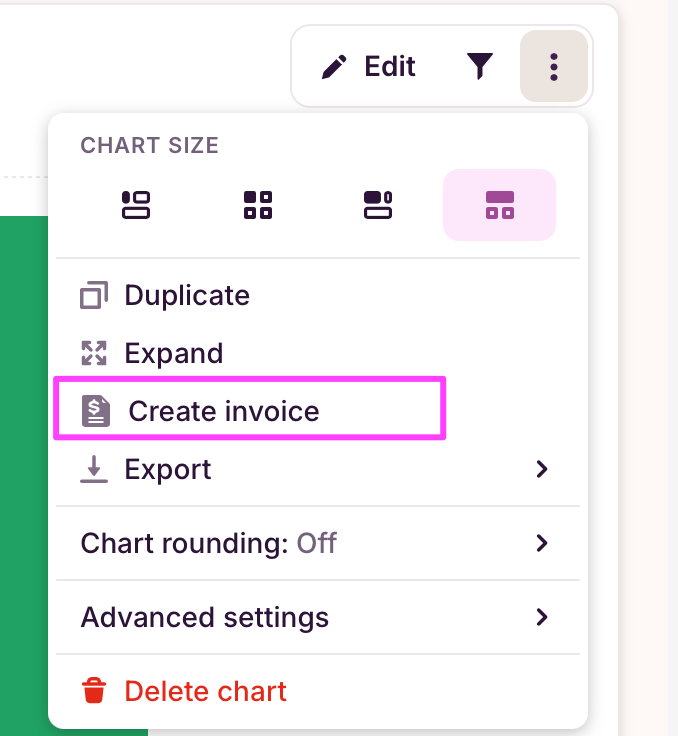
Its invoice documentation describes a more limited billing workflow than some Harvest users may expect:
- Invoices can be created from filtered reports and downloaded as PDFs.
- Free-plan invoices carry Toggl branding; a paid plan is needed to replace it with your own.
- The guide describes a paid-tag workaround for excluding time that has already been billed, rather than a built-in way to mark the time entries on an invoice as paid.
- The Xero browser integration adds time tracking. That alone doesn’t establish invoice or payment synchronization.
Toggl is a better fit when reporting drives the choice and you can keep billing in another system. If Harvest currently handles the whole process through payment status, the trial should cover that full process before you move.
Everhour
Everhour is worth considering when your team wants time tracking inside the project tools it already uses. Its paid integrations are the reason to compare it with standalone trackers.
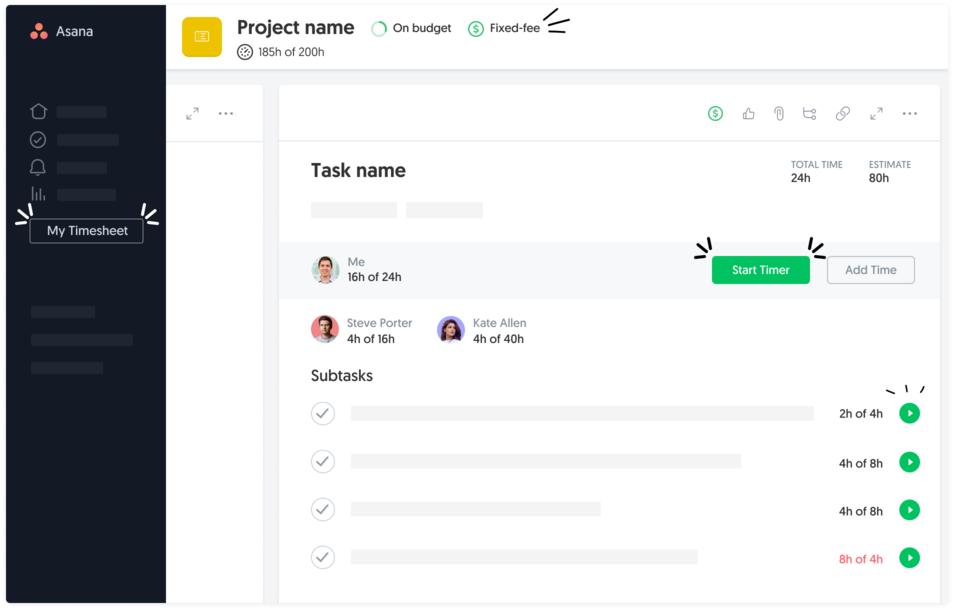
- Team includes native integrations, billing, budgeting and invoicing.
- The annual rate is $8.50 per seat/month, with a 5-seat minimum.
- The minimum annual commitment is therefore $510, equivalent to $42.50/month.
- Its free plan supports up to 5 seats but doesn’t include integrations.
That minimum is reasonable to evaluate for a team of 5. For a solo operator, it means paying for unused capacity before any time has been recorded.
Everhour is most relevant when keeping your existing project workflow reduces the disruption of leaving Harvest. It is a less convincing budget replacement for someone who needs only one paid seat.
Kimai
Kimai is the option to examine when cost and control over your data are the priorities. It offers managed hosting as well as open-source software you can run yourself.
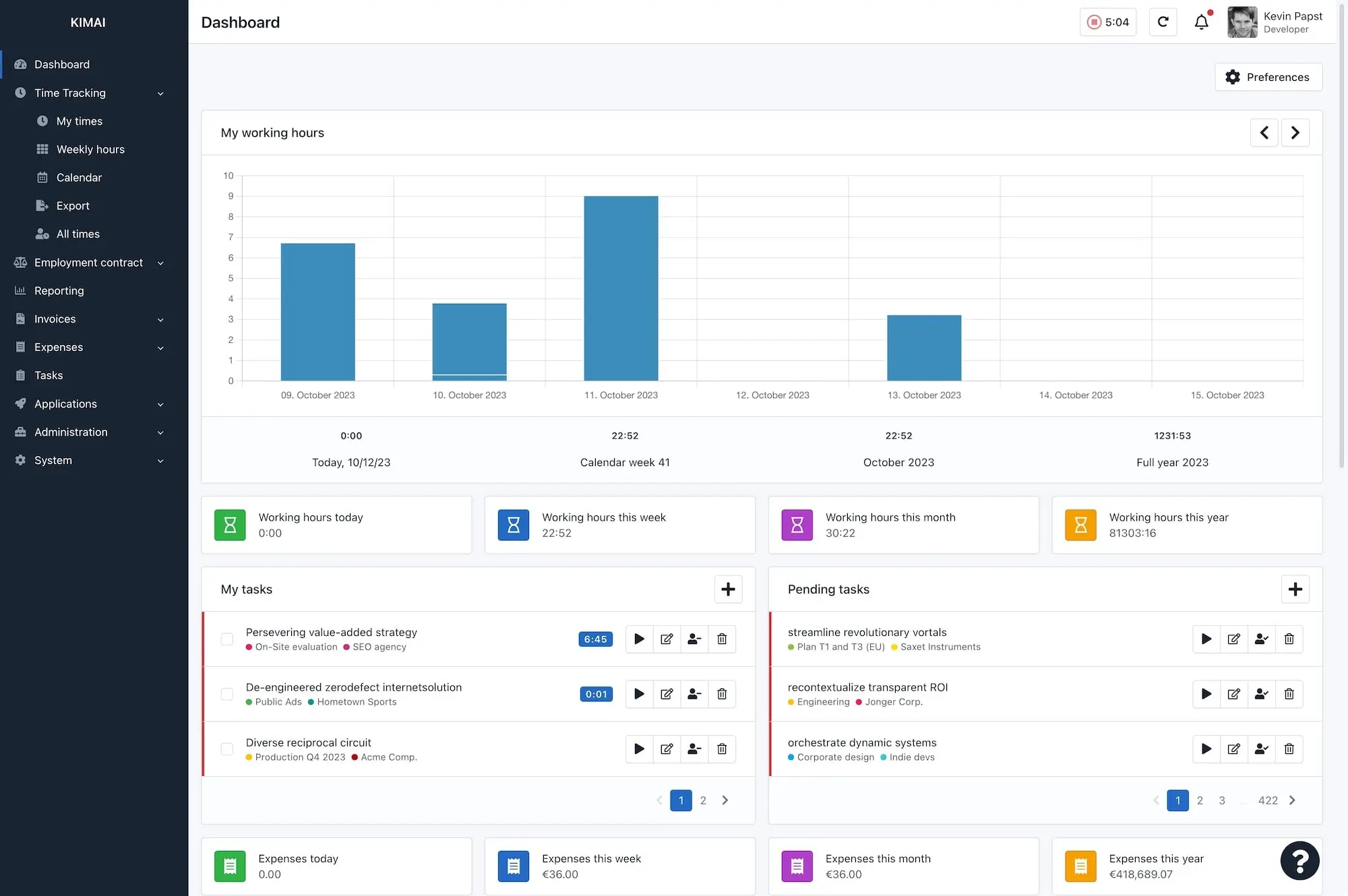
- Cloud Standard costs €2.99 per user/month annually or €3.99 monthly, before taxes.
- Standard includes project time tracking, invoicing and data export.
- The self-hosted edition has no software license charge, but hosting and maintenance remain your responsibility.
- Kimai provides an importer; its supported data should be checked against the Harvest records you need.
The hosted plan avoids the server work. Self-hosting gives you more control, but it also makes someone responsible for updates and recovery if the server fails. It is wise to include that responsibility in the cost comparison.
Kimai’s appeal is strongest when you can accept a different billing workflow in exchange for lower software cost or control. Invoice generation should not be assumed to include the same payment collection and accounting connections you currently use.
Compare the Full Cost
The right price is what it costs to meet your requirements after an introductory discount expires. These requirements should be written down before comparing plans:
- The number of paid users, including any minimum-seat commitment.
- Invoicing and the handling of previously billed time.
- Expenses, rounding and budget alerts.
- Accounting connectors and payment-processing charges.
- Future scheduling, if you also use Harvest Forecast.
Consider a solo operator paying monthly for Clockify and needing Xero sync:
| Required Workflow | Monthly Calculation | Software Subtotal |
|---|---|---|
| Invoicing + Xero | Clockify Standard $6.99 + Xero add-on $4.99 | $11.98/month |
| Invoicing + Xero + budgets/alerts | Clockify Pro $9.99 + Xero add-on $4.99 | $14.98/month |
Both calculations exclude the Xero subscription, taxes and payment fees. The difference comes from the billing features the person needs, even though the product name stays the same.
There are two costs to a switch: the subscription and the work of moving. A cheaper tool can still be the right choice, but the saving should cover the time needed to reconcile the records and teach the new process. For agencies, this also belongs in the broader calculation of service-business profit margins.
How to Switch From Harvest
A sample migration should come before a full migration. It gives you a chance to find differences in billing without putting every client invoice through the new system at once.
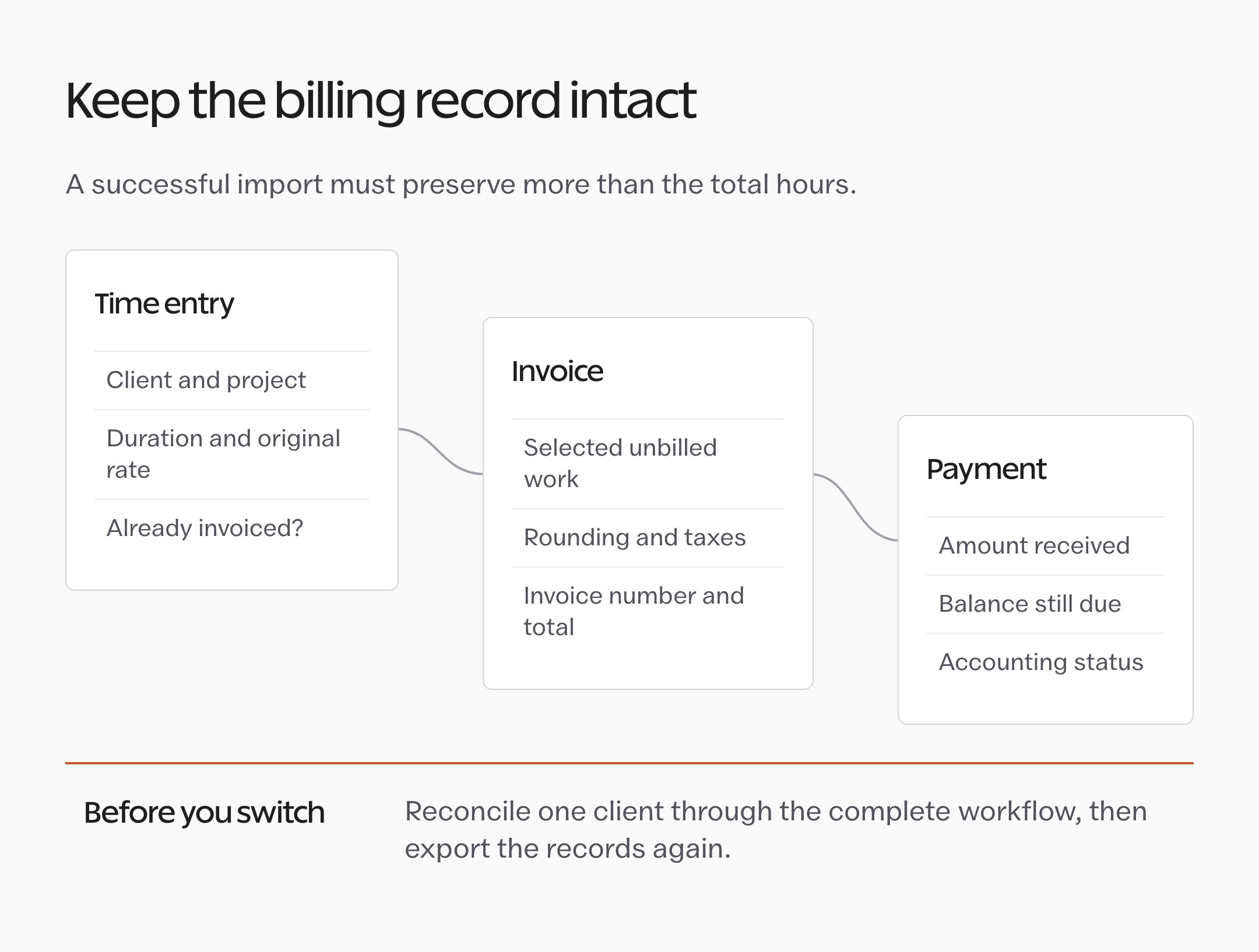
- Write down the non-negotiable workflow. Start with how you bill the next client. Include any rounding rule and accounting connection that must continue working.
- Export the records separately. Harvest provides several export types, with access depending on your plan and permissions. Save the time data as well as the relevant invoices, expenses and other account records. Keep an untouched copy.
- Choose one representative client. Include an older billing rate and some already-invoiced time. A clean new project won’t reveal every migration problem.
- Compare hours and money. Check total hours, billable amounts and outstanding invoice balances. Check that previously invoiced work cannot accidentally appear on the next bill.
- Run one invoice through the accounting workflow. Reconcile tax calculations and partial payments where relevant. Keep the trial controlled so it doesn’t send duplicate invoices or take duplicate payments.
- Check the way out of the new tool. Export the sample again. You should know what you can recover before putting more records into it.
- Set a cutover date and then cancel the old subscription. Follow the route that applies to your Harvest account once your team and records are ready. If you also use Forecast, handle it separately.
Harvest’s export guide explains where the different records are available. Its cancellation guidance distinguishes scheduled cancellation from immediate closure; closing Harvest doesn’t automatically close Forecast.
For a team, the cutover also needs a short written procedure: where new time is recorded and which system sends the next invoice. A simple agency SOP helps prevent someone from continuing the old process out of habit.
When Staying With Harvest Makes Sense
Staying is reasonable if your actual renewal terms are acceptable and a replacement loses something your business relies on. Community frustration is a reason to examine the bill, not proof that every account should move.
The balance changes when a supposed saving brings recurring manual work. If someone has to rebuild invoice details each month or reconcile statuses by hand, that work has a cost too.
A trial should settle the decision. If the alternative completes your normal billing cycle and the overall cost is better, you have a practical reason to switch. If it doesn’t, continuing with Harvest while evaluating another candidate is a sensible middle path.
FAQs About Harvest Alternatives
These questions matter when a replacement looks suitable but one part of the billing process remains uncertain.
What is the best free Harvest alternative?
Clockify is a useful free tracking option for up to 5 users, but invoicing requires a paid plan. Kimai’s self-hosted software has no license charge, although hosting and maintenance still cost time or money. A free timer and a free replacement for the entire billing workflow are different requirements.
Which Harvest alternative works with Xero?
MinuteDock creates draft invoices in Xero from tracked time. Ruddr documents invoice and payment synchronization. Clockify supports an invoice and payment-status workflow through a separately paid Xero add-on on Standard or higher. Compare what moves between the applications before choosing.
Does a Harvest importer preserve all my invoice history?
That depends on the importer. Support for time entries does not establish support for old invoice numbers, payments or invoiced flags. Ask for the supported records and reconcile a sample containing both billed and unbilled work.
Does replacing Harvest also replace Forecast?
Not automatically. Recorded time and future resource scheduling are different jobs. Compare scheduling features separately, and remember that closing the Harvest account does not automatically close its connected Forecast account.
Final Remarks
The replacement should be able to handle the invoice you actually need to send. That’s the part I would keep in front of you while comparing plans, because it makes unnecessary features easier to ignore and missing ones harder to overlook.
Keep the migration checklist beside your trial and work through one representative client before moving everyone. You’ll have a much clearer decision once the hours and invoice totals agree.
Tell Google you want more of this.
Add Gatilab as a preferred sourceOne tap, and this site shows up more often in your own Top Stories, AI Overviews and AI Mode. Remove it any time.