
A perpetual license brings more money on the day of the sale, while a subscription can bring more over the years. The wrong choice is hard to undo, because the people who already bought will expect the terms you sold them.
The perpetual vs subscription license decision comes down to 2 numbers: your renewal rate and the cost of supporting a customer for another year. We recommend a subscription when that cost repeats, and a perpetual license when the product is close to finished.
If you sell software from WordPress, Stackless for WooCommerce is the plugin we built to issue keys for either model. The pricing decision comes first.
Perpetual vs Subscription License
A perpetual license lets the customer use a version of the software with no end date. A subscription license gives access, updates or support for as long as the customer keeps paying. Many WordPress products sit between the 2.
| Perpetual | Perpetual with paid updates | Subscription | |
|---|---|---|---|
| Customer pays | Once | Once, then optionally for updates | Every month or year |
| Use after payments stop | Continues | Continues on the last version received | Set by your terms |
| Updates | As promised at sale | For a set period | While active |
| Your revenue | Needs new buyers | Part one-time, part recurring | Recurring |
| Main risk | Support without new income | Buyers stay on old versions | Cancellations |
“Lifetime” needs a definition in your terms. It can mean the life of the product, lifetime updates or lifetime use of one major version, and buyers will assume the most generous of these.
When a Subscription Earns More
Suppose you can sell a plugin for $249 once or for $99 a year. If every customer renews, the subscription passes the one-time price in year 3. Real customers leave, so the renewal rate decides the result.
| Revenue per original buyer by | 50% renew | 70% renew | 90% renew |
|---|---|---|---|
| Year 1 | $99 | $99 | $99 |
| Year 2 | $149 | $168 | $188 |
| Year 3 | $173 | $217 | $268 |
| Year 4 | $186 | $251 | $340 |
| Year 5 | $192 | $275 | $405 |
This is a hypothetical example, rounded to whole dollars, with the same renewal rate each year:
- At 90%, the subscription passes $249 in year 3.
- At 70%, it passes in year 4.
- At 50%, it never does. The total keeps getting closer to $198 and stops there.
The shortcut is to divide the yearly price by the share of customers who leave each year. Here, $99 divided by 0.5 is $198. If that result is below your one-time price, the subscription won’t catch up at that renewal rate.
The math leaves out support cost and the value of cash today. Our guide to the economics of lifetime deals covers what one-time buyers cost over time.
When a Perpetual License Fits
A one-time price is a good idea when most of these are true:
- The product does one job and changes little.
- It runs on the customer’s server, with no monthly cost to you.
- Support questions drop sharply after setup.
- Buyers compare it with other one-time products.
- You can afford updates from new sales alone.
When a Subscription Fits
A yearly price is the safer choice when your costs repeat:
- The product follows an API, a payment provider or a platform that keeps changing.
- Each customer uses your servers, storage or AI credits.
- Security updates are part of what people pay for.
- Customers need support throughout the year.
- The product gains substantial features every year.
If usage differs widely between customers, a flat yearly price may not be enough either. Our comparison of SaaS pricing models covers per-seat and usage pricing.
Write the License Policy First
The checkout, the key settings and the support replies should all follow one written policy. These are the decisions we would put in it:
- Site limit: how many production sites each tier covers, and whether staging sites count.
- Term: what ends on the expiry date, which may be updates, support or use.
- Grace period: how many days a late renewal keeps working.
- Renewal price: the full price or a discount, stated before the first purchase.
- Refunds: the window, and what happens to the key afterward.
- Upgrades: how a customer moves to a bigger tier.
- Existing buyers: what they keep if you change the model later.
WordPress plugins have one more condition. WordPress is released under the GPL and considers plugins derivative works, so many sellers charge for updates and support while the code keeps working. A lawyer should review the final agreement.
Set Up Either License in WooCommerce
In Stackless for WooCommerce, the Software Licensing module has a Validity setting on each product. It maps to the 3 models this way:
| Model | Validity setting | What happens |
|---|---|---|
| Perpetual with lifetime updates | Lifetime | The key has no expiry date |
| Perpetual with paid updates | Number of days | The key expires after the period, and your software decides what keeps working |
| Subscription | Follows subscription | The key follows renewals, with 3 grace days by default |
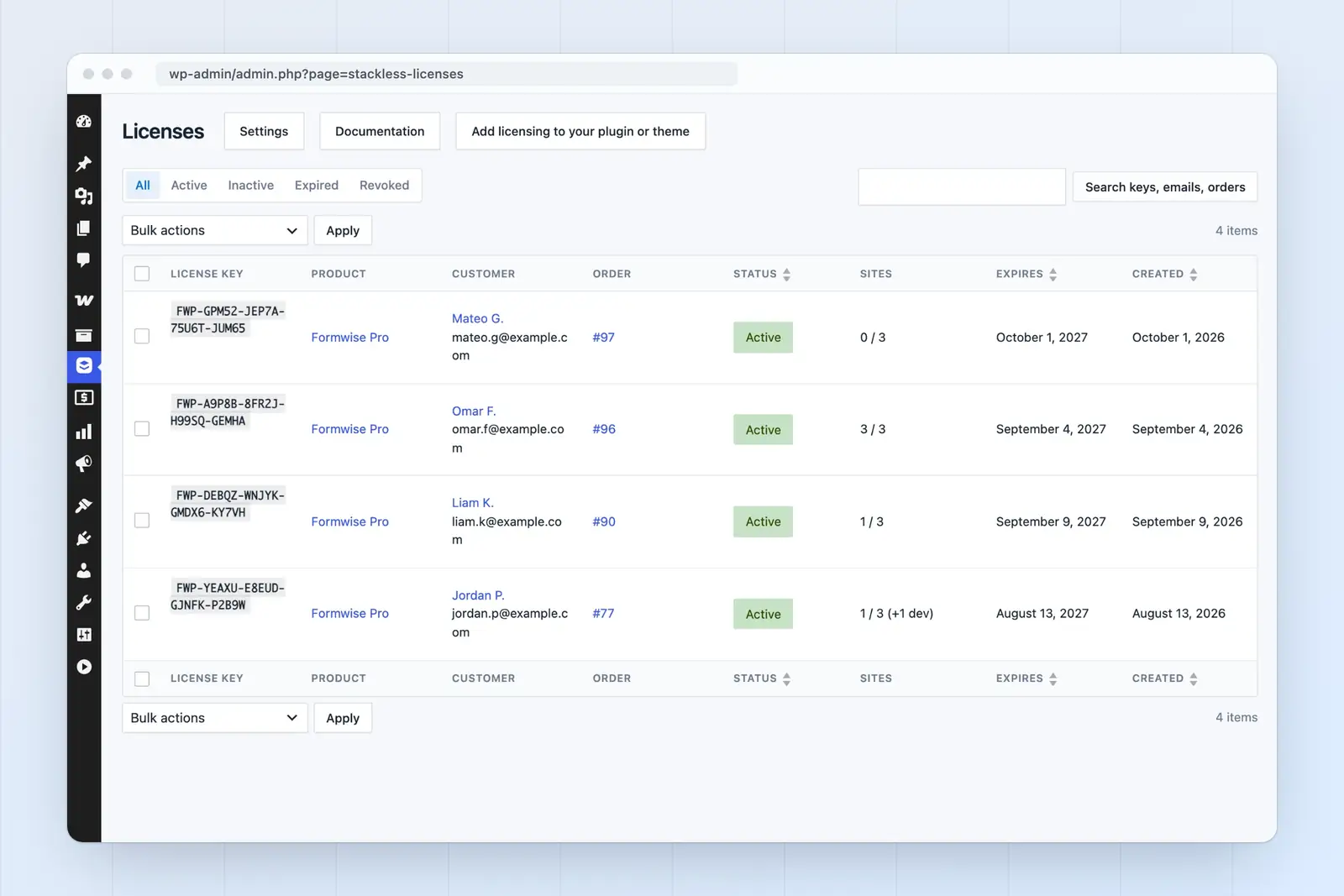
These defaults should be checked against your policy before the first sale:
- The site limit is 1, and 0 means unlimited.
- Development sites don’t count toward the limit.
- A quantity of 3 creates 3 keys unless you choose one key with a higher limit.
- A refund or cancellation revokes that order’s keys.
- A pending cancellation keeps the key active until the paid period is over. A cancelled subscription expires it right away.
- Follows subscription acts as Lifetime when the product has no subscription, so the product’s billing needs a second look.
If the store doesn’t exist yet, our comparison of Easy Digital Downloads and WooCommerce covers that choice. For the full setup with update delivery, Gaurav Tiwari’s guide to selling WordPress plugins from a WooCommerce store goes step by step. On Easy Digital Downloads, Stackless for EDD has the same 3 validity settings.
FAQs on Perpetual and Subscription Licenses
Often, but the words promise different things. Perpetual describes the right to use the software. Lifetime is commonly used for updates or support too, so your terms should say which of these it covers.
Yes. A yearly plan beside a one-time plan lets buyers choose. Your renewal rate should set the gap between the 2 prices, which is what the worksheet calculates.
We would test the decision at 50%, 70% and 90% until you have a full year of renewals. If only the 90% case works, the plan is fragile.
Yes, for new buyers. The safe route is to honor what earlier customers bought and to announce the date of the change in advance.
Where to Start
We would run your own 2 prices through the worksheet at all 3 renewal rates, then fill in the policy sheet before touching checkout. If the result is close, the model your support costs can survive is the wiser one.
Tell Google you want more of this.
Add Gatilab as a preferred sourceOne tap, and this site shows up more often in your own Top Stories, AI Overviews and AI Mode. Remove it any time.