
7 Intercom Alternatives for Small Support Teams
I get why teams start looking for Intercom alternatives. Intercom is priced like a suite: every seat costs from $29 a month on Essential up to $132 on Expert. Then Fin, its AI agent, charges from $0.99 for every outcome.
If you mostly use Intercom as a help desk with an AI agent in front, that second bill grows with your traffic even when your team stays the same size. At 300 AI-handled conversations a month, Fin alone comes to about $3,564 a year.
My advice is simple. If you run a WordPress business, I’d move to Core Support, the helpdesk plugin I built. Its AI chat runs on your own API key, hands off to a ticket when it can’t help and comes with an Intercom importer. If you want a hosted tool, Help Scout is the closest match for a help desk with cheaper AI resolutions.
I’d stay on Intercom only if you rely on what makes it a suite, which I cover below. I compared these 7 on how they bill seats and AI, and I ran Core Support’s Intercom import on a trial workspace myself. They fall into three groups:
- Help desks with AI in front: Core Support, Help Scout, Zendesk and Front
- Chat-first tools with a shared inbox: Crisp and Tidio
- Open source: Chatwoot
Why Teams Leave Intercom
Intercom is a strong product. The trouble for a small support team is that it bills like one, on two meters at once:
- Seats on every plan: Essential is $29 per seat a month on annual billing ($39 monthly), Advanced is $85 ($99) and Expert is $132 ($139). New customers see a discounted Essential price at first.
- Workflows start at Advanced: the automation builder, multiple team inboxes and round robin assignment need the $85 plan.
- Fin bills per outcome: from $0.99 each, on every plan. Fin is also sold on its own, without seats.
- Copilot is separate: $29 per agent a month on annual billing, with 10 free Copilot conversations per agent a month.
- Channels are pay-as-you-go: email campaigns, SMS, WhatsApp and phone are billed by usage.
When to Stay on Intercom
Some teams should stay. I’d keep Intercom if most of these describe how you work:
- Your team answers customers live in the Messenger all day.
- You onboard users with product tours or proactive in-app messages.
- You run outbound email or SMS campaigns from the same tool.
- You need SSO or HIPAA support from one vendor, which Expert covers.
None of the alternatives below replaces all four at once. They make sense when Intercom has turned into a help desk with an expensive AI agent in front.
Quick Comparisons
Find the job you need in the second column, then jump to that tool’s section.
| Tool | Best for | How it bills | How AI is billed | Free option |
|---|---|---|---|---|
| Core Support | WordPress businesses | One payment, unlimited agents | Your own AI provider’s usage | No, 14-day refund |
| Help Scout | A hosted help desk with cheaper AI | Per user | Per resolution | Free plan, 5 users |
| Zendesk | Large support teams | Per agent | Per automated resolution | Trial only |
| Front | Email-first teams | Per seat | Per conversation | No |
| Crisp | Flat pricing for a chat team | Per workspace | Included AI credits | Free plan, 2 seats |
| Tidio | Small online stores | Per handled conversation | AI conversation packs | Free plan, 50 conversations |
| Chatwoot | Open source with a hosted option | Per agent, or self-hosted | AI credits | Free plan, 2 agents |
What 5 Agents Pay in a Year
This is a 5-person team on annual billing, with 300 AI-handled conversations a month wherever the tool charges for AI:
- Intercom Essential: $29 × 5 × 12 = $1,740 for seats, plus Fin at 300 × $0.99 × 12 = $3,564. About $5,304 a year.
- Intercom Advanced: $85 × 5 × 12 = $5,100 for seats, plus the same $3,564 for Fin. About $8,664 a year.
- Help Scout Standard: $1,500 for seats, plus its AI agent at 300 × $0.75 × 12 = $2,700. About $4,200 a year.
- Zendesk Suite Team: $3,300 for seats, plus (300 − 25 included) × $2.00 × 12 = $6,600 for automated resolutions. About $9,900 a year.
- Chatwoot Business: $39 × 5 × 12 = $2,340 a year, with 500 AI credits a month included.
- Crisp Essentials: $95 a month for up to 10 seats = $1,140 a year, with about 450 automated conversations a month from included AI credits.
- Core Support: $199 once, plus your AI provider’s usage bill, capped by a daily budget you set.
Each vendor counts AI differently, so treat the AI lines as rough sizes. Still, the pattern holds: on Intercom and Zendesk, the AI agent can cost more than the seats.
Best Intercom Alternatives
These are in the order I’d recommend them to a small team that mostly uses Intercom for support. Each heading names the job that tool does best.
Best for WordPress Businesses: Core Support
Core Support is my pick if your business runs on WordPress and Intercom has become your help desk. It’s a full helpdesk plugin, so the inbox, the customer portal, the docs and an AI chat live on your own site, for one $199 payment and any number of agents.
The AI chat is the part that replaces Fin. It answers from your docs, posts and WooCommerce, FluentCart or EDD products, and it runs on your own API key from OpenAI, Anthropic, xAI or DeepSeek.
- Talk to a person: turns the chat into a ticket with the whole transcript and the page the visitor was on.
- Daily token budget: once it’s spent, the chat stops and offers a ticket instead.
- Answer rules: you set the answer length, the topics it covers and up to 20 rules of your own.
- One script tag: the chat can run on any page of your site and on other sites you connect.
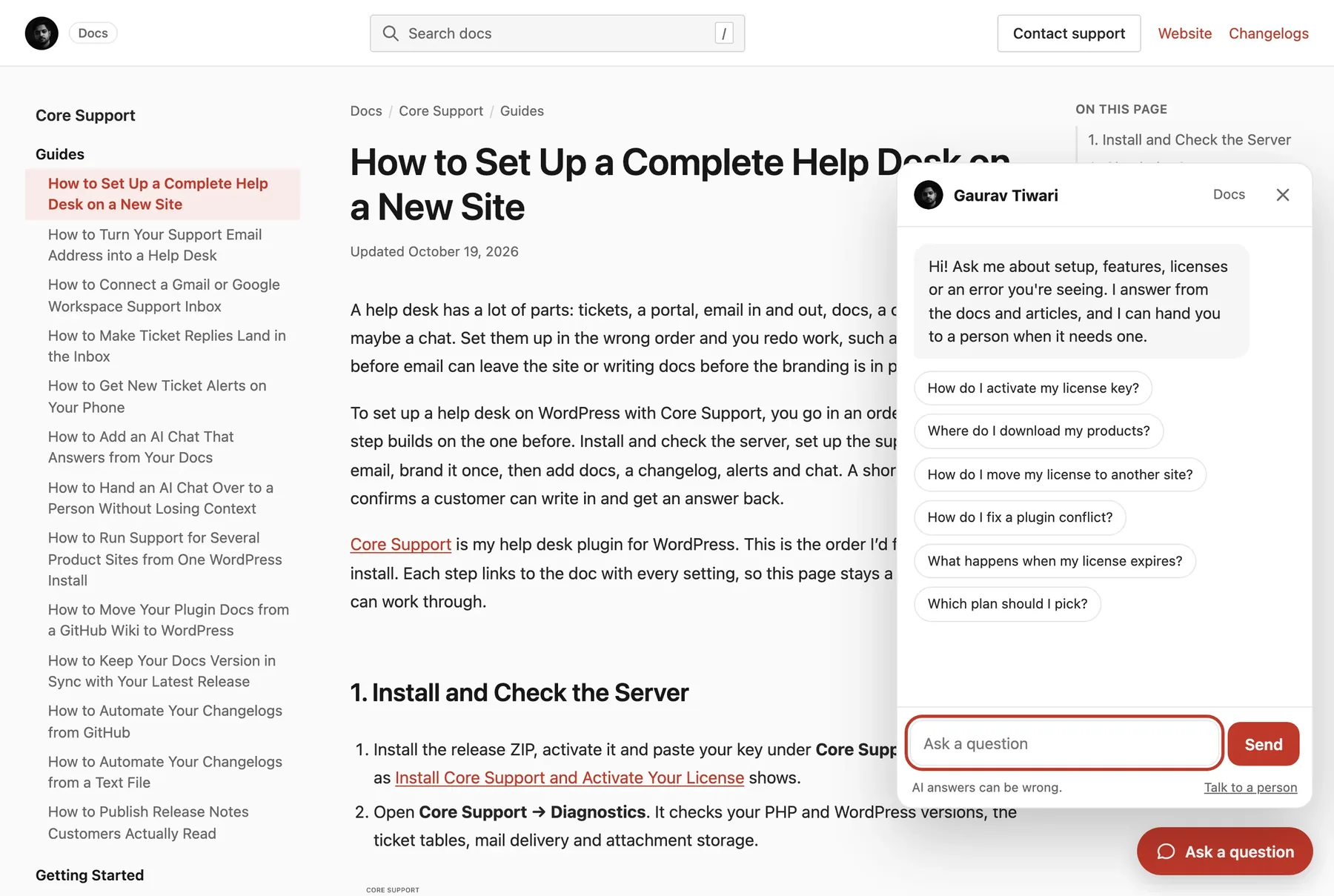
Live chat with a person arrives in the first half of November 2026, as an update to the same license.
The Intercom importer connects with an access token from an app you create in Intercom’s Developer Hub. When I connected an Intercom trial workspace, the check found 4 conversations and 2 team members. I was matched to my WordPress account, and Fin was kept as a name because it has no account here.
The 4 conversations came over as tickets with their messages, and Undo removed them cleanly. Intercom’s separate Tickets type doesn’t come over, and product tours and campaigns have no equivalent in Core Support. The full feature list is on the Core Support page.
Best Hosted Help Desk With Cheaper AI: Help Scout
Help Scout is the closest hosted match if you want a shared inbox, a help center, live chat and an AI agent without suite pricing.
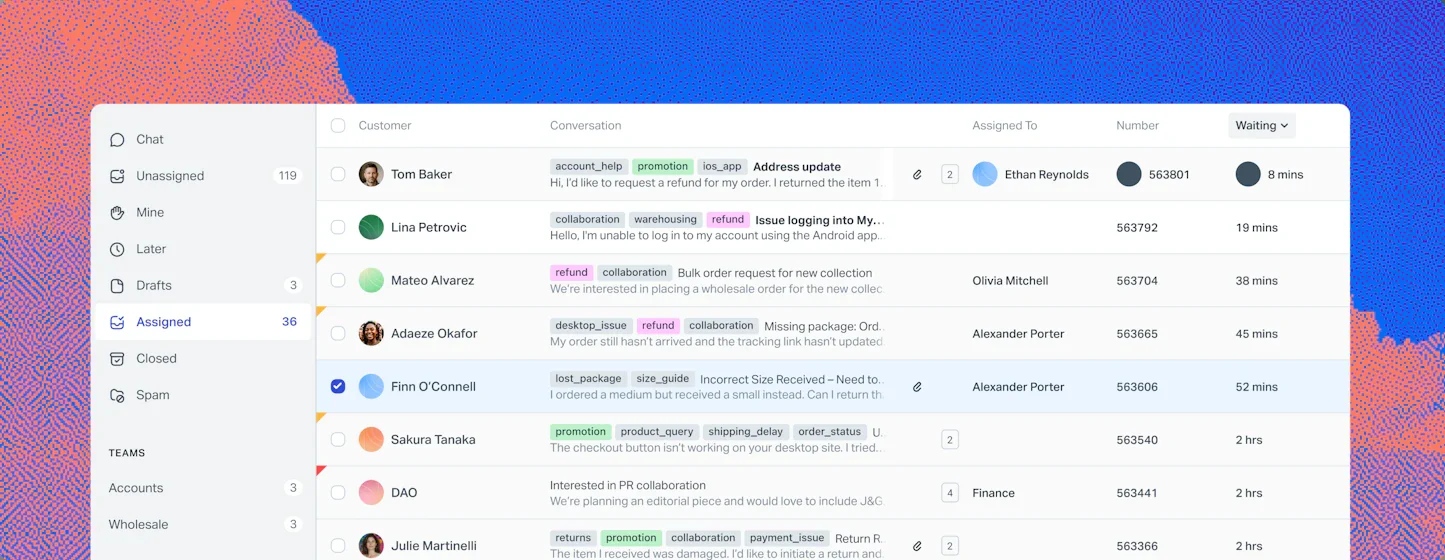
- Free: 5 users, 1 inbox and 1 Docs site, with a limit of 100 contacts a month.
- Standard, $25 per user a month on annual billing ($30 monthly): up to 25 users, live chat and SMS, multiple knowledge bases, basic workflows and one basic SLA.
- Plus, $45: advanced workflows, a secure customer portal, unlimited AI drafts and round robin assignment.
- AI agent: $0.75 per resolution.
At 300 AI answers a month, Help Scout’s agent costs about $2,700 a year against Fin’s $3,564. I’d pick it over Intercom when your Messenger is mostly a contact form with a chat window. Help Scout lists its plans here.
Best for Large Support Teams: Zendesk
Zendesk replaces more of Intercom’s suite than anything else here, including messaging, live chat and telephony. It suits a team that expects to grow large.
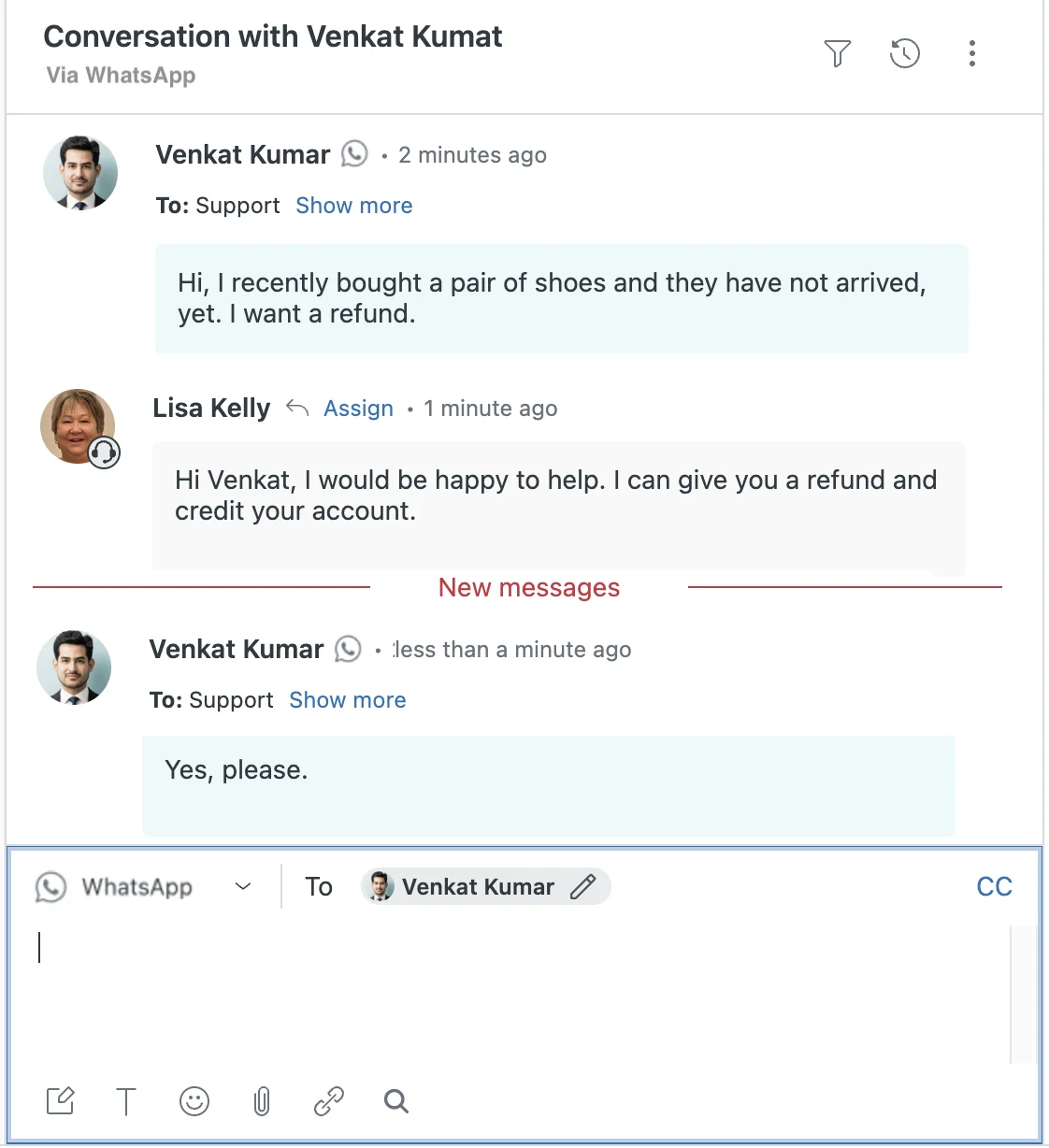
- Suite Team, $55 per agent a month on annual billing ($69 monthly): knowledge base, AI agents, messaging and live chat.
- Suite Professional, $115 ($149): SLAs, skills-based routing, up to 5 help centers and light agents.
- AI: 5 automated resolutions per agent a month are included on Team plans, then $2.00 each on pay-as-you-go.
The catch is AI. A pay-as-you-go automated resolution costs about twice Fin’s starting price, so a high-volume AI setup can cost more on Zendesk. You can check where each feature starts on Zendesk pricing.
Best for Email-First Teams: Front
Front works like a shared email client with ticketing on top. If your Intercom Messenger is quiet and email carries most of your support, Front fits that shape better.
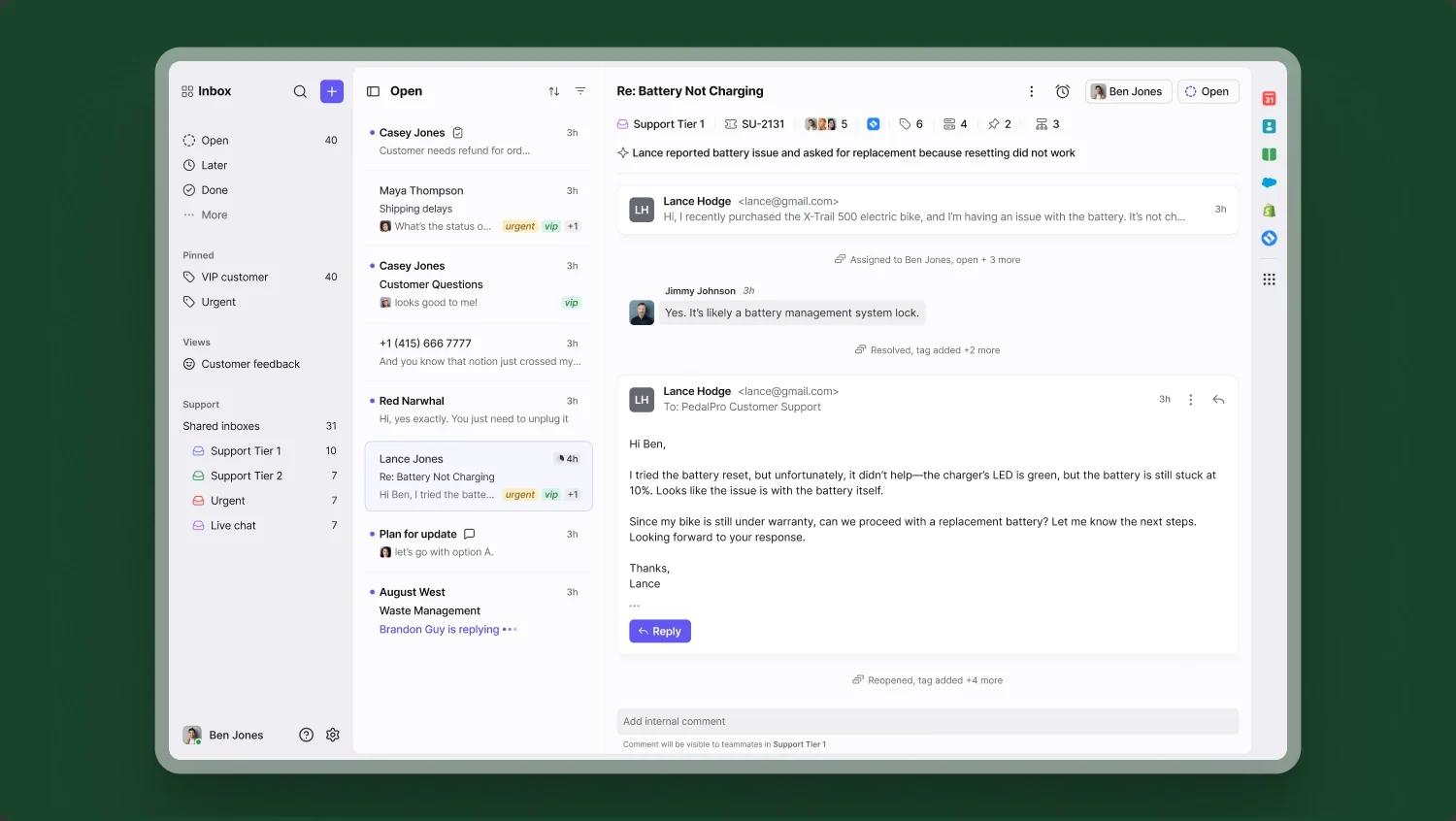
- Starter, $25 per seat a month on annual billing ($35 monthly): up to 10 seats on one channel type, with a shared inbox, ticketing and a public knowledge base.
- Professional, $65 ($85): more channels, macros, 20 automation rules and advanced analytics.
- AI: Copilot is $20 per seat a month, and the Autopilot AI agent is billed per conversation.
Starter’s 10-seat cap and single channel type are the limits to watch, and Front has no free plan.
Best Flat Pricing for Chat Teams: Crisp
Crisp charges per workspace, and each plan includes a set number of seats. That makes it the cheapest way to keep a team answering live chat after leaving Intercom.
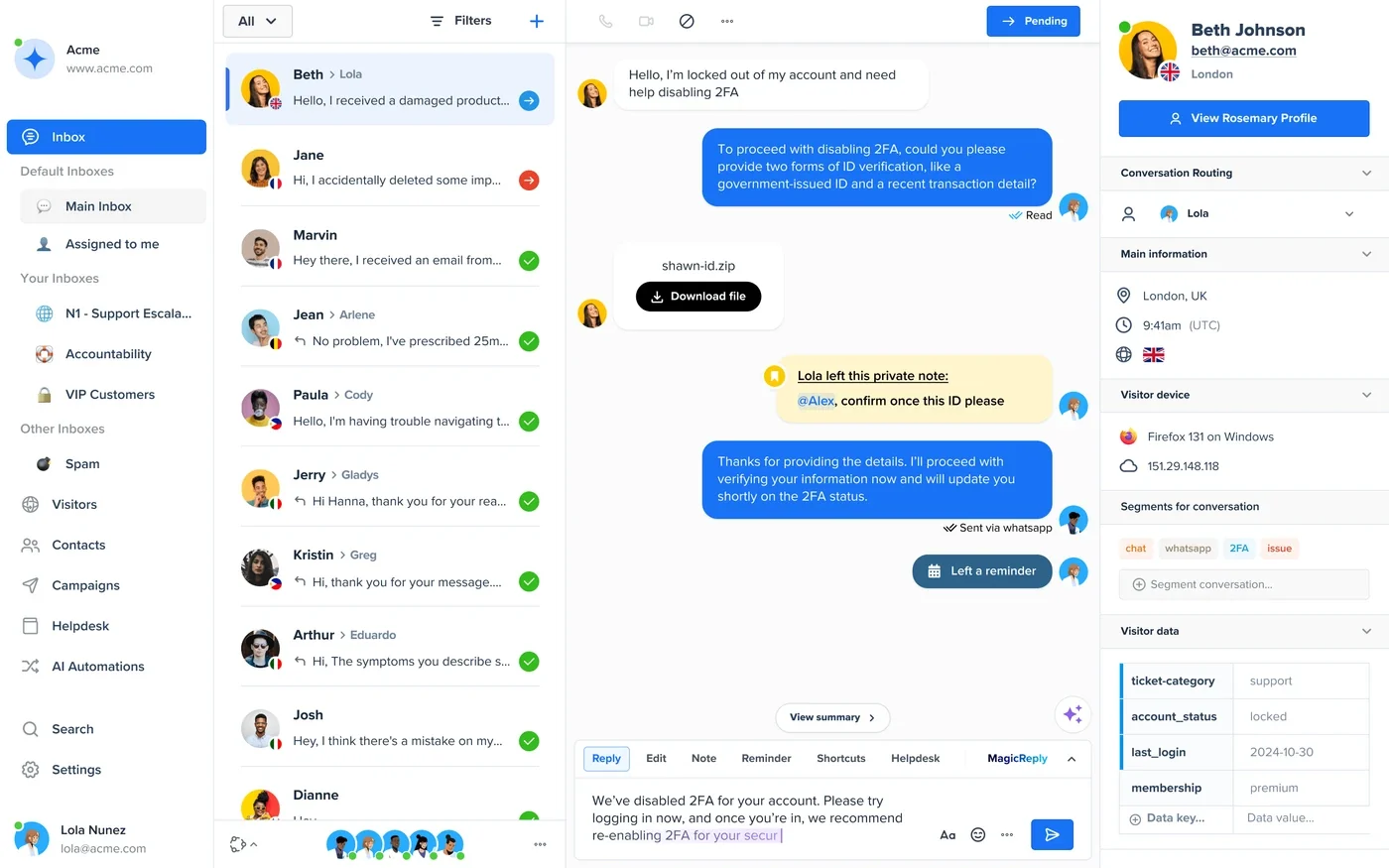
- Free: 2 seats, a website chat widget and a shared inbox, with no AI credits.
- Mini, $45 a month: 4 seats, a shared email inbox and about 90 automated conversations from included AI credits.
- Essentials, $95 a month: 10 seats, a knowledge base, an omnichannel inbox, a workflow builder and about 450 automated conversations.
- Plus, $295 a month: 20 or more seats, a ticketing system and a customer portal.
The ticketing system and customer portal only arrive on Plus, so a ticket-heavy team pays more than the entry price suggests. You can compare plans on Crisp.
Best for Small Online Stores: Tidio
Tidio bills by handled conversations instead of seats, which suits a store with a small team and seasonal traffic.
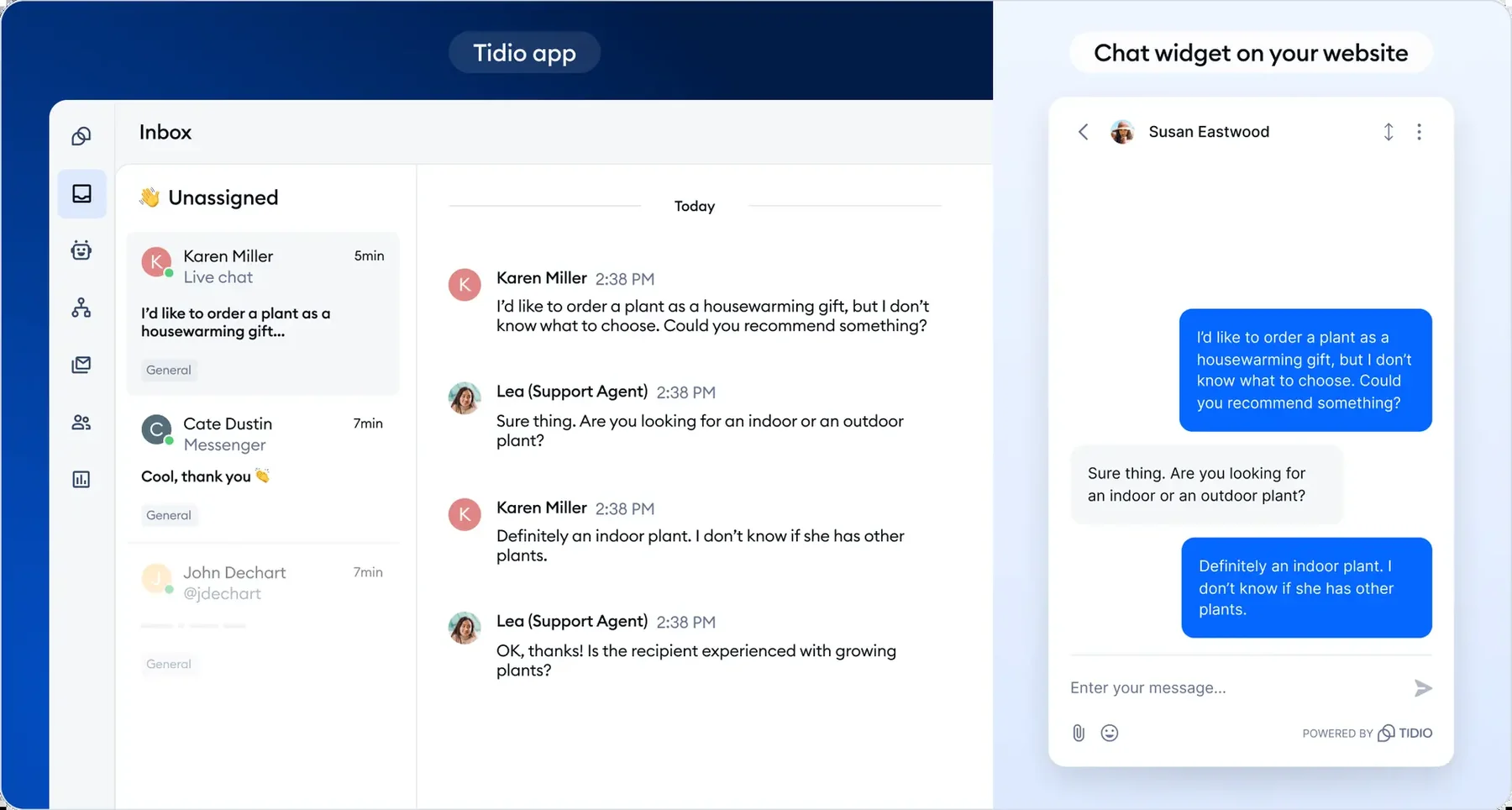
- Free: 50 handled conversations a month and up to 10 operators, with live chat and ticketing.
- Starter, $29 a month: 100 handled conversations, less on annual billing.
- Lyro AI agent: every account starts with 50 Lyro conversations. Monthly packs run from $39 for 50 conversations to $210 for 300.
A busy month can push you into a bigger plan quickly, so I’d look at last year’s November traffic before choosing. Tidio also sells Lyro on its own if you only want the AI agent.
Best Open-Source Option: Chatwoot
Chatwoot is the open-source pick, with a chat widget, a shared inbox and a help center. You can use its hosted plans or run it on your own servers.
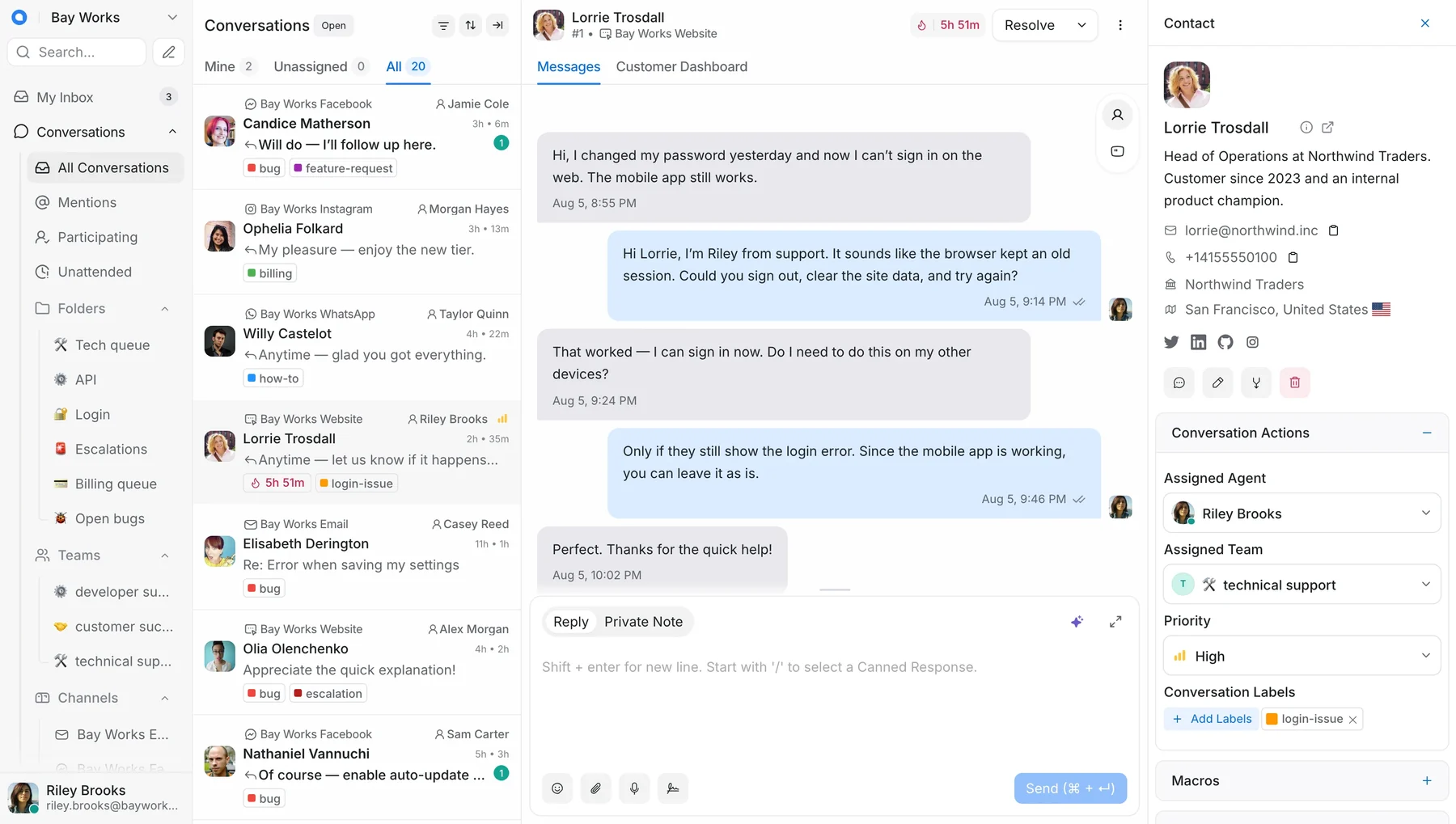
- Hacker, free: up to 2 agents, 500 conversations a month, live chat only and 30 days of data retention.
- Startups, $19 per agent a month: all channels, a help center and 300 AI credits a month.
- Business, $39: teams, automation rules, voice and 500 AI credits a month.
- Extra AI credits: $20 per 1,000.
Self-hosting keeps every conversation on your own servers, but updates and uptime become your job. Chatwoot lists the self-hosted plans next to the cloud ones.
Moving Your Intercom Conversations
Your Intercom conversations are the history your team will miss. Before you cancel, check how the new tool brings them over with their replies and customers.
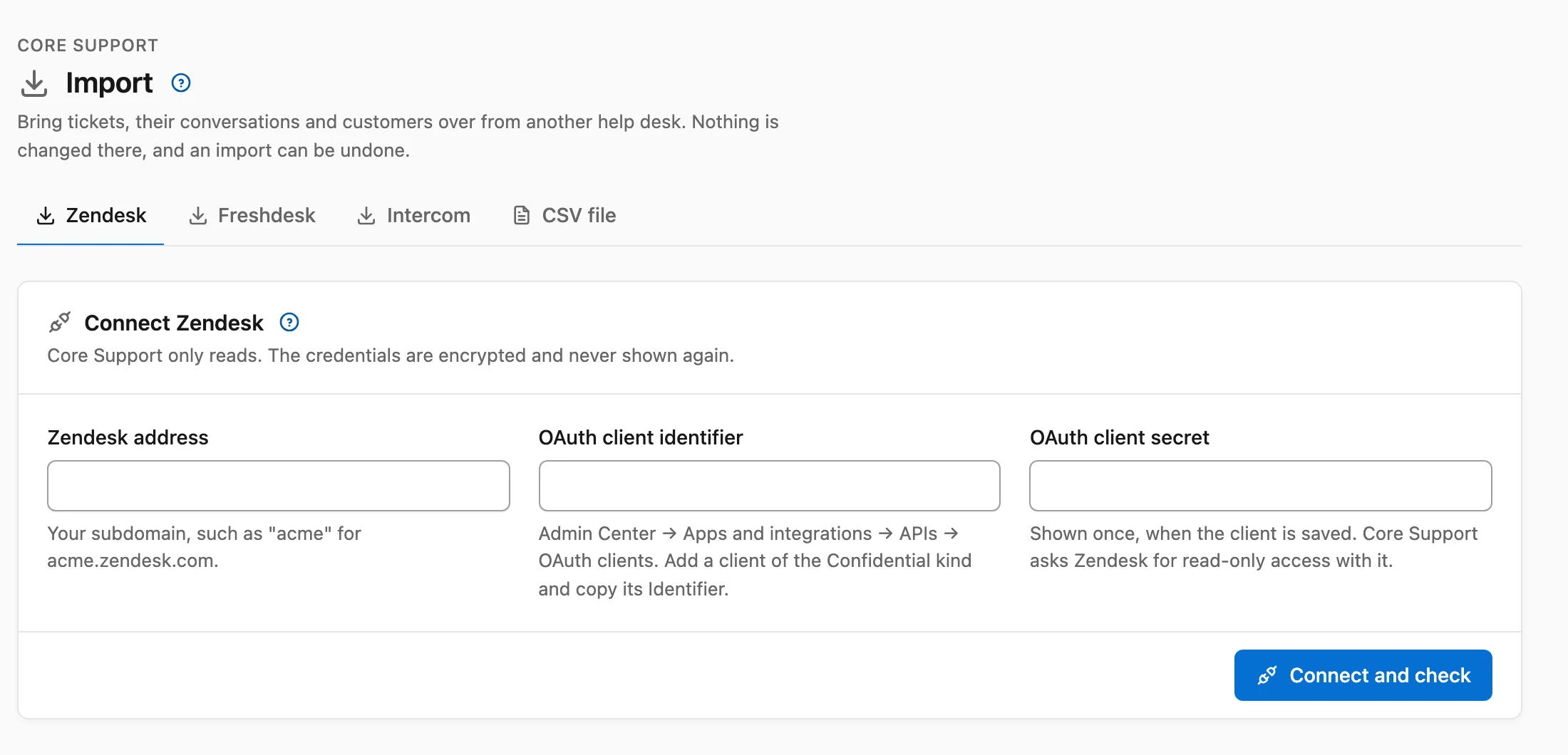
With Core Support, the move takes these steps:
- In Intercom, open the Developer Hub and create a new app for your workspace.
- Under Configure → Authentication, turn on Read conversations, Read and list users and companies, and Read admins. Then copy the access token.
- In WordPress, open Core Support → Import → Intercom, choose where your workspace keeps its data (United States, Europe or Australia) and paste the token.
- Choose Connect and check, then read how each team member will appear.
- Choose Start import.
This is how Intercom data lands in Core Support:
- open conversations become Open, snoozed ones become Waiting on customer and closed ones become Resolved
- priority conversations become High
- Intercom notes become private notes, and assignments and state changes are left out
- attachments up to 20 MB are copied over
- customers keep their name, phone, city, region and country
No email goes out during the import. Your Fin setup, workflows, tours and campaigns stay in Intercom, along with anonymous visitors who never left an email address.
I’d move the team inbox first, keep Intercom running for a week, then run the import again so the last conversations come across. If you want to compare more WordPress options first, I tested 7 in my WordPress helpdesk plugins roundup, and the WordPress live chat plugin comparison covers chat-first tools in more depth.
FAQs on Intercom Alternatives
What is the best alternative to Intercom?
For a WordPress business that mostly uses Intercom for support, Core Support is my pick because it costs $199 once and imports Intercom conversations. For a hosted tool, Help Scout is the closest match, with an AI agent at $0.75 per resolution.
Is there a free alternative to Intercom?
Yes. Help Scout’s Free plan covers 5 users and 100 contacts a month, Crisp’s Free plan covers 2 seats, Tidio’s Free plan covers 50 handled conversations a month and Chatwoot’s Hacker plan covers 2 agents.
Is there a cheaper alternative to Intercom Fin?
Help Scout’s AI agent costs $0.75 per resolution against Fin’s starting price of $0.99 per outcome. Core Support’s AI chat runs on your own API key, so you pay only your AI provider’s usage, with a daily budget that stops it when the money for that day is spent.
How much does Intercom cost for a small team?
Five seats on Essential cost $1,740 a year on annual billing. At 300 Fin outcomes a month, Fin adds about $3,564, for a total of about $5,304 a year.
Can I import Intercom conversations into WordPress?
Yes. Core Support imports Intercom conversations as tickets, with their messages, notes, attachments up to 20 MB and customers, through an access token from an app in your Intercom workspace. Intercom’s separate Tickets type doesn’t come over.
Final Remarks
If Fin’s bill is what pushed you here, I’d add up 3 months of Fin outcomes before you switch, because that number decides most of this.
For a WordPress business, I’d install Core Support and import your Intercom conversations on a quiet day. Then I’d let its AI chat answer from your docs for a week while Intercom still runs.
Tell Google you want more of this.
Add Gatilab as a preferred sourceOne tap, and this site shows up more often in your own Top Stories, AI Overviews and AI Mode. Remove it any time.