
Instagram Link in Bio Not Working: 6 Causes, In Order
The link is in the field. You can see it. Tap it on your own phone and it opens, so you know it works, and yet people keep messaging to say nothing happens when they try.
An Instagram link in bio that fails for other people and not for you is almost never a broken link. It’s a difference between what your account sees and what theirs does, and there are only about 6 of those differences worth checking.
Work through them in order. The first 2 cover most cases.
Start by finding out whose problem it is
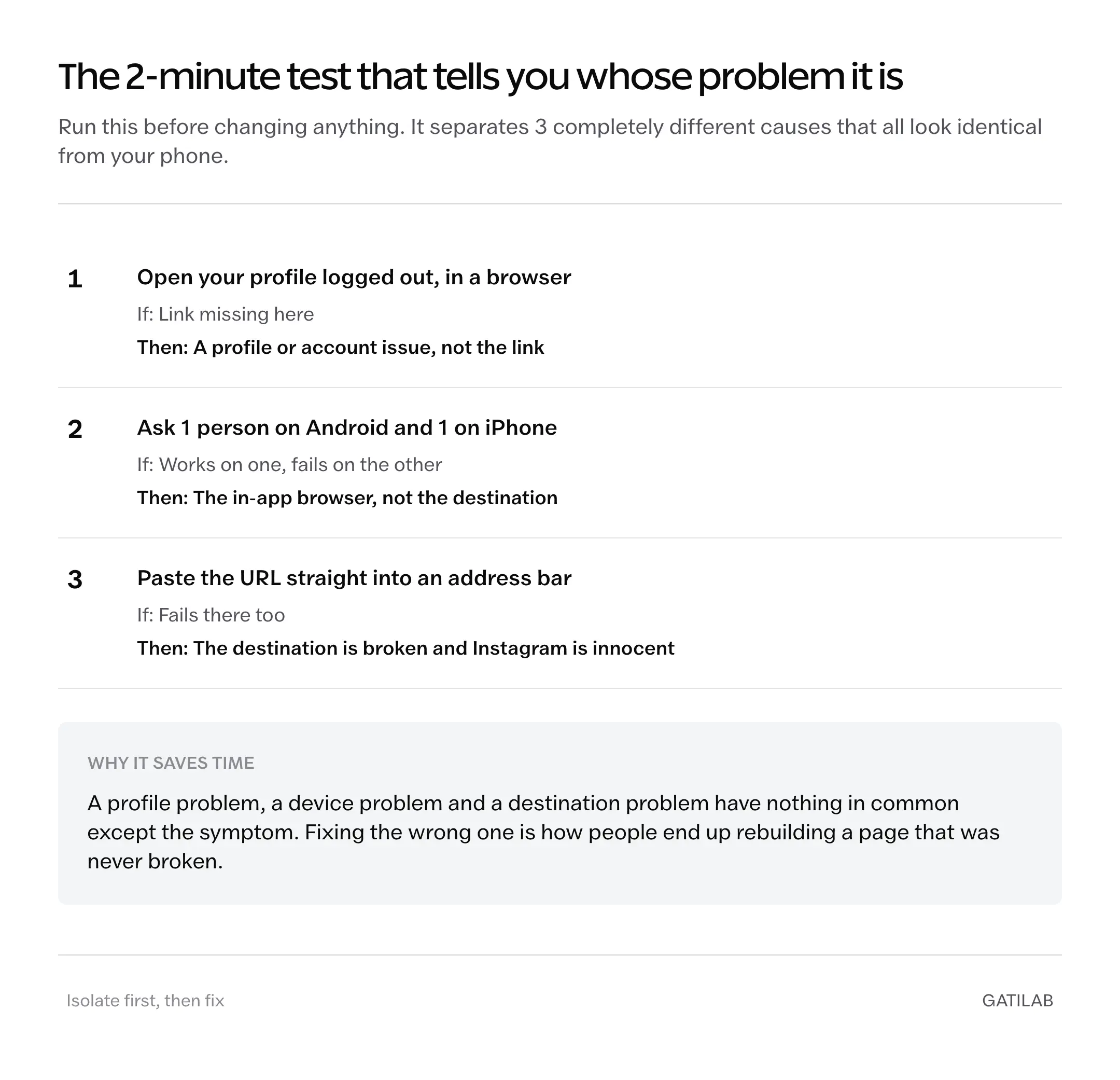
Before changing anything, establish whether the failure is universal or particular. This takes 2 minutes and saves you from fixing the wrong thing.
- Open your profile in a logged-out browser, not the app. If the link is absent there, it is a profile or account issue.
- Ask 1 person on Android and 1 on iPhone to try. A split result points at the in-app browser rather than the link.
- Paste the URL directly into a browser address bar. If it fails there too, the destination is the problem and Instagram is innocent.
Those 3 checks separate a profile problem from a device problem from a destination problem, which are 3 different articles’ worth of causes and not worth confusing.
The link in bio is not clickable at all
The most common report, and usually not a fault at all.
A link in bio typed into the bio text area renders as plain text on most surfaces. Only the dedicated website field produces a tappable link, and pasting into the wrong box is easy because both accept text and neither warns you.
Edit profile, then the field labelled Links or Website. Not the bio box below it.
Instagram has supported multiple links in that field for some time, so if you are still routing everything through a single external page purely because you thought 1 link was the cap, check the field first. You may not need the intermediate page at all.
The link in bio saves and then disappears
You type it, save, and it is gone when you come back. This is a rejection, not a bug, and it means the domain is being blocked rather than the link being malformed.
Common causes, roughly in order of likelihood:
- A flagged shortener. Heavily abused shortening domains get blocked wholesale. The individual link is fine and the domain is not.
- A domain someone reported. Blocks apply at the domain level, so a shared host or a recycled domain can carry someone else’s history.
- A very new domain. Registered days ago, no traffic, no reputation. Some links get held until that changes.
- A redirect chain ending somewhere flagged. The visible URL is checked, and so is where it lands.
The test is quick: try a link on a completely different domain, ideally one that is well established. If that saves and yours does not, you have a domain reputation problem and no amount of retyping fixes it.
The fix is your own domain. A link on a domain you control, with a history, avoids nearly all of this, which is a strong argument for a custom domain independent of any tracking benefit.
The link in bio works for you and fails for everyone else
Almost always the in-app browser, and worth understanding because it explains several unrelated symptoms at once.
When someone taps a link inside Instagram, the page opens in Instagram’s own embedded browser rather than Safari or Chrome. That environment is more restricted: it handles cookies and storage differently, some scripts behave oddly, and certain redirects are treated more suspiciously than they would be in a full browser.
Which produces failures that look impossible from your side:
| Symptom | Likely cause |
|---|---|
| Blank page for others, fine for you | A script the embedded browser blocks or fails to run |
| Redirect loops for some people only | Redirect logic relying on cookies the embedded browser handles differently |
| Login state lost immediately | Storage isolated from the visitor’s normal browser session |
| Tracking parameters missing on arrival | The query string stripped somewhere in the chain |
| Works on Android, fails on iPhone | Different embedded browser engines with different restrictions |
Test this properly by opening your own link from inside the app, not by tapping it in your notes. Then use the option to open in the system browser and compare. If it works in one and not the other, you have found it.
The general fix is to make the destination simpler: fewer redirects, no script required for the page to render, and nothing that depends on a cookie set before arrival.
The link works but lands in the wrong place
Less dramatic and more common than it should be.
Missing protocol is the usual cause. A URL entered without https at the front sometimes gets interpreted as a relative path and appended to Instagram’s own domain, producing a link that goes nowhere useful. Type the full address including the protocol.
Trailing characters are the other one. A space, a stray comma, or a full stop pasted along with the URL becomes part of the address, and the resulting 404 looks exactly like a broken site.
Case sensitivity bites on some servers, where a capital letter in a path resolves and a lowercase one does not, or the reverse.
Nothing is wrong with the link in bio and nobody is clicking
Worth including because a working link with no traffic gets misdiagnosed as a broken one more often than anything else on this page.
Bio link taps are a small fraction of profile visits, and profile visits are a small fraction of reach. A post seen by 10,000 people might produce a few hundred profile visits and a couple of dozen taps, and all of those numbers can be healthy while the absolute count looks like failure.
Before troubleshooting a link that is technically fine, check whether the numbers are actually low or just small. Tagging the link properly tells you whether taps are happening at all, which is the difference between a broken link and an unpersuasive one.
What none of this fixes
Some limits worth stating, because they get mistaken for faults.
A blocked domain rarely gets explained. There is no notice, no reason given, and usually no appeal, which is why swapping to a domain you control is a more reliable fix than waiting for a resolution that may never come.
You cannot control the embedded browser. It is Instagram’s, its behavior changes without announcement, and the only real defense is a destination page simple enough not to care.
And you cannot see who tapped. If the reason you are investigating is that you want to know which specific person visited, that is not a broken link either. The data does not exist to be shown.
Questions people ask next
Almost always because the URL is in the bio text area rather than the dedicated website field. Text typed into the bio box renders as plain text on most surfaces. Edit profile, then use the field labelled Links or Website.
That is a rejection rather than a bug, and it means the domain is being blocked, not the individual link. Flagged shorteners, reported domains and very new domains all get held. Test a well-established domain to confirm.
Usually the in-app browser. Instagram opens links inside its own browser, which handles cookies, storage and scripts differently from Safari or Chrome, so pages that depend on any of those can fail for visitors and not for you.
You can, but heavily abused shortening domains get blocked wholesale, and the block applies to the domain rather than your specific link. A custom domain you control avoids the problem entirely.
Probably not. Bio link taps are a small fraction of profile visits, which are themselves a small fraction of reach, so healthy numbers still look small. Tag the link before troubleshooting, so you know whether taps are happening at all.
Check the field, then the domain
Almost every broken link in bio comes down to 1 of 2 things: the URL is in the bio text instead of the website field, or the domain is carrying a reputation you did not give it.
Both are 5-minute checks, and both are worth doing before rebuilding a page that was never the problem. The rarer causes are real, but they are rare, and people usually reach them by skipping the cheap tests.
Check the field first. Then check the domain.
Tell Google you want more of this.
Add Gatilab as a preferred sourceOne tap, and this site shows up more often in your own Top Stories, AI Overviews and AI Mode. Remove it any time.