
Uranium Free Industrial WordPress Theme
Make specifications, parts, and contact routes easy to find.Uranium is a free industrial WordPress theme for manufacturers, equipment suppliers, parts distributors, and field-service businesses. Its hybrid structure combines editable block content with PHP templates and support for WooCommerce and FluentCart.
An industrial buyer may arrive with a model number, a required specification, or a machine that needs attention. The site should help that person identify the product family, find the relevant detail, and reach the right sales or service route. Uranium’s spec-oriented layouts are built around that kind of visit.
Purchases and downloads are handled by gauravtiwari.org.
- Platform
- WordPress
- Download & Account
- gauravtiwari.org
What Uranium Does
Choose the capabilities that support your actual workflow. Each has a different job to do.
Catalog and Service Patterns
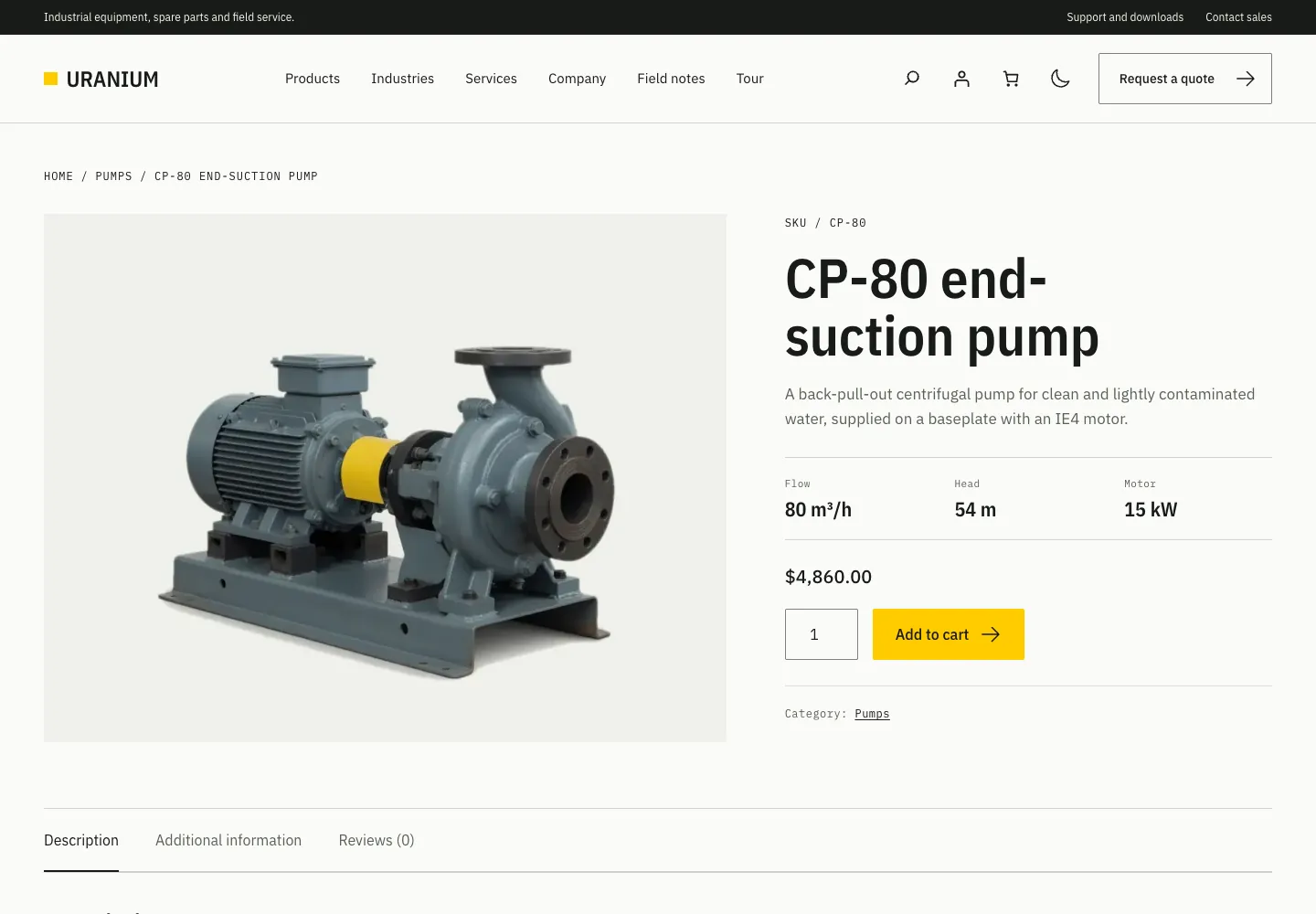
Use product-family rows, specification rails, resource lists, support sections, and quote links to organize a technical site. The 41 included patterns cover sections and full pages. A catalog can link to an enquiry route without requiring every product to be sold online.
Commerce When the Business Needs It
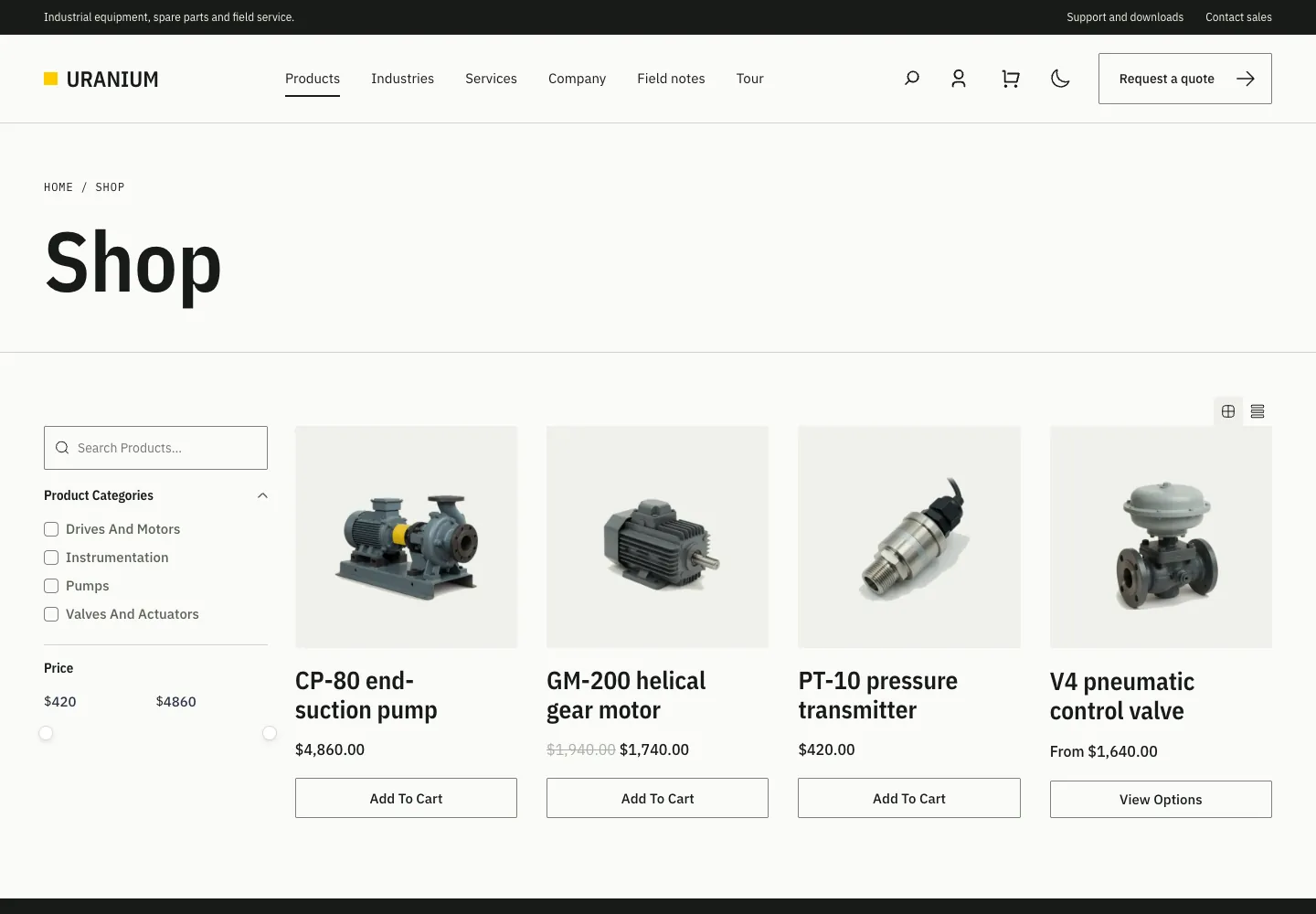
Uranium supports WooCommerce, FluentCart, or a site without either store plugin. Store-specific presentation works alongside the chosen commerce engine. Product data, payments, inventory rules, and fulfillment still belong to the store and its extensions.
Hybrid Editing and Visual Controls
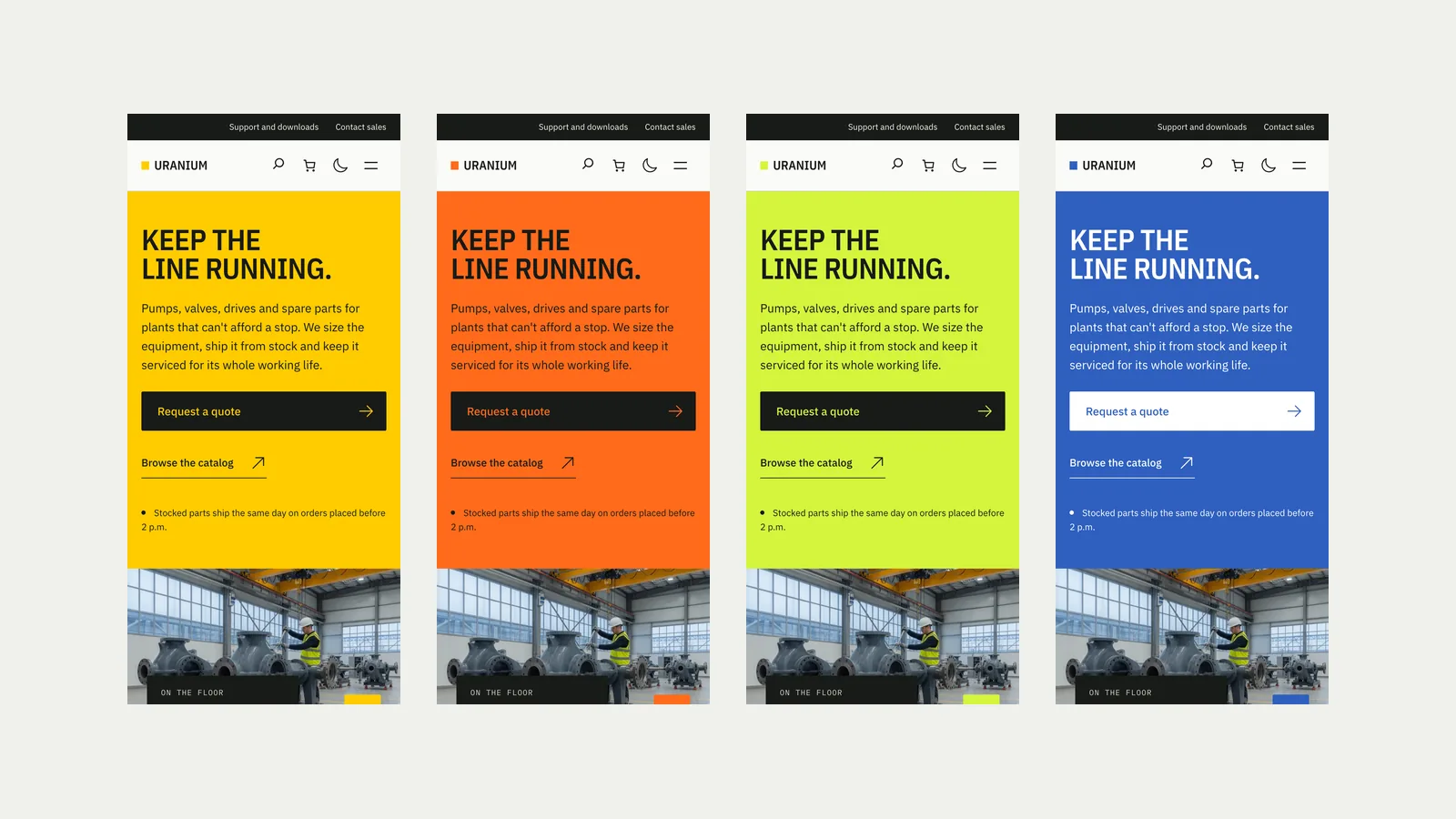
PHP templates provide the frame, while block template parts and core-block page content keep editable areas accessible. Choose Signal, Hazard, Hi-vis, or Cobalt and configure light or dark behavior. IBM Plex font families are bundled on your own site.
Theme Layouts
Select an image to view it at full size.
Equipment Sales With a Spare Parts Store
Imagine a supplier selling larger equipment by quotation and replacement parts online. The equipment catalog needs model families, useful specifications, document links, and a clear route to sales. The parts store needs accurate product identifiers, availability, and a working checkout.
Use the theme’s catalog patterns to explain the equipment range and link quote buttons to the appropriate enquiry page. Use the selected store plugin for the parts customers can purchase directly. Keep the difference visible so a buyer does not mistake a catalog illustration for an available stock item.
For manuals and certificates, upload the actual files and maintain their links. Resource-row patterns give the documents a readable presentation, but they do not become a managed technical document library on their own. Assign someone to replace superseded material when the product changes.
The next useful click may be a data sheet or a service number, not an add-to-cart button.
How to Get Started
Start with a staging copy and a representative task, then extend the setup once the complete path makes sense.
Separate Catalog and Store Needs
Decide which products are purchased online, which require a quotation, and which pages serve existing customers looking for support.
Build the Site Structure
Install Uranium on staging, create pages from the relevant patterns, and set the homepage under Settings > Reading.
Set Identity and Navigation
Choose the palette and light/dark behavior in the Customizer. Keep the main navigation concise and group longer ranges in dropdowns.
Connect the Operational Tools
Configure the chosen store, enquiry form, and document destinations. Check product, cart, checkout, account, and support routes with real data.
Before You Go Live
Use these checks for the parts of the workflow this product affects.
- Use exact model and part identifiers where buyers need them.
- Keep downloadable documents current and clearly labelled.
- Connect quote buttons to a real response workflow.
- Check the selected store plugin and gateway with your own catalog.
Is It Right for Your Site?
Consider the working requirements alongside the design or feature list.
When It Fits
Uranium fits industrial businesses whose sites need to explain products, expose specifications, and support sales or service enquiries. It also suits distributors adding a parts store without replacing the whole site with an ecommerce catalog.
Know the Limits
The free theme does not supply a quote-processing system, advanced catalog filters, a visual configurator, or a managed document library. Resource patterns contain links you maintain. Additional product comparison, quoting, or store rules require suitable plugins; planned features should not be treated as included.
Requirements
Requires WordPress 6.8 or newer and PHP 8.1 or newer. Store plugins are optional and have their own requirements. Use staging to review the theme with your catalog, forms, and payment configuration.
Download and License Details
Uranium is free under GPLv2 or later, including use on client sites. Complete the free checkout on gauravtiwari.org and download the current theme package from the order. The included WordPress update route does not require a license key.
Gatilab explains the product and its practical use. The original product page on gauravtiwari.org handles the current offer, checkout or installation route, account access, and product support.
Uranium WooCommerce demo · Uranium FluentCart demo
Need help implementing the site around it? Explore Gatilab’s WordPress development services. Implementation work is separate from the product download or license.
Common Questions
A few remaining details before you choose the product.
Do I need WooCommerce or FluentCart?
No. You can use the theme for a catalog and enquiries without a store plugin. Install a commerce engine when you need actual product purchasing and order management.
Is the quote button a quotation system?
No. A button can lead to your enquiry page, but collecting details, preparing prices, and managing an accepted quote require the relevant form or commerce workflow.
Does the theme import a complete demo site?
No. Build pages from the included patterns. This lets you choose the sections you need, but you must provide the product data, images, documents, and destination links.
Build Around the Buyer’s Next Question
Start with a product family, its essential specifications, and the correct route to order, enquire, or get support.
Continue to the original product page for the current offer and next steps.