
Core Tables WordPress Table PluginEdit once. Publish everywhere.
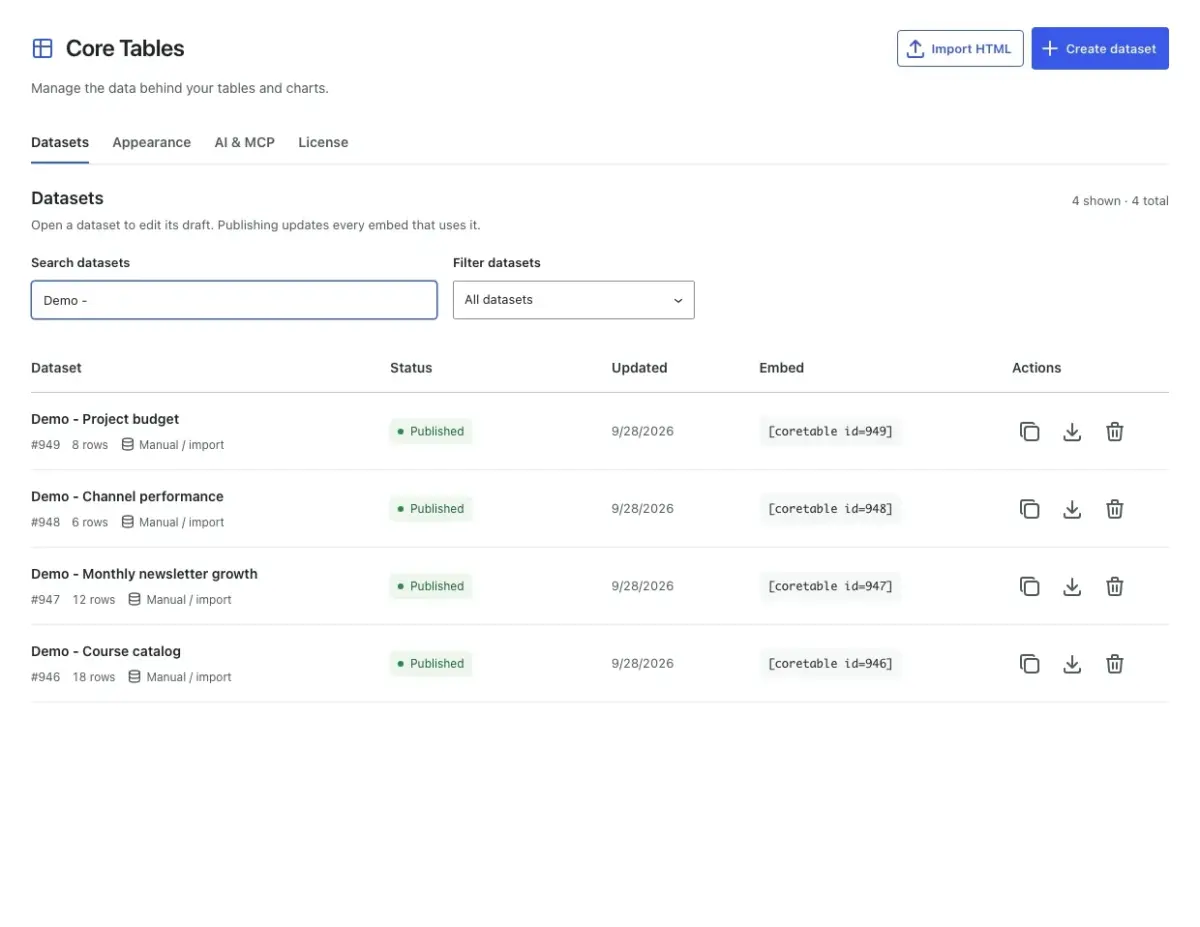
Core Tables publishes searchable tables and clear charts from one reusable dataset. You review changes in a draft before they reach readers, and every placement updates when you publish.
Or get Yearly for $39/year
Beta (1.0.0-beta.1). Start on staging and keep backups. 14-day money-back period.
- WordPress 6.9+
- PHP 8.3+
- No form plugin required
What Core Tables Does
Everything below comes with the plugin. You choose what to use on each site.
Tables That Work Like Tables
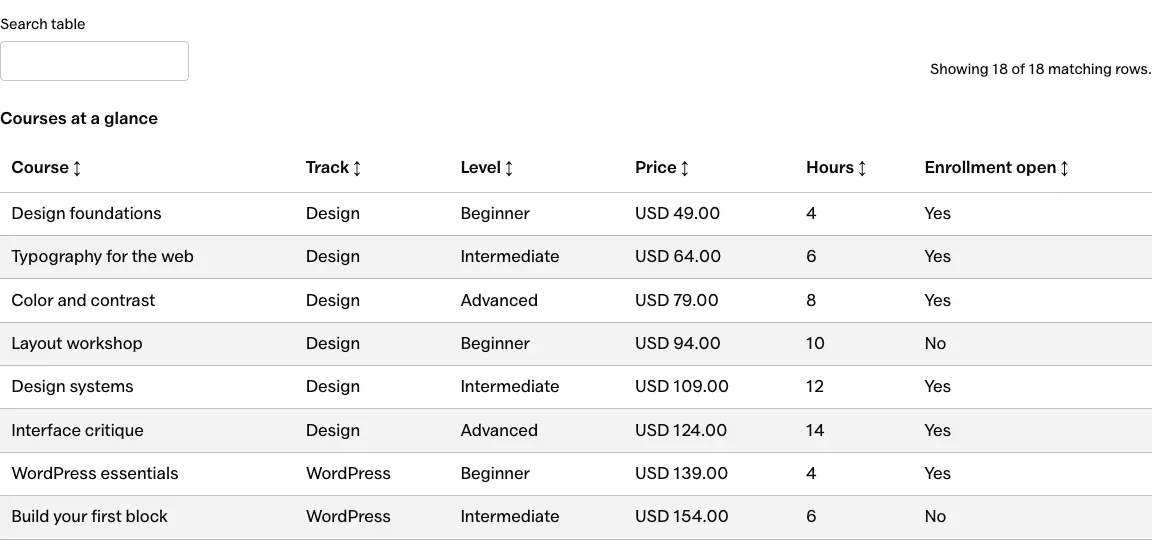
Offer search, sorting, exact column filters and a mobile layout that stacks rows on phones and tablets.
Charts With the Numbers Attached
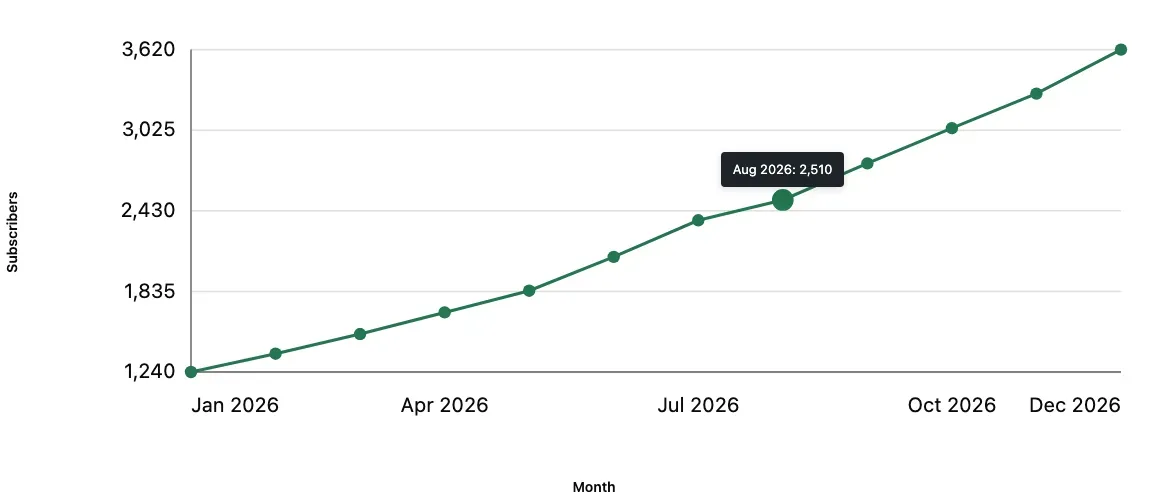
Bar and line charts include axis labels, exact values on hover and a data table beside every chart.
Google Sheets Refresh
Map a selected range into a dataset, then refresh by hand, hourly or daily. Core Tables only reads from Sheets.
CSV and HTML Imports
Preview a CSV import, or convert a single HTML table into a dataset you can reuse.
A Deliberate Publishing Step
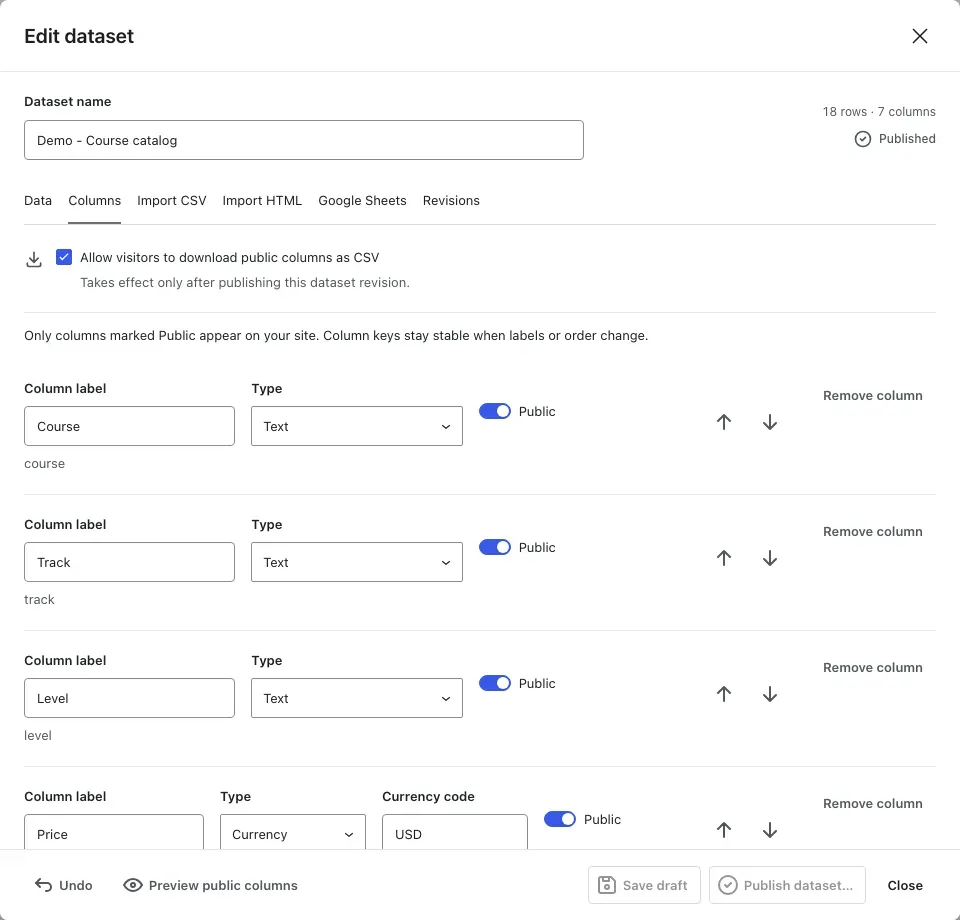
Saved edits stay in a draft. The public version only changes when you publish the dataset.
Private Columns
Non-public columns stay out of visitor HTML, search, charts, exports and public API responses.
See Core Tables
Select any screen to see it at full size.

How It Works
Add Your Dataset
Type rows, import a CSV or HTML table, or connect a Google Sheet.
Review and Publish
Choose the public columns, check the draft and publish the dataset.
Place the Result
Insert a Core Table or Core Chart block, or use the shortcode in a classic theme.
Core Tables Pricing
Checkout, your license and your downloads are handled on gauravtiwari.org.
Lifetime
$99
One payment
- Unlimited sites
- Tables, charts and imports
- Google Sheets refresh
- Lifetime updates and support
Yearly
$39
Per year
- Unlimited sites
- Tables, charts and imports
- Google Sheets refresh
- Updates and support while active
Prices are in USD. Checkout may show your local currency. 14-day money-back period on both licenses.
Can I use Core Tables with my theme?
Yes. Use the Core Table and Core Chart blocks in the block editor, or a shortcode in a classic theme. It doesn’t need Core Forms or a custom-field plugin.
Will saving a draft change my published tables?
No. Save draft keeps edits separate. Publish dataset updates every block and shortcode that uses it, and a failed refresh leaves the last published version in place.
How does the Google Sheets connection work?
You connect a selected range with a service account and match its columns. Core Tables reads from the sheet into a draft and never writes back.
Can I keep some columns private?
Yes. Mark a column as non-public and it stays out of newly generated visitor HTML, search, charts, exports and public API responses.
Keep One Copy of Your Data
Start with the table you currently paste into several posts. Change it once, and let every placement follow.