
Osmium Free WordPress Theme for Publishers
Build a publication around readable articles.Osmium is a free WordPress block theme for writers, independent publishers, and review sites. It combines a restrained reading layout with article, comparison, and review patterns, while letting you edit the wider site through the WordPress Site Editor.
Choose it when the article is the product. A publication needs a comfortable text column, useful navigation, and enough room for images and comparisons. The theme supplies those structures; your editorial decisions determine which ones earn a place on each page.
Purchases and downloads are handled by gauravtiwari.org.
- Platform
- WordPress
- Download & Account
- gauravtiwari.org
What Osmium Does
Choose the capabilities that support your actual workflow. Each has a different job to do.
Reading and Comparison Layouts
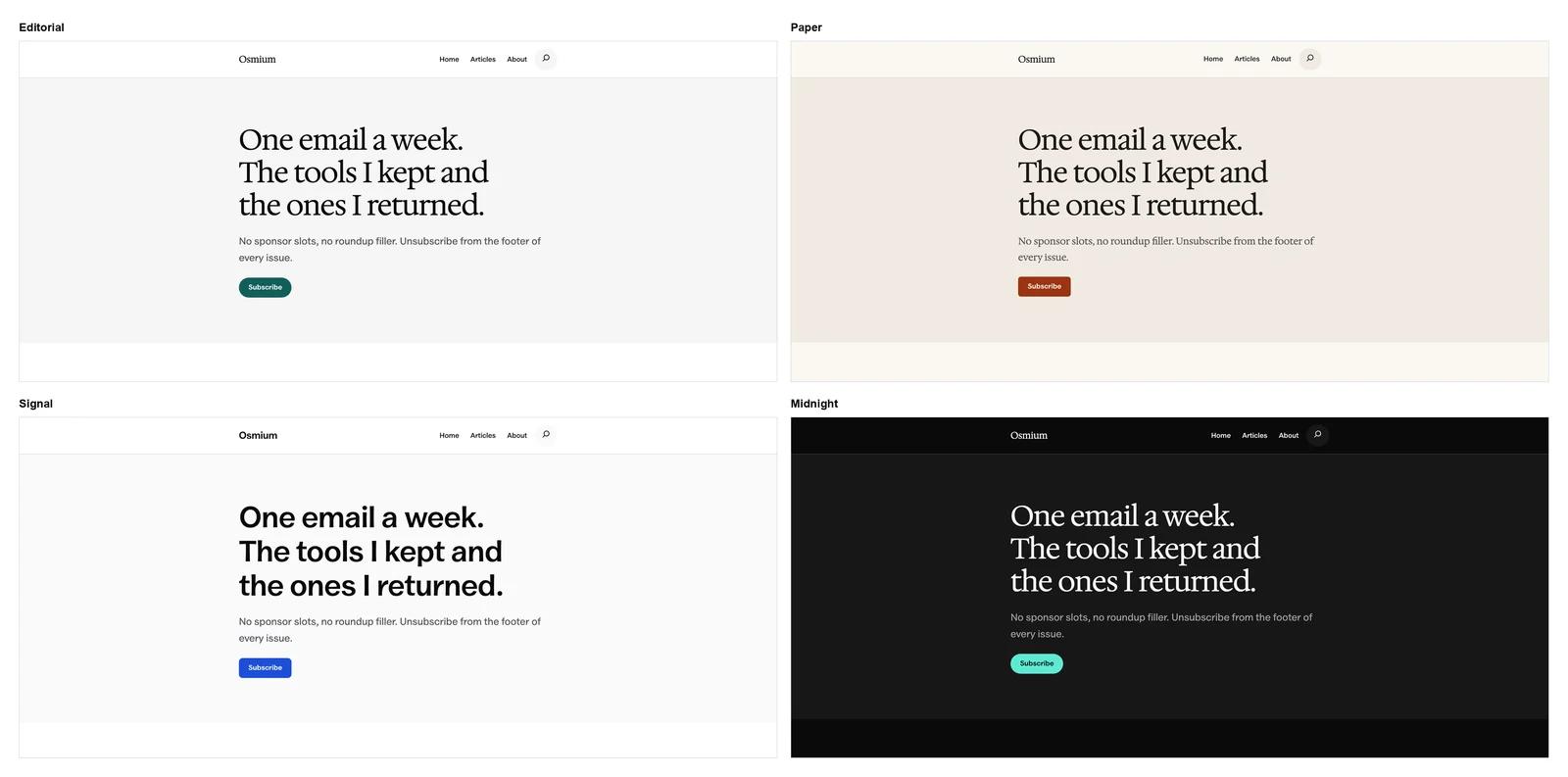
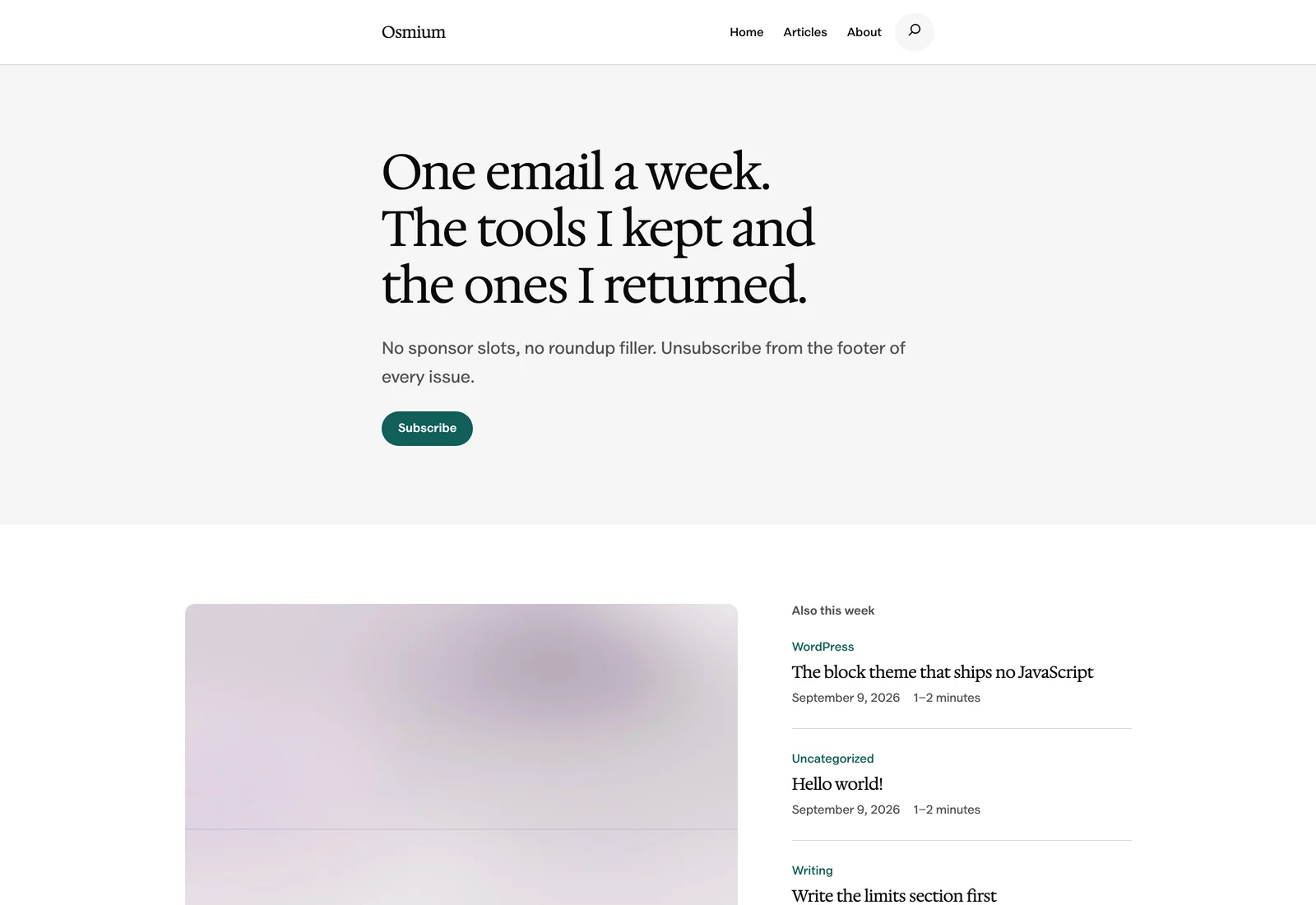
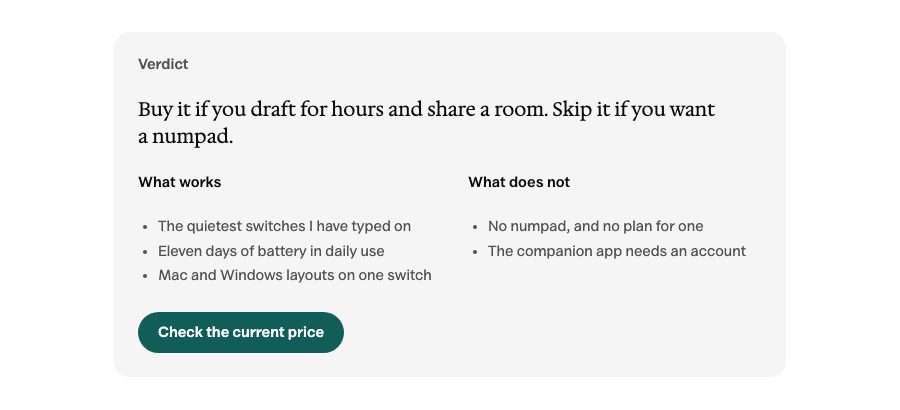
The default Editorial style uses a 42rem reading column, with wider options for images and tables. Article and review patterns help separate a verdict, specifications, pros and cons, and a final recommendation. The layout should make the evidence easier to follow, not turn every paragraph into a panel.
Site Editor Control
Edit headers, footers, templates, and styles in the Site Editor. The current theme includes 128 patterns and 22 templates, so you can start from a publication layout and refine it without a separate page builder. Insert only the structures that suit your content.
Local Fonts and Core Blocks
Valley Sans and Hedvig Letters Serif are bundled with the theme. Patterns use WordPress core blocks, and the theme ships no JavaScript of its own. WordPress and your plugins may still load scripts, so the complete site’s performance depends on more than the theme.
Theme Layouts
Select an image to view it at full size.
A Review Publication With a Clear Verdict
Imagine a small publication reviewing tools for independent businesses. The homepage needs to distinguish current recommendations from ordinary chronological posts. A review article needs an early verdict, the conditions behind it, and a comparison that remains readable on a phone.
Start with an appropriate post-list pattern for the homepage. In the article, use the review summary to explain who the tool fits, then reserve wide space for a table when readers need to compare repeated fields. A pros-and-cons layout can expose the main tradeoff, but it should not repeat every point from the body.
Use the optional sidebar only when it serves a reader task, such as finding a related guide. Filling it with promotions can undermine the quiet reading layout that made the theme attractive in the first place.
A review layout works when it makes the reason for the recommendation easier to see.
How to Get Started
Start with a staging copy and a representative task, then extend the setup once the complete path makes sense.
Install on a Staging Site
Download the current Osmium package through the free checkout, upload it under Appearance > Themes, and try it with representative content.
Choose the Editorial Style
Open the Site Editor and select the palette and typography that fit the publication. Review headings, long paragraphs, and links together.
Set the Homepage and Templates
Edit the Front Page template and choose suitable article layouts. If you want a separate static homepage, account for the theme’s Front Page template taking precedence.
Build a Real Article
Use an actual long title, comparison table, image, and next-step link. Connect newsletter or contact actions to working services before publishing.
Before You Go Live
Use these checks for the parts of the workflow this product affects.
- Keep the verdict consistent with the evidence in the article.
- Use wide tables only where repeated fields need comparison.
- Replace every sample offer, quote, and image with appropriate content.
- Check forms and newsletter actions independently of their visual layout.
Is It Right for Your Site?
Consider the working requirements alongside the design or feature list.
When It Fits
Osmium fits editorial publications, personal writing sites, and review libraries that want WordPress-native templates and readable long-form content. It is a strong starting point when maintaining the articles matters more than building a highly animated homepage.
Know the Limits
It does not include custom WooCommerce templates, a built-in slider, or a mega menu. A newsletter section is a layout until connected to a working subscription system. Switching themes preserves ordinary block content but changes its presentation; it does not preserve every visual detail.
Requirements
Requires WordPress 7.0 or newer and PHP 7.4 or newer. It is an early-release block theme, so review existing content and plugin compatibility on staging before switching a live publication.
Download and License Details
Osmium is free under GPL-2.0-or-later and can be used on personal or client sites. Complete the free checkout on gauravtiwari.org to obtain the current ZIP. The supplied theme package includes free WordPress updates without a license key.
Gatilab explains the product and its practical use. The original product page on gauravtiwari.org handles the current offer, checkout or installation route, account access, and product support.
Need help implementing the site around it? Explore Gatilab’s WordPress block theme development services. Implementation work is separate from the product download or license.
Common Questions
A few remaining details before you choose the product.
Do I need a page builder?
No. Osmium uses core blocks, patterns, and the Site Editor. Add a separate builder only if you have a specific requirement the native workflow does not meet.
Why is my static homepage not appearing?
The Front Page template takes precedence. Review that template in the Site Editor and edit or remove it when you intend to use your own page content instead.
Does a review pattern generate a trustworthy review?
No. It organizes your verdict and supporting details. Evidence, disclosures, pricing accuracy, and any structured data remain separate publishing responsibilities.
Give Your Articles a Clear Structure
Try Osmium with one demanding article before deciding how the rest of the publication should look.
Continue to the original product page for the current offer and next steps.