
Hassium Free WordPress Theme for SaaS
Give software buyers a useful marketing site.Hassium is a free WordPress block theme for SaaS companies, startups, and software makers. It includes product-oriented page layouts for features, pricing, customers, a changelog, and the other pages needed to explain software before a visitor signs up.
The theme belongs to the marketing site. Your application still owns authentication, billing, and account management. Keeping that boundary clear helps you build a useful public explanation of the product without pretending that a pricing table is a subscription system.
Purchases and downloads are handled by gauravtiwari.org.
- Platform
- WordPress
- Download & Account
- gauravtiwari.org
What Hassium Does
Choose the capabilities that support your actual workflow. Each has a different job to do.
Pages Around the Buying Decision
Seven full-page patterns cover Home, Features, Pricing, Customers, Changelog, About, and Contact. Supporting sections include product tours, use cases, integrations, and comparison layouts. Choose the pages that resolve actual buyer questions rather than launching every possible section.
Pricing and Product Communication
Patterns support different plan presentations and feature comparisons, alongside changelog and roadmap layouts. Use accurate terms and distinguish shipped features from plans. A roadmap is useful context only when it does not look like a promise that every item is already available.
Site Editor Design Control
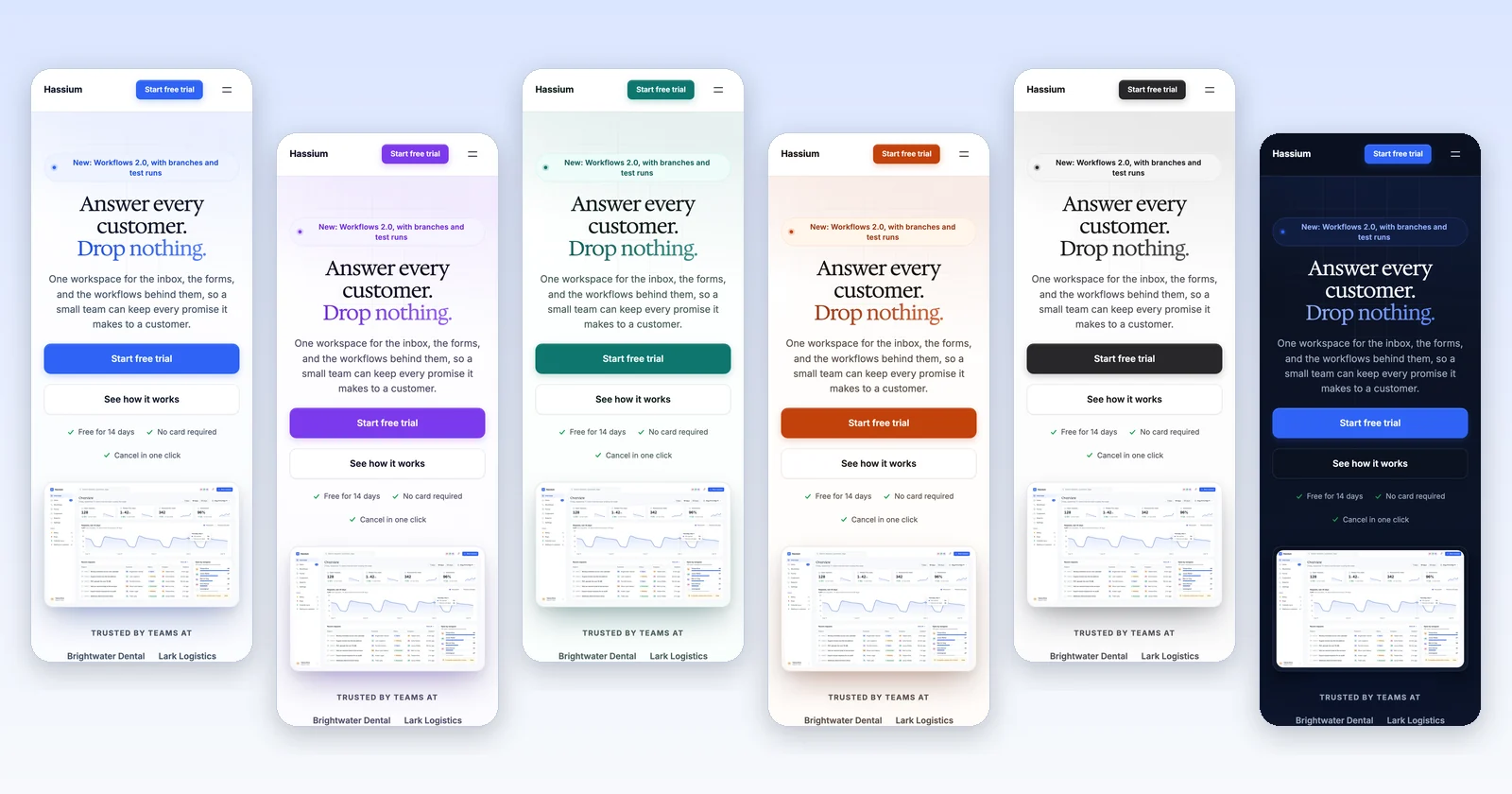
Choose among six designs, including a dark option, and use heading presets built from locally bundled Inter and Hedvig Letters Serif. Headers, footers, and templates remain editable through the Site Editor. The theme uses core blocks and ships no JavaScript of its own.
Theme Layouts
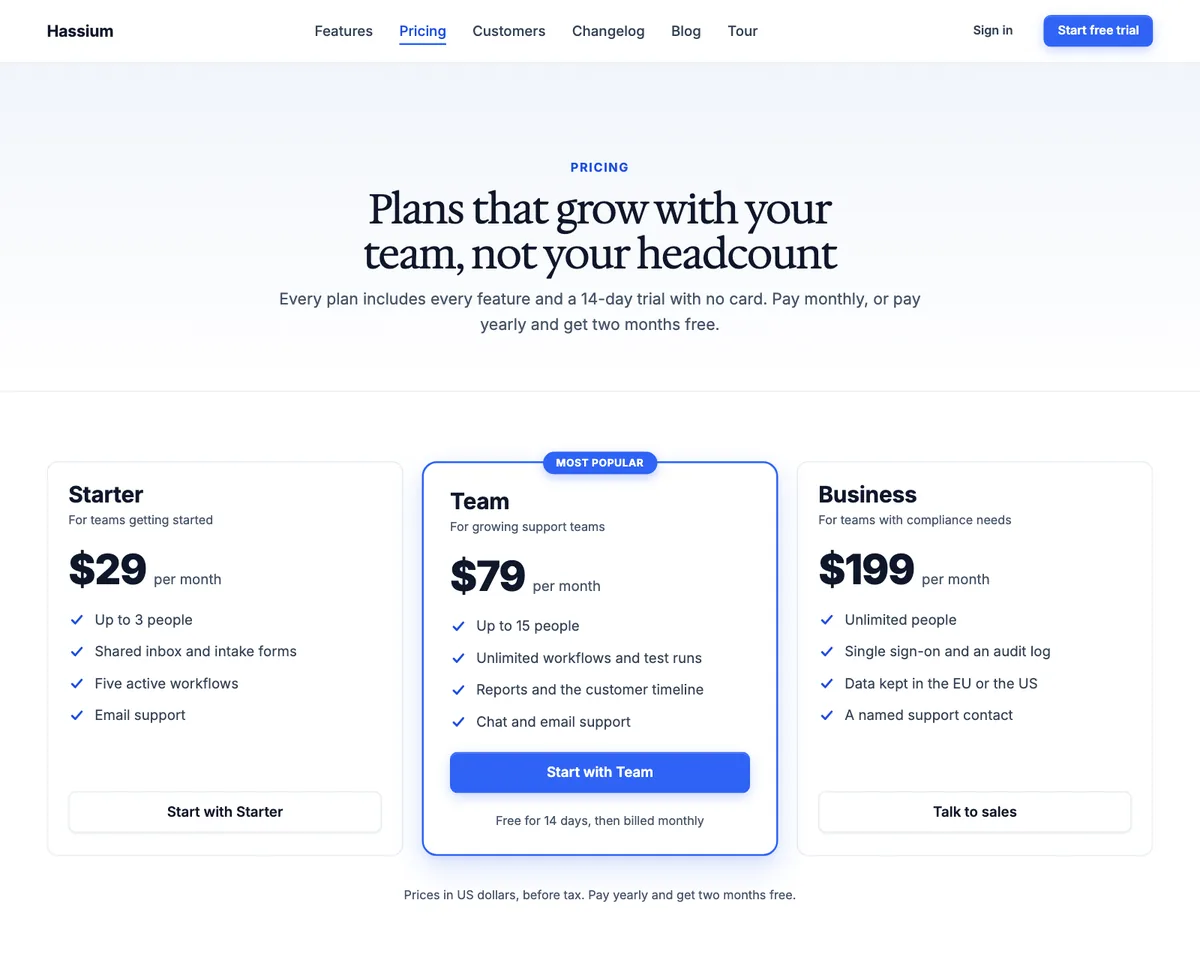
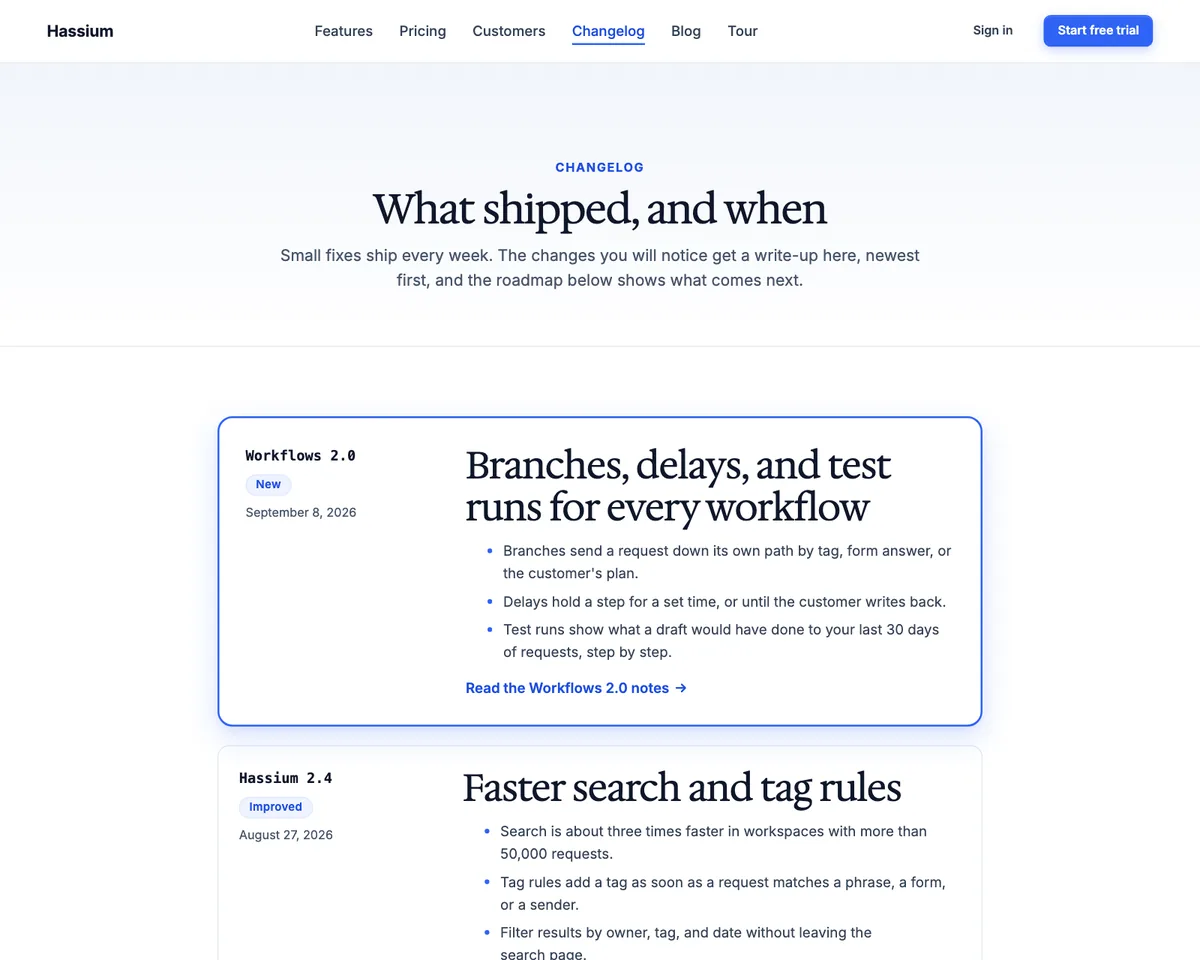
Select an image to view it at full size.
A Small SaaS Launch
Imagine a software team launching a tool with a single paid plan. Start with the one-plan pricing layout instead of inventing three tiers to match a familiar template. Show the actual product interface and explain the job it completes before adding a long feature inventory.
Point the primary action to the real signup or billing route in the application. On the pricing page, explain the billing period, included usage, and any relevant limits. Those details should agree with what the customer sees after leaving WordPress.
Use the changelog page for shipped changes and keep the roadmap visually and verbally distinct. Replace every sample logo, quote, metric, and product screenshot. An attractive customer section is not evidence of customers until you have permission and accurate material to put there.
A buyer should understand the product and the cost before reaching the signup screen.
How to Get Started
Start with a staging copy and a representative task, then extend the setup once the complete path makes sense.
Install With Representative Content
Use staging and bring a real product screenshot, pricing description, and a few feature explanations. These reveal layout needs better than placeholder copy.
Choose the Design
Select a style and heading preset in the Site Editor. Review the interface screenshots against the chosen palette.
Build the Essential Pages
Start with Home, Features, and Pricing where needed. Add other patterns only when there is useful content for them.
Connect Application Actions
Point signup, trial, purchase, and contact actions to working destinations. Review the expectations created by each label and the page that follows it.
Before You Go Live
Use these checks for the parts of the workflow this product affects.
- Keep the plan name and billing terms consistent with the application.
- Remove placeholder customer evidence.
- Separate roadmap ideas from released functionality.
- Connect contact and newsletter layouts to working services.
Is It Right for Your Site?
Consider the working requirements alongside the design or feature list.
When It Fits
Hassium fits a software business that wants to maintain its marketing site in WordPress while its application runs separately. It is useful for teams comfortable with the Site Editor and native block patterns.
Know the Limits
It does not include app sign-in, billing, account screens, or WooCommerce templates. Pricing tables are presentation layouts. Contact patterns need a working form solution, and activation does not create a finished website or change your settings automatically.
Requirements
Requires WordPress 7.0 or newer and PHP 7.4 or newer. This early-release block theme should be reviewed with your content and plugins on staging. Its Front Page template takes precedence over a static homepage unless you change it.
Download and License Details
Hassium is free under GPL-2.0-or-later for any number of sites. Use the free checkout on gauravtiwari.org to get the current ZIP. Automatic theme updates are included and do not require a license key.
Gatilab explains the product and its practical use. The original product page on gauravtiwari.org handles the current offer, checkout or installation route, account access, and product support.
Need help implementing the site around it? Explore Gatilab’s WordPress block theme development services. Implementation work is separate from the product download or license.
Common Questions
A few remaining details before you choose the product.
Does Hassium run my SaaS application?
No. It supplies the WordPress marketing presentation. Authentication, subscription billing, customer accounts, and the application itself remain separate systems.
Can I show only one pricing plan?
Yes. The theme includes pricing layouts for different plan structures. Choose the one that matches the product rather than adding unnecessary tiers.
Can I keep editing if I change themes?
Patterns use core blocks, so inserted content remains editable. The new theme changes styling and templates, and you should review the presentation after a switch.
Explain the Product Before the Signup
Bring one clear use case, the real interface, and honest plan terms. Let the theme organize them.
Continue to the original product page for the current offer and next steps.