
GT Extensions for FluentCart
Add the store workflow your customers need next.GT Extensions for FluentCart adds optional pricing, checkout, order, and customer tools to a FluentCart store. It works alongside FluentCart Free or Pro, with modules for local currencies, quotes and invoices, checkout designs, product extras, delivery slots, and repeat-purchase workflows.
Choose it around a specific store problem. A business that needs a quote accepted before payment has different requirements from one selling repeat orders of physical supplies. The modular approach lets those stores configure the relevant tools without treating every feature as a launch requirement.
Purchases and downloads are handled by gauravtiwari.org.
- Platform
- WordPress
- Download & Account
- gauravtiwari.org
What GT Extensions for FluentCart Does
Choose the capabilities that support your actual workflow. Each has a different job to do.
Pricing That Reaches the Order
Set fixed regional prices or conversion rules, then align eligible gateways with the selected currency. The amount, cart, checkout, and order must agree. A currency selector is useful only when the actual payment route can accept that transaction.
Quotes, Invoices, and Checkout
Collect a request, prepare a proposal, and turn an accepted offer into a payable invoice. Separate checkout designs offer another kind of control: preview the layout, then choose when to activate it. FluentCart continues to process orders, shipping, taxes, and payments.
Useful Extras and Return Visits
Product add-ons and checkout fields collect options such as gift messages or engraving. Delivery and pickup scheduling adds dated slots with capacity and cutoffs. Wishlists, saved carts, order-again flows, and confirmed stock alerts support customers who return later.
Inside the Product
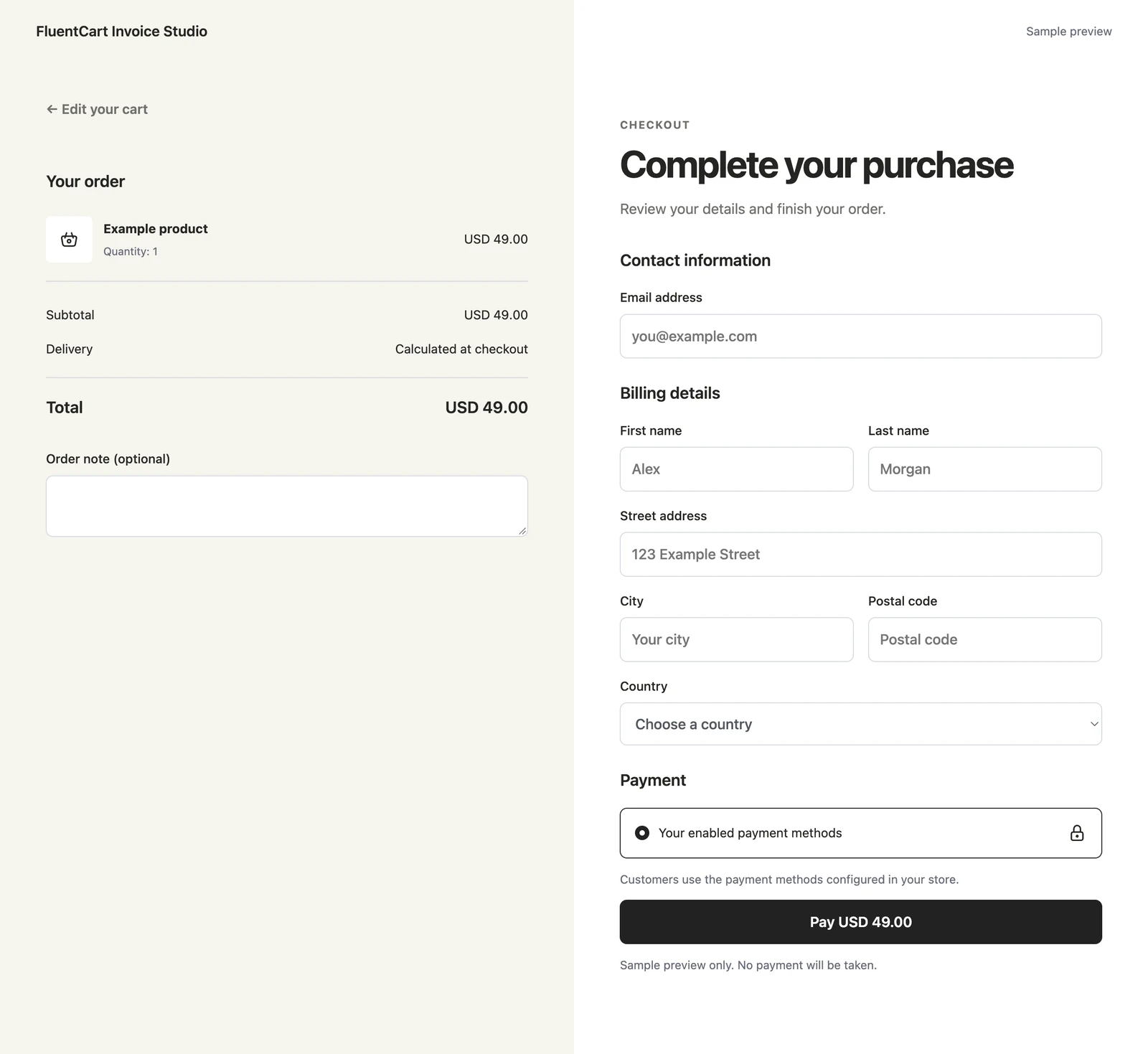
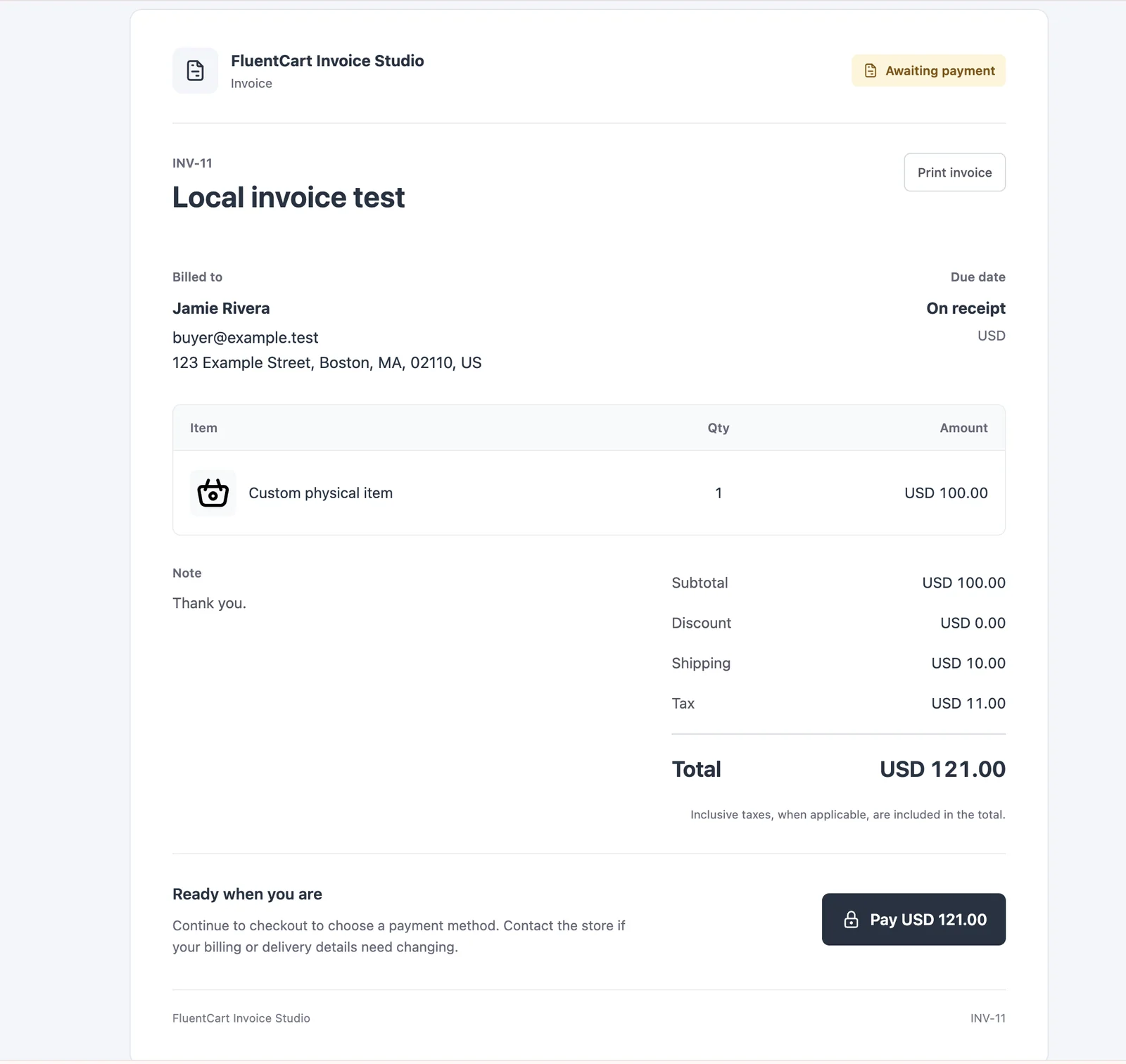
Select an image to view it at full size.
A Store Selling Products and Custom Work
Consider a workshop selling standard items and commissioned work. Keep the standard catalog on the normal purchase path. Use a quote request for the commission, where materials, delivery, and the final scope must be agreed before charging the customer.
Prepare the accepted items and costs in the proposal, then issue the payable invoice. For the standard products, a paid engraving field can capture a clear add-on without forcing every order into a quote conversation. If customers collect locally, configure pickup dates and capacity around the staff actually available.
These are different jobs, even though they share a store. A service product does not create an appointment calendar, and a pickup slot does not replace a consultation booking system. Keeping those boundaries clear prevents misleading promises at checkout.
A well-defined store rule is easier to maintain than a checkout filled with options nobody needs.
How to Get Started
Start with a staging copy and a representative task, then extend the setup once the complete path makes sense.
Choose the Store Problem
Start with currency, a quote workflow, an add-on, or a customer convenience feature. Record the expected behavior before enabling the module.
Configure Its Rules
Set eligible products, currencies, conditions, capacity, or recipients as appropriate. Disabled modules keep their settings for later use.
Preview the Customer Path
For checkout designs, compare desktop and mobile previews before selecting a design. Enablement alone does not replace the existing checkout.
Check the Order Result
Use a staging store and gateway test mode. Check the product, cart, checkout, emails, and final order together, including an ineligible option.
Before You Go Live
Use these checks for the parts of the workflow this product affects.
- Confirm the payment gateway supports each offered currency.
- Use actual order and stock data for sales or urgency displays.
- Distinguish issuing an invoice from emailing it.
- Rebuilt carts use current prices and availability; they do not reserve old stock.
Is It Right for Your Site?
Consider the working requirements alongside the design or feature list.
When It Fits
Use GT Extensions when your existing FluentCart store needs a specific pricing or order workflow. It suits stores where different products require different choices, or where a customer conversation must happen before a payable order.
Know the Limits
FluentCart is a separate requirement. A module depending on a FluentCart Pro capability still needs that capability. Custom Invoices handles one-time bills, and Service Products does not supply appointment scheduling. New checkout behavior needs review with your actual gateways and extensions.
Requirements
Install a compatible FluentCart version and review the current extension requirements. External payment services retain their own eligibility rules, account requirements, and fees.
Download and License Details
Annual and lifetime licenses are offered through gauravtiwari.org. Both currently include unlimited site activations; updates and support follow the license term. Review the current price, renewal conditions, and 14-day refund terms at the store.
Gatilab explains the product and its practical use. The original product page on gauravtiwari.org handles the current offer, checkout or installation route, account access, and product support.
Need help implementing the site around it? Explore Gatilab’s ecommerce development services. Implementation work is separate from the product download or license.
Common Questions
A few remaining details before you choose the product.
Will activation change my checkout design?
No. Checkout Builder is optional, and a design must be explicitly selected. You can return to the FluentCart default after trying a design.
Are the modules separate purchases?
The product currently includes all 18 modules. Each is optional to enable. Choose the license term at the original store rather than purchasing individual modules.
What happens when an annual license expires?
The update and support entitlement ends unless renewed. The product description states that expiry alone does not disable the module code. Check the current license terms before purchase.
Choose Your Next Store Improvement
Identify the workflow, read its setup guide, and choose a license on the original store.
Continue to the original product page for the current offer and next steps.