
Core Forms WordPress Form Plugin
Build the form and the follow-up in WordPress.Core Forms is a WordPress form plugin for collecting enquiries, accepting attachments, and managing the submissions that follow. It combines a visual field builder with an HTML editing option, so a straightforward contact form and a carefully styled client intake form can use the same system.
The useful question is what happens after someone presses Submit. Core Forms gives your team a submissions inbox, replies, email logs, and integration actions. That makes it a practical choice when a form is the beginning of a working relationship rather than a message you hope reaches an inbox.
Purchases and downloads are handled by gauravtiwari.org.

- Platform
- WordPress
- Download & Account
- gauravtiwari.org
What Core Forms Does
Choose the capabilities that support your actual workflow. Each has a different job to do.
Forms You Can Maintain
Build fields visually or supply your own HTML, then place the form through a Gutenberg block or shortcode. Conditional fields let the form ask relevant follow-up questions without presenting every possible input to every visitor. Keep labels and instructions explicit, especially when you customize the markup.
Submissions With Context
Read, search, reply to, archive, and export submissions inside WordPress. The stored record gives you a place to recover an enquiry if an email is overlooked. A reply history helps the next person understand what has already been answered; it does not make every external email reply a synchronized support conversation.
Actions After Submission
Use notifications, automatic replies, webhooks, and supported mailing-list integrations to route the information. Mailchimp and MailerPress serve subscription workflows; Emailit supports transactional delivery. File limits and allowed types help keep an upload field appropriate to the information you actually need.
Inside the Product
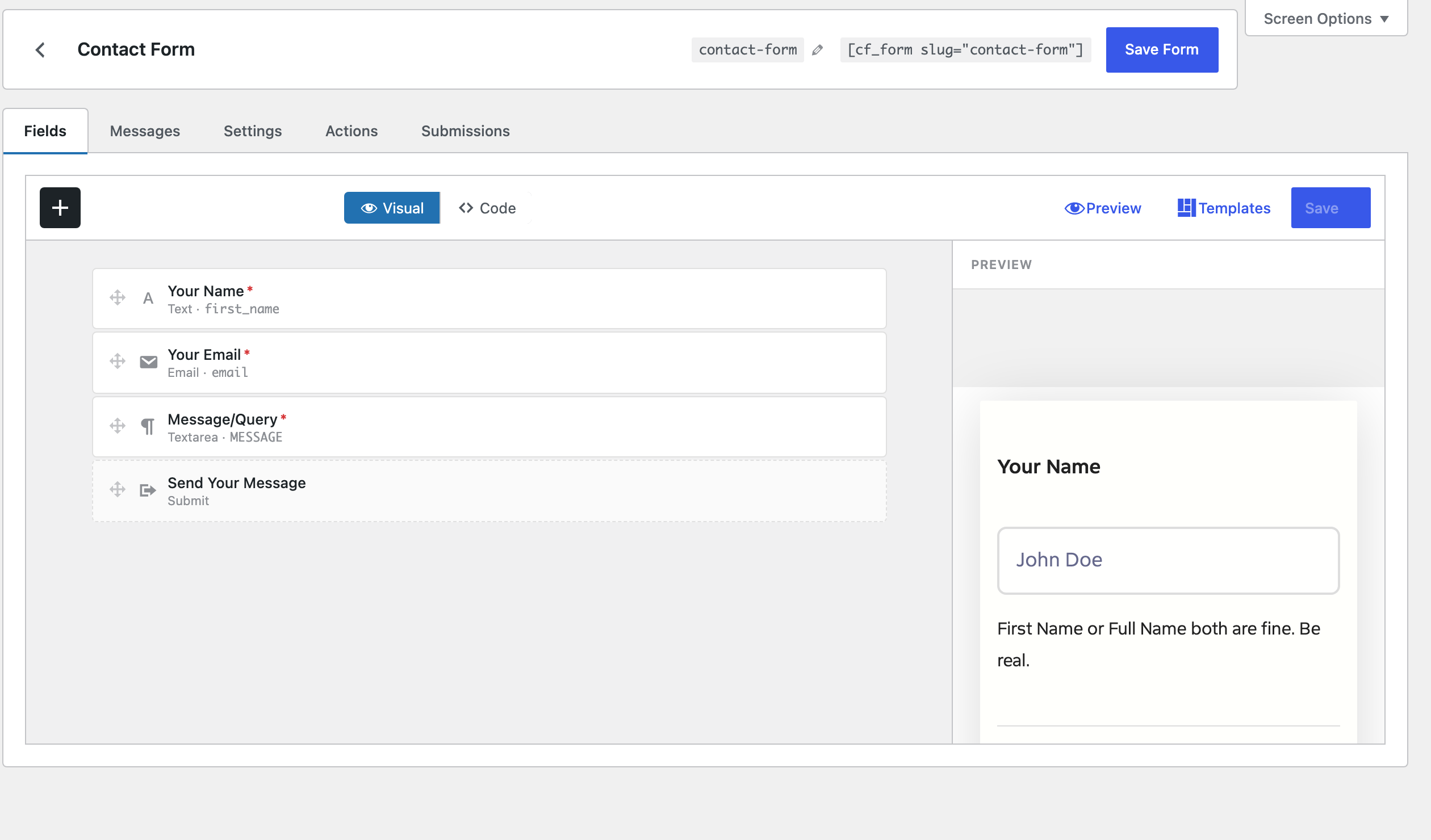
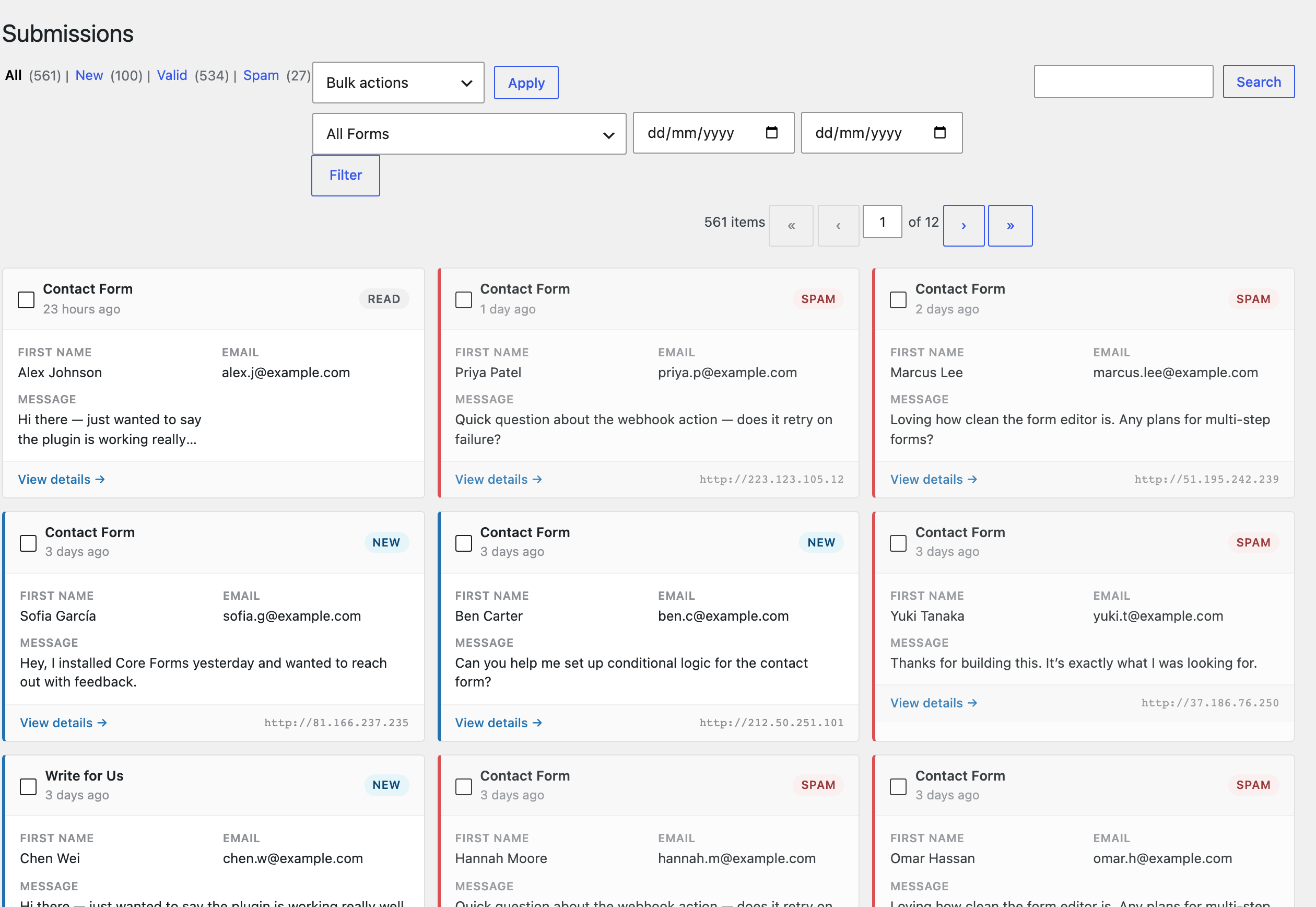
Select an image to view it at full size.
A Client Intake Workflow
Consider a small agency collecting website project enquiries. A useful form asks for the existing URL, the work required, a budget range, and the decision-maker’s email. An optional upload can collect a brief. Conditional fields can separate a redesign request from maintenance work without turning the opening form into an interview.
After submission, send a confirmation that explains the next step and route the internal notification to the responsible person. Keep the submission in WordPress so the team can review its original fields before replying. If a project management system needs the record, send only the necessary fields through a webhook.
This is an illustrative setup, not a promise that installing the plugin organizes your sales process. Someone still needs to own the response, define useful statuses, and decide which information belongs in the form.
A shorter intake form with a dependable follow-up is more useful than a large form nobody owns.
How to Get Started
Start with a staging copy and a representative task, then extend the setup once the complete path makes sense.
Define the Next Action
Decide who receives the enquiry and what the visitor should expect. Choose fields around that decision instead of importing a long generic questionnaire.
Build and Place the Form
Create the fields or HTML, configure required inputs, and insert the form with its block or shortcode. Match the confirmation message to the actual follow-up.
Configure Delivery and Protection
Choose notification recipients, upload restrictions, and an appropriate spam protection option. Add external integrations only when that workflow needs them.
Check the Complete Submission
On your staging site, submit a normal enquiry, an invalid email, and an allowed attachment. Confirm the stored entry and the outgoing notification separately.
Before You Go Live
Use these checks for the parts of the workflow this product affects.
- Use field labels that make sense outside the visual layout.
- Explain what uploaded files will be used for.
- Check email delivery instead of assuming a success message proves delivery.
- Set a retention routine for enquiries and attachments.
Is It Right for Your Site?
Consider the working requirements alongside the design or feature list.
When It Fits
Choose Core Forms when you want forms and submission management inside WordPress, with enough control to support both visual editing and custom markup. It suits enquiries, project briefs, registration requests, and email subscription flows.
Know the Limits
A form plugin does not supply a staffed help desk or guarantee that email reaches a recipient. Your mail service, site configuration, integrations, and team response process still matter. Custom HTML also needs its own accessibility review; a flexible editor cannot make arbitrary markup accessible automatically.
Requirements
Use a supported WordPress and PHP installation and check the current package requirements before purchase. External email and automation services have their own accounts, limits, and charges.
Download and License Details
Core Forms is a paid plugin. Review the available license options, site allowance, update entitlement, and refund terms on gauravtiwari.org before ordering. Your purchase, account, download, and license are handled there.
Gatilab explains the product and its practical use. The original product page on gauravtiwari.org handles the current offer, checkout or installation route, account access, and product support.
Need help implementing the site around it? Explore Gatilab’s WordPress development services. Implementation work is separate from the product download or license.
Common Questions
A few remaining details before you choose the product.
Can I use my own HTML?
Yes. Core Forms offers both visual fields and HTML editing. That control is useful for matching a site precisely, but it also makes you responsible for sensible labels, field structure, and any custom styling.
Can it replace an email inbox?
It can store submissions and let you reply from WordPress. It is better understood as a form-centred workflow than as a complete replacement for every email or help-desk function.
Do integrations require separate services?
Where an action uses Mailchimp, Emailit, or another external service, that service still needs its own configuration. The plugin integration does not include every provider subscription or usage charge.
Start With the Enquiry You Need
Map the information, the recipient, and the next reply. Then choose the Core Forms license that fits your sites.
Continue to the original product page for the current offer and next steps.