
SEO Basics: The Practitioner’s Guide (2026)
In 2008, I published 47 articles in my first year of blogging. Total organic traffic from Google: zero. I didn’t know what a title tag was. I didn’t know Google couldn’t read my JavaScript-rendered content. I didn’t know meta descriptions existed. One article sat at position 94 for 8 months before I accidentally fixed its URL structure and it jumped to page one in 11 days. That single fix brought in $340/month in ad revenue from a page I’d written off as dead.
That was 16 years ago. I’ve since built and ranked content across 12 WordPress sites, managed SEO for clients spending $2,000 to $15,000/month on content, and watched Google’s algorithm evolve through Panda, Penguin, Hummingbird, RankBrain, BERT, and the Helpful Content updates. The tools changed. The core mechanics didn’t.
This guide covers every SEO fundamental you need, with the specific numbers and settings I use on production sites. If you’re starting from scratch or rebuilding after a traffic drop, start here.
What SEO Actually Is (and Isn’t)
SEO stands for Search Engine Optimization. It’s the practice of structuring your website and content so search engines can find it, understand it, and rank it above competing pages.
Here’s what SEO is NOT: a hack, a one-time setup, or a plugin configuration. I’ve seen site owners install Rank Math, fill in a focus keyword, see the green score, and assume they’re “doing SEO.” They’re not. The plugin checks formatting. It doesn’t check whether your content deserves to rank.
The business case is simple. A page ranking in position 1 on Google gets roughly 27.6% of all clicks for that query (Backlinko, 2024 CTR study). Position 10 gets 2.4%. Page two gets functionally nothing. One of my articles ranking #1 for a 4,400 monthly search volume keyword generates ~1,200 visits/month on autopilot. That same traffic from Google Ads would cost $2.80/click, or $3,360/month. The article took me 6 hours to write and hasn’t been updated in 14 months.
How Search Engines Work: Crawl, Index, Rank
Google operates in three stages. Understanding each one tells you exactly where your site can break.
Stage 1: Crawling
Googlebot follows links across the web, discovers pages, and reads their content. If Googlebot can’t reach a page (broken links, robots.txt blocking, server timeouts), that page doesn’t exist to Google. I audit crawl logs quarterly on every site I manage. On one client site, 34% of pages were orphaned with zero internal links pointing to them. Google had indexed 11 of those 89 orphan pages. After adding internal links, 71 of the remaining 78 got indexed within 6 weeks.
Internal linking isn’t optional. Every page needs at least one link from another page on your site. Orphan pages are invisible pages.
Stage 2: Indexing
After crawling, Google decides whether to store your page in its index. Not every crawled page makes it. Google skips thin content, duplicates, and pages with noindex tags. On a WordPress site with default settings, you can accidentally create hundreds of thin archive pages (tag pages, date archives, author archives) that dilute your crawl budget and confuse Google about which page to rank.
Check your indexed pages in Google Search Console under Pages > Indexed. Compare that number against pages you actually want indexed. On a 120-page site I audited last year, Google had indexed 347 URLs. The extra 227 were tag archives, paginated pages, and attachment URLs. We noindexed them all and saw a 23% improvement in average ranking position within 8 weeks.
Stage 3: Ranking
Google’s algorithm evaluates indexed pages against 200+ signals to determine ranking order. You don’t need to optimize for all of them. The top factors that move the needle, based on correlation studies and my own testing across 12 sites:
Content relevance and depth. Does your page answer the query better than the competition? I compare my content against the top 5 ranking pages for every target keyword. If they cover subtopics I missed, I add them.
Backlinks. Links from other sites signal authority. A page with 15 referring domains from relevant sites will almost always outrank a page with 2, all else being equal.
Page experience. Core Web Vitals (LCP under 2.5s, INP under 200ms, CLS under 0.1), mobile-friendliness, HTTPS.
E-E-A-T signals. Experience, Expertise, Authoritativeness, Trustworthiness. Google’s quality raters look for evidence that the author has real-world experience with the topic. I include specific numbers, screenshots, tool configurations, and dollar amounts in every article because that’s what separates practitioner content from rewritten summaries.
The Three Pillars of SEO
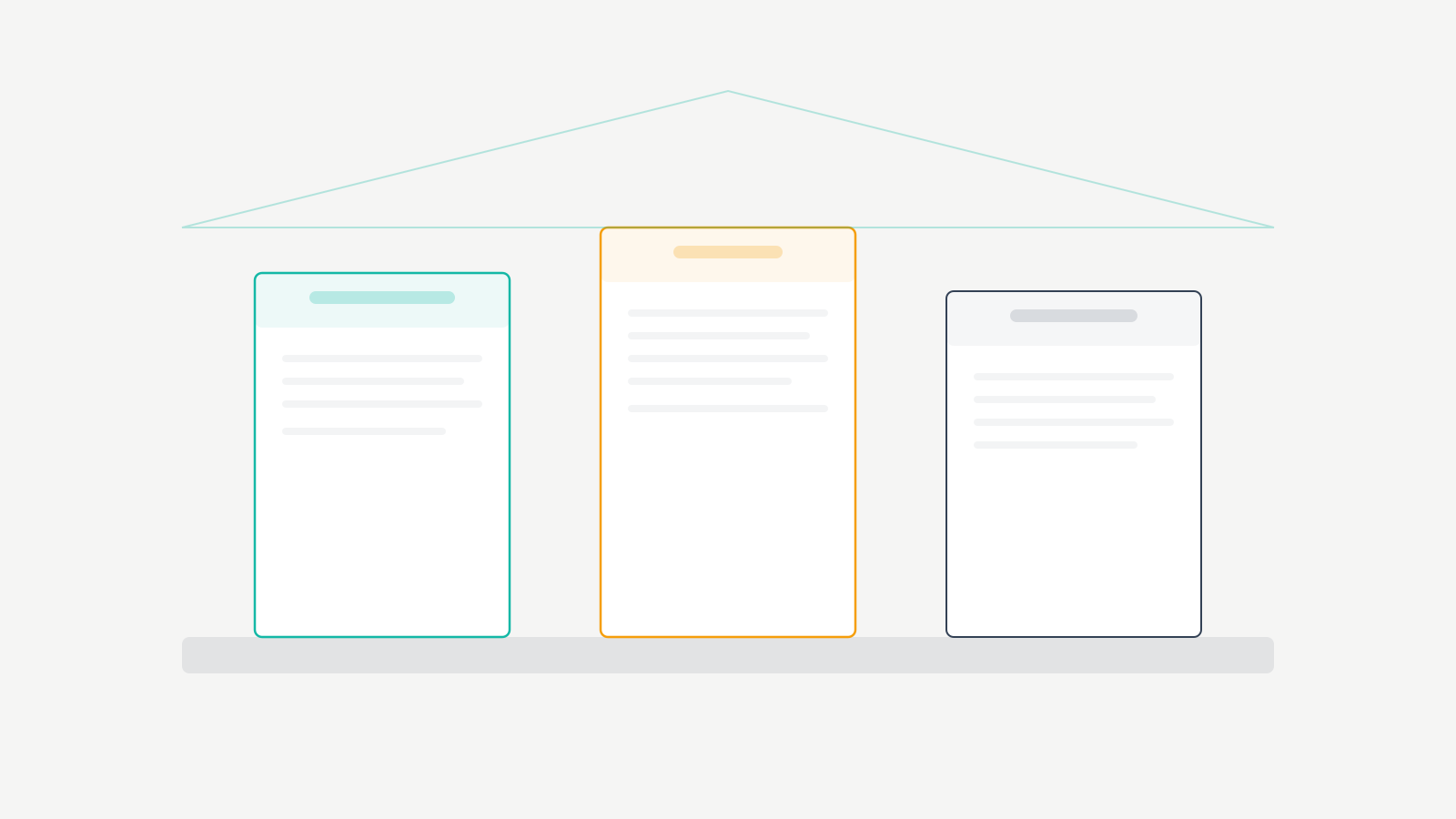
Every SEO task falls into one of three categories. Here’s how I prioritize time across them on a new site.
On-page SEO: 60% of your time in months 1 through 6. This is everything on your actual pages: content quality, keyword targeting, title tags, meta descriptions, header structure, internal links, image alt text. On-page SEO is where beginners get the fastest returns because you control it entirely.
Technical SEO: 25% of your time. Site speed, crawlability, indexation, structured data, XML sitemaps, mobile rendering. Most WordPress sites handle this adequately with a good host, a caching plugin, and an SEO plugin. But “adequately” isn’t the same as “well.” I’ve seen sites lose 40% of their traffic because a theme update broke their schema markup and nobody noticed for 3 months.
Off-page SEO: 15% of your time. Backlink acquisition, brand mentions, digital PR. You can’t fully control this. What you can control is creating content worth linking to. My highest-linked articles are all data-driven pieces with original research or unique tool comparisons.
On-Page SEO: The Complete Checklist
This is the exact on-page checklist I run on every article before publishing. Each item has a measurable standard.
| Element | Standard | Tool to Check |
|---|---|---|
| Title tag | Under 60 characters, primary keyword in first 40 characters | Rank Math / Yoast |
| Meta description | Under 155 characters, includes keyword, has a call to action | Rank Math / Yoast |
| H1 heading | Exactly 1 per page, matches title tag intent | Manual check |
| H2/H3 structure | Logical hierarchy, no skipped levels, keywords in 2 to 3 H2s | Screaming Frog |
| Internal links | 3 to 5 per 1,000 words, descriptive anchor text | Link Whisper / manual |
| Image alt text | Every image has descriptive alt text, keyword in 1 image per post | Rank Math |
| URL slug | Short, keyword-included, no dates, no stop words | Manual check |
| Content length | Matches or exceeds top 5 competitor average | Surfer / manual count |
| Primary keyword density | 0.5% to 1.5%, never forced | Rank Math |
| External links | 2 to 4 authoritative sources per article | Manual check |
I also run a readability pass. Short paragraphs (3 to 4 sentences max). Subheadings every 200 to 300 words. No wall of text. Google doesn’t directly rank for readability, but users bounce from dense content, and bounce rate indirectly impacts rankings through engagement signals.
Keyword Research: Finding What to Target
Keyword research is where most beginners either overcomplicate things or skip entirely. Here’s my process, refined over 16 years and thousands of published articles.
The Keyword Selection Framework
I evaluate every keyword against four criteria before writing a single word.
| Criteria | What to Look For | My Threshold |
|---|---|---|
| Search volume | Monthly searches in your target country | 200+ for new sites, 1,000+ for established sites |
| Keyword difficulty | How hard it is to rank on page one | Under 30 KD for new sites, under 50 for DA 30+ sites |
| Search intent match | Does the SERP show content like what you’d create? | Top 5 results match your content format |
| Business relevance | Does ranking for this keyword drive revenue or authority? | Direct or 1-step-removed from money page |
Long-tail keywords are where beginners win. “Best WordPress SEO plugin for small business” (long-tail, ~800 searches/month, KD 18) is infinitely more rankable than “SEO plugin” (short-tail, ~12,000 searches/month, KD 71). I built my first site’s traffic entirely on long-tail keywords for the first 18 months before attempting any competitive terms.
Tools I Actually Use
Semrush ($129/month). My primary tool. Keyword research, competitor gap analysis, position tracking. Worth the cost if you’re serious. Google Search Console (free). Shows what you already rank for. Filter by impressions with low clicks to find quick-win opportunities. Google Keyword Planner (free). Good for volume estimates. Less useful for difficulty scoring. Rank Math’s built-in suggestions (free). Decent for related keyword ideas while writing.
The free tools are enough to start. I used only free tools for my first 3 years. Paid tools make you faster, not smarter.
Technical SEO: What Actually Matters
Technical SEO gets overcomplicated in most guides. Here’s what I check on every WordPress site I manage, ranked by impact.
| Technical Factor | Target | How to Fix on WordPress |
|---|---|---|
| Site speed (LCP) | Under 2.5 seconds | FlyingPress or WP Rocket + image optimization |
| Mobile usability | Zero errors in GSC | Responsive theme + test in Chrome DevTools |
| HTTPS | All pages served over SSL | Free SSL from host + force HTTPS redirect |
| XML sitemap | Submitted in GSC, auto-updated | Rank Math generates this automatically |
| Robots.txt | Not blocking critical resources | Check via GSC URL Inspection tool |
| Core Web Vitals (INP) | Under 200ms | Reduce JS, defer non-critical scripts |
| Core Web Vitals (CLS) | Under 0.1 | Set explicit image dimensions, font-display: swap |
| Schema markup | Article, FAQ, Breadcrumb at minimum | Rank Math auto-generates Article schema |
| Canonical tags | Every page has a self-referencing canonical | Rank Math handles this by default |
| 404 errors | Zero broken internal links | Screaming Frog crawl monthly |
For most WordPress sites running a quality theme on decent hosting, 80% of technical SEO is handled by your SEO plugin and caching plugin. The remaining 20% requires manual auditing. I run a Screaming Frog crawl once a month on every site. It takes 10 minutes and catches problems before they compound.
SEO Terminology You Need to Know
Skip the jargon dictionaries. These are the terms that come up in actual SEO work, with practical context for each one.
SERP (Search Engine Results Page). The page Google shows after a search. Position 1 to 3 gets ~55% of all clicks. Everything below the fold is a different game.
Search intent. What the user actually wants. “Best WordPress hosting” = they want a comparison list. “How to install WordPress” = they want a step-by-step tutorial. Mismatching intent is the #1 reason good content fails to rank. I check the top 5 results for every keyword before writing to confirm the expected format.
Backlinks. Links from other sites to yours. Quality matters more than quantity. 5 links from relevant, authoritative sites in your niche outperform 500 links from random directories.
Domain Authority (DA). A third-party metric (Moz) predicting ranking potential, scored 1 to 100. Google doesn’t use it, but it’s useful for comparing sites. A new site starts around DA 10 to 15. Getting to DA 30 typically takes 12 to 18 months of consistent publishing and link building.
Organic traffic. Visitors from unpaid search results. This is the metric that matters. I don’t track vanity metrics like total pageviews. Organic traffic from target keywords is the only number that tells you whether SEO is working.
Crawl budget. How many pages Google will crawl per visit. Irrelevant for sites under 10,000 pages. Critical for large sites with thin or duplicate content eating up the budget.
Anchor text. The clickable text in a link. “Click here” is wasted anchor text. “WordPress SEO plugin comparison” tells Google exactly what the linked page is about. I use descriptive anchor text on every internal link.
Cannibalization. When two pages on your site compete for the same keyword. Google picks one and suppresses the other. I’ve seen this tank traffic on otherwise strong sites. Fix it by merging the pages or differentiating their target keywords.
Quick-Start SEO Setup (Do This Today)
If you’re starting from zero, do these seven things in order. This is the same onboarding sequence I run for every new client site.
1. Install Rank Math (free). It handles title tags, meta descriptions, XML sitemaps, schema markup, redirects, and on-page analysis. The setup wizard takes 8 minutes. Set it to “Advanced” mode from day one. The “Easy” mode hides settings you’ll need within a week.
2. Set up Google Search Console. Verify your site using the DNS method (most reliable). Submit your XML sitemap. Bookmark this tool. You’ll check it weekly.
3. Set up Google Analytics 4. Install via a lightweight plugin or directly in your theme’s header. Don’t use heavy analytics plugins that add 200KB+ of JavaScript. GA4 gives you traffic sources, user behavior, and conversion tracking.
4. Run a baseline keyword research session. Spend 2 hours identifying 20 to 30 keywords in your niche with 200+ monthly searches and keyword difficulty under 30. Map each keyword to a content piece. This is your publishing roadmap for the next 3 months.
5. Optimize your existing pages. Go through every published page. Add a focus keyword, write a title tag under 60 characters, write a meta description under 155 characters, and add 3 to 5 internal links. This alone can move existing pages up 5 to 15 positions.
6. Fix your site speed. Install a caching plugin (FlyingPress or WP Rocket). Convert images to WebP. Defer non-critical JavaScript. Target an LCP under 2.5 seconds on mobile. Test at PageSpeed Insights.
7. Publish your first properly optimized article. Pick one keyword from your research. Write the best answer on the internet for that query. Follow the on-page checklist above. Publish it and move on to the next one. Consistency beats perfection.
Realistic SEO Timeline and Expectations
I’m going to be direct because most SEO guides won’t be. Here’s what actually happens, based on sites I’ve built and managed.
Month 1 to 3: You’ll see minimal organic traffic. Google is crawling and indexing your content. Some long-tail keywords might appear in Search Console with impressions but few clicks. This is normal. Don’t panic. Don’t pivot.
Month 3 to 6: Early rankings start showing up. Pages targeting low-competition keywords begin appearing on page 1 or 2. You might see 500 to 2,000 organic visits/month depending on your niche and publishing frequency.
Month 6 to 12: Compound growth kicks in. Internal links between your articles strengthen the whole site. Domain authority climbs. You start ranking for keywords you weren’t explicitly targeting. One of my sites went from 1,800 visits/month at month 6 to 11,400 visits/month at month 12 without changing strategy.
Month 12+: If you’ve published consistently (2 to 4 articles/month) with proper SEO, organic traffic becomes your primary traffic source. At this point, updating and optimizing existing content delivers as much growth as publishing new articles.
Honest Mistakes I’ve Made (and What They Cost)
Chasing high-volume keywords too early. In 2011, I spent 3 months writing and promoting a guide targeting “WordPress tutorial” (KD 78 at the time). It never cracked page 3. Meanwhile, a competitor ranked a “WordPress tutorial for photographers” article (KD 12) that I’d dismissed as “too niche.” That article outearned my entire site for that quarter. I learned to match keyword difficulty to domain authority, not ambition.
Ignoring cannibalization for 2 years. I had 4 articles all targeting variations of “best WordPress hosting” on one site. Google rotated between them, never ranking any of them above position 18. When I merged them into one comprehensive article and redirected the others, the consolidated page hit position 4 within 5 weeks. I estimate that mistake cost me $8,000 to $12,000 in affiliate revenue over those 2 years.
Not updating old content. I had an article ranking #3 for a 6,600 searches/month keyword. I ignored it for 18 months. Competitors published fresher versions. My page dropped to position 11. I updated it with current data and new sections. It took 4 months to recover to position 5, but it never got back to #3. Maintaining rankings is cheaper than recovering them.
Over-optimizing anchor text. In 2014, I built internal links with exact-match anchor text everywhere. “Best WordPress hosting” linked to my hosting page 23 times with identical anchor text. After Penguin 4.0, the page dropped 30 positions. I diversified anchor text across all internal links and it recovered in about 6 weeks. Now I use natural variations: “this hosting comparison,” “our hosting guide,” the brand name, and generic phrases like “full breakdown.”
Spending $4,200 on bad backlinks. In 2013, I hired a link building service that promised 100 links/month for $350/month. After 12 months, I had 1,200 links from irrelevant, low-quality sites. My organic traffic dropped 62% after Google’s next Penguin update. I spent another $1,500 on a disavow audit and recovery. Total cost: $5,700 plus 8 months of lost revenue. Now I don’t outsource link building at all. I earn links through content quality and direct outreach.
Common Beginner Mistakes
Keyword stuffing. If your keyword appears more than 1.5% of total word count, you’re overdoing it. Google penalizes unnatural repetition. Write for the reader. Include your keyword where it fits naturally and use semantic variations everywhere else.
Ignoring mobile. Over 63% of Google searches happen on mobile devices. Google uses mobile-first indexing, meaning the mobile version of your site determines rankings. If your site is slow or broken on phones, nothing else matters.
Publishing without internal links. Every new article should link to 3 to 5 related pages on your site, and you should go back and add links from older articles to the new one. I spend 10 minutes after every publish adding reciprocal internal links. This single habit has more impact than any plugin setting.
Expecting results in 30 days. SEO is a 6 to 12 month play. If someone promises page 1 rankings in 30 days, they’re either lying or using tactics that will get your site penalized. I tell every new client: “If you need traffic this month, buy ads. If you need traffic every month for the next 5 years, invest in SEO.”
Not matching search intent. Check what’s ranking before you write. If the top 5 results for your keyword are all listicles, don’t publish an essay. If they’re all tutorials, don’t publish a product page. Google has already told you what format it wants. Match it, then exceed it.
Skipping Google Search Console. I check GSC 3 times per week on active sites. It shows you crawl errors, indexing issues, keyword rankings, and click-through rates. It’s free, it’s directly from Google, and it tells you exactly what to fix. There’s no reason not to use it.
Frequently Asked Questions
What does SEO stand for?
u003cpu003eSEO stands for Search Engine Optimization. It covers every technique used to increase organic (unpaid) traffic from search engines. The three branches are on-page optimization (content, keywords, meta tags), off-page optimization (backlinks, brand mentions), and technical optimization (site speed, crawlability, structured data). You don’t need to master all three on day one, but you need to understand that all three exist and interact.u003c/pu003e
How long does SEO take to show results?
u003cpu003eExpect 3 to 6 months for initial rankings on low-competition keywords and 6 to 12 months for meaningful traffic growth. New sites take longer because they have zero domain authority. In my experience across 12 sites, consistent publishing of 2 to 4 optimized articles per month produces noticeable organic traffic by month 4 to 5 for long-tail keywords and month 8 to 10 for moderate competition terms.u003c/pu003e
Can I do SEO myself without hiring an expert?
u003cpu003eYes. Most SEO work is learnable and executable without professional help. Install Rank Math (free), set up Google Search Console (free), learn keyword research basics, and follow a consistent publishing schedule. I managed SEO entirely on my own for the first 5 years of my career. You only need professional help for complex technical issues on large sites or if you want to accelerate results in highly competitive markets.u003c/pu003e
What are the most important ranking factors in 2026?
u003cpu003eContent quality and relevance remain the top factor. Backlinks from authoritative, relevant sites are second. Page experience (Core Web Vitals, mobile-friendliness) is third. E-E-A-T signals, particularly demonstrated first-hand experience, have become increasingly important since the Helpful Content updates. For beginners, focusing 80% of effort on creating the best possible content for your target keywords delivers the highest ROI.u003c/pu003e
Is SEO free or do I need to spend money?
u003cpu003eSEO can be executed with zero monetary investment using Google Search Console, Google Analytics, Google Keyword Planner, and Rank Math’s free tier. These tools cover keyword research, on-page optimization, technical auditing, and performance tracking. Paid tools like Semrush ($129/month) and Ahrefs ($129/month) accelerate the process but aren’t required. I used only free tools for my first 3 years and still grew organic traffic to over 30,000 visits per month.u003c/pu003e
What is the difference between SEO and SEM?
u003cpu003eSEO generates organic (free) traffic through content optimization and link building. SEM (Search Engine Marketing) includes SEO plus paid search advertising (Google Ads). In practice, most people use SEM to mean paid search only. The key difference: SEO compounds over time and the traffic is free after the initial investment. Paid search delivers instant traffic that stops the moment you stop paying. A well-optimized article can generate traffic for 3 to 5 years. A Google Ads campaign generates traffic for exactly as long as your budget lasts.u003c/pu003e
What SEO tools should a beginner start with?
u003cpu003eStart with three free tools: Google Search Console for monitoring search performance and indexing, Google Analytics 4 for traffic tracking, and Rank Math (free WordPress plugin) for on-page optimization and schema markup. These three tools handle 90% of beginner SEO needs. When you outgrow them, add Semrush or Ahrefs for competitive keyword research and backlink analysis. Don’t buy paid tools until you’ve maxed out what the free tools offer.u003c/pu003e
Stop Reading. Start Publishing.
You now know more about SEO than 95% of site owners. The gap between you and the people getting organic traffic isn’t knowledge. It’s execution.
Install Rank Math. Set up Google Search Console. Research 10 keywords in your niche. Write the first article. Optimize it using the checklist in this guide. Publish it. Do it again next week.
I’ve watched hundreds of people learn SEO. The ones who succeed aren’t the ones who read the most guides. They’re the ones who publish their first optimized article within 48 hours of learning the fundamentals. Every week you delay is a week of compounding organic traffic you’ll never get back.
The best time to start SEO was when you launched your site. The second best time is right now.