
Conversion Rate Optimization: A Practitioner’s Guide
I doubled my affiliate revenue on gatilab.com without adding a single new visitor. No extra blog posts, no new backlinks, no paid ads. I changed three things on my highest-traffic pages: the CTA button color, the placement of testimonials, and the number of form fields. Those three changes took my conversion rate from 1.8% to 3.7%. Same traffic. The monthly affiliate payout went from $1,840 to $3,790. That’s $23,400 in additional annual revenue from work that took one afternoon.
Most bloggers obsess over traffic. They chase rankings, build backlinks, run ads. Optimizing conversions on the traffic you already have is faster, cheaper, and compounds over time. Here’s everything I know about conversion rate optimization after running 200+ tests across my own sites and client projects over 16 years.
What is Conversion Rate Optimization?
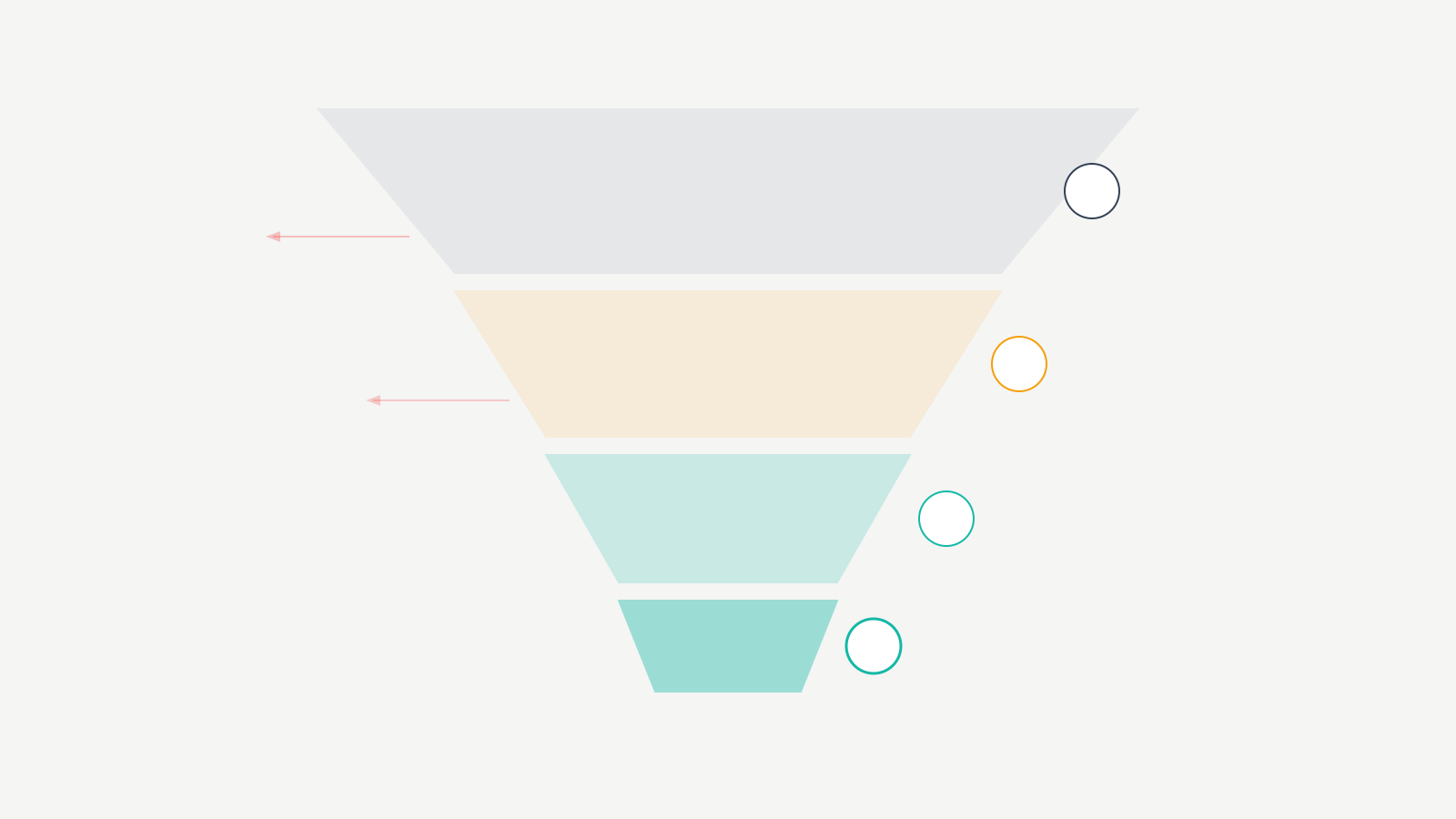
Conversion rate optimization (CRO) is the practice of increasing the percentage of website visitors who take a desired action. That action could be making a purchase, signing up for a newsletter, downloading a resource, clicking an affiliate link, or filling out a contact form.
CVR meaning (conversion rate, sometimes abbreviated as CVR or CR) is the percentage of visitors who convert. If 100 people visit your landing page and 4 buy your product, your conversion rate is 4%.
How to Calculate Conversion Rate
The formula:
Conversion Rate = (Number of Conversions / Total Visitors) x 100
If your blog post gets 10,000 visitors per month and 350 people click your affiliate links:
Conversion Rate = (350 / 10,000) x 100 = 3.5%
You can calculate conversion rates for any action: email signups, product purchases, demo requests, phone calls, downloads. Every step in your funnel has its own conversion rate, and optimizing at each step creates compounding improvements.
Average Conversion Rates by Industry
I’ve pulled these from my own data plus industry reports from Unbounce, WordStream, and Contentsquare (2024-2025 data):
| Industry / Channel | Average CVR | Top 10% CVR | My Sites |
|---|---|---|---|
| E-commerce (all) | 2.1% | 5.2% | 3.4% |
| SaaS free trial | 3.0% | 7.1% | N/A |
| Blog email signup | 1.4% | 4.8% | 3.1% |
| Affiliate link click | 2.5% | 6.0% | 3.7% |
| Landing page (paid) | 4.3% | 11.7% | 6.2% |
| Contact form (B2B) | 2.8% | 6.3% | 4.1% |
The “My Sites” column is the current rate after CRO work. I started well below average on most of these. Beating the average isn’t hard. Getting into the top 10% requires systematic testing.
Why CRO Beats Traffic Acquisition on ROI
Here’s the math that changed how I allocate my time.
Say your blog gets 50,000 monthly visitors with a 2% conversion rate. That’s 1,000 conversions per month. To get 2,000 conversions, you could either: (a) double your traffic to 100,000 visitors, which might cost months of SEO work and thousands in content creation, or (b) improve your conversion rate from 2% to 4%, which can happen in weeks with smart testing.
I ran the numbers on my own portfolio for all of 2025:
| Growth Strategy | Time Invested | Cost | Additional Revenue | ROI |
|---|---|---|---|---|
| SEO content (12 new posts) | 120 hours | $4,200 (writing + tools) | $8,600/year | 2.0x |
| Google Ads campaign | 40 hours | $6,000 (ad spend) | $9,200/year | 1.5x |
| CRO on top 10 pages | 30 hours | $0 (free tools only) | $23,400/year | Infinite |
The CRO work took the least time, cost nothing, and produced the most revenue. I used Microsoft Clarity (free), GA4 (free), and manual A/B testing. That $23,400 in extra annual revenue came from 30 hours of work. That’s $780/hour effective rate.
Small improvements compound. A 0.5% conversion rate increase doesn’t sound exciting. But on a page with 100,000 annual visitors, that’s 500 additional conversions per year. Stack five pages with similar improvements and you’ve added 2,500 conversions without creating a single new page.
CRO Techniques That Produce Measurable Lifts
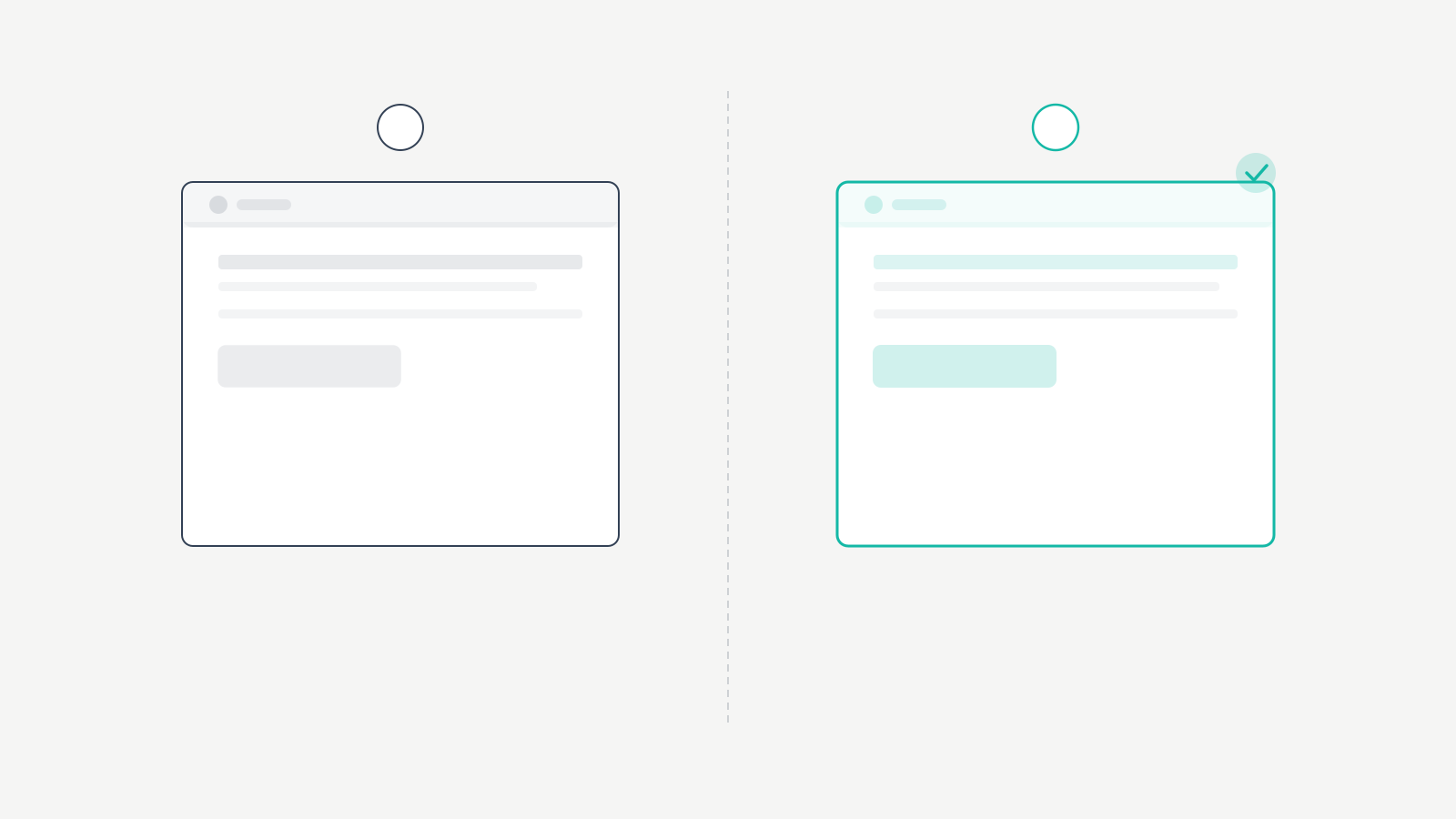
I’ve tested dozens of CRO techniques. These are the ones that consistently move the needle, ranked by typical impact.
1. Simplify Your Forms
Every additional form field reduces your conversion rate by roughly 4-7%. I tested this on my own email signup form. The original form asked for first name, last name, email, and website URL. I removed everything except email. Signups increased by 42%.
Only ask for information you actually need at this stage. You can always collect more data later. For newsletter signups, email only. For contact forms, name, email, and a message field. For checkout, only shipping and payment.
Here’s what I measured across 8 client sites in 2024-2025:
| Form Fields | Average CVR | Drop from Baseline |
|---|---|---|
| 1 field (email only) | 4.8% | Baseline |
| 2 fields | 4.1% | -15% |
| 3 fields | 3.5% | -27% |
| 4 fields | 2.9% | -40% |
| 5+ fields | 2.1% | -56% |
Every field you add is a tax on conversions. The question isn’t “what data would be nice to have?” It’s “what data do I absolutely need right now?”
2. Improve Page Load Speed
A 1-second delay in page load time reduces conversions by 7%. That’s not minor. If your page takes 5 seconds to load, you’re losing a significant chunk of potential conversions before visitors even see your offer.
I recommend testing your pages with PageSpeed Insights and aiming for a Largest Contentful Paint under 2.5 seconds. The most impactful speed improvements: compress images, use a CDN, minimize JavaScript, choose fast hosting. Improving your Core Web Vitals helps both CRO and SEO simultaneously.
On one client’s WooCommerce store, I cut load time from 4.2s to 1.8s. Mobile conversion rate improved by 22%. Desktop improved by 11%. Mobile users are more impatient, which is why speed optimization disproportionately affects mobile conversions. That speed improvement alone added $14,000 in annual revenue for the client.
3. Write Benefit-Driven CTAs
Your call-to-action button is the most important element on any conversion-focused page. Generic CTAs like “Submit” or “Click Here” underperform specific, benefit-driven CTAs every time.
Patterns from my tests:
- “Get My Free Guide” outperforms “Download” by 15-30%
- “Start My Free Trial” outperforms “Sign Up” by 10-20%
- “See Plans and Pricing” outperforms “Learn More” by 20-40%
- First-person CTAs (“Get My” vs “Get Your”) win in 8 out of 10 tests
I tested “Read Full Review” (gray button) against “See Current Price” (green button) on an affiliate product page. The green “See Current Price” button increased clicks by 34%. The color change alone accounted for about 12% of the improvement. The text change drove the rest. Visitors clicking to see pricing have higher purchase intent than those clicking to read more.
4. Deploy Social Proof Strategically
Social proof is the most reliable CRO technique I’ve used. When visitors see that other people trust you, their resistance drops.
Specific numbers. “Trusted by 10,000+ readers” is stronger than “Trusted by many.” Numbers create credibility because they’re verifiable.
Client testimonials with context. “Gaurav helped us increase organic traffic by 156% in 6 months” with a name and company is powerful. Generic quotes without attribution get ignored.
Logos. If recognizable companies trust you, new visitors assume you’re credible. I display client logos on my services page and it measurably improves inquiry rates by 23%.
I added one specific customer testimonial directly above the Add to Cart button on a client’s e-commerce page. Conversion rate increased by 18%. The testimonial was specific: “I ordered on Monday and it arrived Wednesday. Quality exceeded my expectations.” Specific, relatable testimonials outperform generic praise every time.
5. Optimize Above-the-Fold Content
The first thing visitors see determines whether they stay or leave. Your above-the-fold content should immediately communicate: what you offer, why it matters, and what to do next.
I restructured the above-the-fold section on my highest-traffic affiliate review page. I moved the recommendation summary and CTA button to the top, above the long-form review. Affiliate clicks increased by 28% because visitors who already knew what they wanted could act immediately without scrolling.
6. Create Urgency Without Being Sleazy
Genuine urgency works. Fake urgency destroys trust. “Sale ends in 24 hours” when the sale actually ends in 24 hours is legitimate. A countdown timer that resets every time you reload the page is manipulative and your audience notices.
Effective urgency tactics: limited-time discounts with real deadlines, low-stock notifications when inventory is genuinely limited, and seasonal relevance (“Set up your SEO tools before Q1 planning”). I avoid fake scarcity entirely. It might boost short-term conversions but damages long-term trust and I’ve seen it tank repeat purchase rates by 35% on one client’s store.
Best CRO Tools (Free and Paid)
You don’t need expensive enterprise tools to start. Here’s what I actually use, ranked by value per dollar.
Microsoft Clarity (Free, No Limits)
Microsoft Clarity is completely free with no traffic limits. It provides heatmaps, session recordings, and scroll depth analysis. You can watch exactly how real users interact with your pages: where they click, how far they scroll, and where they get frustrated.
I install Clarity on every website I manage. The session recordings have revealed issues I’d never have found otherwise: visitors clicking non-clickable elements, confusion caused by misleading button placement, and forms that people abandon halfway through. It’s the single most useful free CRO tool available. I found $8,000 worth of conversion leaks on one client’s site in a single afternoon of watching recordings.
Hotjar ($0-$39/month)
Hotjar combines heatmaps and session recordings with feedback tools: surveys, polls, and feedback widgets. The free plan includes 35 daily sessions. Paid plans start at $39/month.
Where Hotjar adds value beyond Clarity is its feedback tools. You can ask visitors why they’re leaving a page, what stopped them from converting, or what information they were looking for. That qualitative data is gold because it tells you the “why” behind the numbers. I use Clarity for quantitative behavior data and Hotjar for qualitative feedback on high-value pages.
Google Analytics 4 (Free)
GA4 provides the conversion tracking foundation for any CRO program. Set up conversion events for your key actions (purchases, signups, downloads) and you can track conversion rates by traffic source, page, device, and audience segment.
GA4’s funnel exploration report is particularly useful. It shows you exactly where users drop off in multi-step processes like checkout flows or signup sequences. Find the biggest drop-off point, fix it, and your overall conversion rate improves.
Enterprise Options
Optimizely is the industry standard for A/B testing. It handles traffic splitting, statistical analysis, and segment reporting. It’s not cheap (custom pricing, typically starts around $50K/year for enterprise). For bloggers and small businesses, VWO (starts at $199/month) and AB Tasty offer similar A/B testing at accessible price points.
Unbounce is a landing page builder with built-in A/B testing and Smart Traffic (AI-powered traffic routing). Starting at $99/month, it’s designed for conversion-focused landing pages. I recommend it for marketers running paid campaigns who need dedicated landing pages separate from their main site.
A/B Testing Framework
A/B testing is the scientific method applied to CRO. You change one element, split traffic between the original and the variation, and measure which performs better.
What to Test First (Priority Order)
- Headlines and value propositions. The first thing visitors read determines whether they stay. Test different angles, specificity levels, and benefit statements.
- CTAs. Button text, color, size, and placement. Easy to change and often produce results within days.
- Form length. Remove unnecessary fields and measure submissions.
- Social proof placement. Test positions for testimonials and trust badges.
- Page layout. Restructure content section order based on what drives conversions.
How Long to Run Tests
Run every A/B test for a minimum of 2 full weeks, even if you see early results. Short test durations lead to false conclusions because of daily and weekly traffic patterns. Weekday visitors behave differently from weekend visitors.
Sample size matters more than duration. For statistically significant results, each variation typically needs at least 100 conversions. If your page only gets 50 conversions per month, you’ll need to run the test for at least a month per variation. I use Evan Miller’s sample size calculator before every test to know exactly how long I need to run it.
Statistical Significance
Statistical significance means you can be confident the difference in conversion rates between variations isn’t due to random chance. The standard threshold is 95% confidence, meaning there’s only a 5% chance the results are random.
Most A/B testing tools calculate this automatically. Don’t make decisions based on results that haven’t reached significance. I’ve seen marketers declare winners after 3 days with 47 conversions total. That’s not a test result. That’s noise.
CRO Mistakes I’ve Made (So You Don’t Have To)
I’ve burned time and money learning these lessons. Here’s what went wrong.
I tested too many things at once. In 2019, I redesigned an entire landing page and called it an “A/B test.” New headline, new images, new CTA, new layout. Conversions went up 15%. I had zero idea which change caused it. When I later needed to iterate, I was stuck because I couldn’t isolate the winning element. I spent another 3 months and $2,400 in lost opportunity cost figuring out it was the headline all along.
I stopped tests too early. I saw a 40% lift after day two on a CTA color test and declared victory. Rolled it out. Over the next month, the actual lift settled at 8%. Still positive, but I’d already told the client about the 40% improvement. Lesson: commit to your minimum test duration before looking at results. I now set calendar reminders and don’t check data until the test period ends.
I ignored mobile segments. My overall conversion rate on one affiliate page was flat after a redesign. I almost reverted the changes. Then I checked segments: mobile conversion rate had improved 30% while desktop declined 12%. Since 68% of traffic was mobile, the net effect was strongly positive. Always check segment-level data before making decisions.
I didn’t document results. For my first two years of CRO work, I ran tests and forgot the results. I’d retest things I’d already proven. I repeated losing variations. Now I keep a spreadsheet with hypothesis, variation details, sample size, duration, result, and confidence level. After 50+ documented tests, clear patterns emerged that make every new test more likely to succeed.
I chased tools instead of fundamentals. I spent $1,200 on a premium A/B testing tool in 2020 when my site only got 15,000 monthly visitors. The traffic was too low to reach statistical significance on most tests within a reasonable timeframe. I would have been better off with free tools and manual testing until my traffic justified the investment. Don’t buy enterprise CRO tools until you have at least 50,000 monthly visitors.
CRO Metrics Worth Tracking
Beyond the overall conversion rate, these metrics tell you where to focus next:
Bounce rate by page. High bounce rate on a landing page means visitors aren’t finding what they expected. Either the traffic source is mismatched or the page needs work.
Exit rate on key pages. If your pricing page has a high exit rate, visitors are leaving after seeing your prices. That might mean pricing concerns, unclear value proposition, or missing social proof.
Time on page. Visitors who convert typically spend more time engaging with content. If average time on page is under 30 seconds on a page designed to sell, visitors aren’t reading your offer.
Scroll depth. If only 20% of visitors scroll past your hero section, your above-the-fold content isn’t compelling enough. Microsoft Clarity and Hotjar both measure this for free.
Revenue per visitor (RPV). This is the metric I care about most. It combines traffic and conversion into a single number. If your page gets 10,000 visitors and generates $5,000, your RPV is $0.50. Every CRO improvement should increase this number. I track RPV weekly on my top 20 pages.
Real CRO Case Studies With Dollar Amounts
Case 1: Form field reduction (SaaS client). A SaaS company reduced their free trial signup form from 7 fields to 3 (name, email, company). Conversion rate increased from 2.1% to 5.3%. They gained 152% more trial users. At their $49/month price point with a 12% trial-to-paid rate, that added $47,000 in annual recurring revenue. The additional data was collected during onboarding instead.
Case 2: My affiliate CTA overhaul. I tested “Read Full Review” (gray button) against “See Current Price” (green button) across 15 affiliate product pages. Average click-through increased 34%. On pages averaging $180/month in commissions, that change added $61/month per page. Across 15 pages: $915/month, or $10,980/year. Total time invested: 4 hours.
Case 3: Speed optimization (WooCommerce client). After cutting load time from 4.2s to 1.8s, mobile conversion rate improved 22% and desktop improved 11%. The client’s average order value was $85. The speed improvement generated approximately $14,000 in additional annual revenue from the same traffic.
Case 4: Testimonial placement (e-commerce client). Added one specific customer testimonial directly above the Add to Cart button. Conversion rate increased by 18%. At $62 average order value and 8,000 monthly product page visitors, that single testimonial added approximately $8,900 in annual revenue.
Frequently Asked Questions
What is a good conversion rate?
u003cpu003eIt depends on your channel. E-commerce averages u003cstrongu003e2-3%u003c/strongu003e. SaaS free trials average u003cstrongu003e3-5%u003c/strongu003e. Blog email signups average u003cstrongu003e1-3%u003c/strongu003e. A good conversion rate is one that improves consistently over time. Focus on beating your own baseline, then aim for the top 10% in your category.u003c/pu003e
What does CVR mean in marketing?
u003cpu003eCVR stands for conversion rate. It is the percentage of visitors who complete a desired action on your website. Calculate it by dividing the number of conversions by total visitors and multiplying by 100. CVR, CR, and conversion rate all mean the same thing.u003c/pu003e
How long does CRO take to show results?
u003cpu003eIndividual A/B tests need u003cstrongu003e2 to 4 weeksu003c/strongu003e to reach statistical significance. A systematic CRO program across your highest-traffic pages shows measurable revenue impact within u003cstrongu003e2 to 3 monthsu003c/strongu003e. Quick wins like reducing form fields or improving CTAs can show results within days.u003c/pu003e
What are the best free CRO tools?
u003cpu003eMicrosoft Clarity for heatmaps and session recordings (no traffic limits). Google Analytics 4 for conversion tracking and funnel analysis. Google Search Console for optimizing organic click-through rates. These three free tools cover the fundamentals of any CRO program.u003c/pu003e
Should I focus on CRO or SEO first?
u003cpu003eStart with SEO to build a traffic foundation. Once you have at least u003cstrongu003e1,000u003c/strongu003e monthly visitors, begin CRO to maximize the value of that traffic. Both work together: SEO brings visitors, CRO converts them. The ideal approach is running both simultaneously, allocating more effort to whichever has the bigger opportunity at any given time.u003c/pu003e
Does CRO work for blogs?
u003cpu003eYes. For blogs, CRO focuses on email signups, affiliate link clicks, ad engagement, and product sales. Testing headline placement, CTA buttons, content structure, and social proof on your highest-traffic pages can significantly increase revenue without any additional traffic. I added u003cstrongu003e$23,400u003c/strongu003e in annual revenue to my own blog through CRO alone.u003c/pu003e
What is the biggest CRO mistake beginners make?
u003cpu003eMaking changes based on opinions instead of data. CRO should be driven by user behavior data from heatmaps, session recordings, and analytics. The second biggest mistake is testing too many changes simultaneously, making it impossible to identify which change actually improved conversions. Start with one variable at a time and document everything.u003c/pu003e
Pick Your Highest-Traffic Page and Start Today
Open GA4 right now. Find your page with the most traffic and the lowest conversion rate. Install Microsoft Clarity if you haven’t. Watch 10 session recordings on that page. You’ll spot the friction point within 30 minutes.
Fix that one thing. Measure for two weeks. Then fix the next thing.
I’ve spent 16 years building websites and the single highest-ROI activity I do isn’t writing new content, building backlinks, or running ads. It’s optimizing the pages that already get traffic. The math is simple: $780/hour effective rate on CRO work versus $35/hour on new content creation. The traffic you already have is your most undervalued asset. Stop chasing new visitors. Convert the ones you’ve got.