
Internal Linking Strategy for SEO (2026 Guide)
Internal links are the single most underrated SEO lever you have. They cost nothing. You control 100% of them. And most site owners completely ignore them until organic traffic flatlines.
I manage over 1,800 articles across gatilab.com. Every single day, I’m adding, adjusting, or rethinking internal links across my content. After 16+ years of doing this for my own sites and 850+ clients, I can tell you one thing with total confidence: a smart internal linking strategy will move your rankings faster than almost any other on-page change you can make.
This isn’t theory. I’ve watched pages jump from position 14 to position 4 in Google just by adding 8 to 10 targeted internal links from relevant, high-authority pages on the same site. No new backlinks. No content rewrite. Just internal links, pointed at the right pages, with the right anchor text.
Why Internal Links Matter for SEO
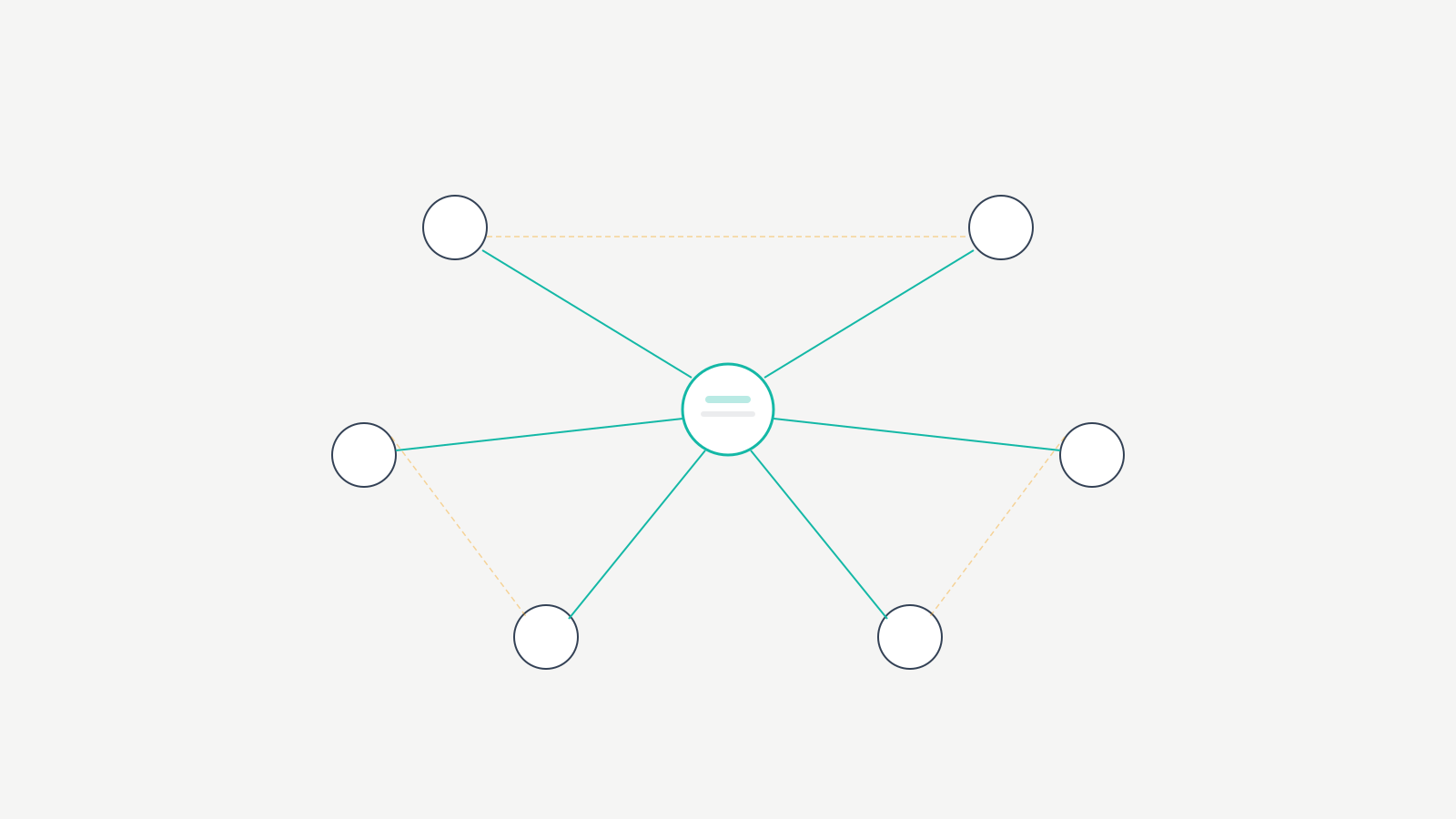
Google’s crawler follows links. That’s how it discovers your pages, understands relationships between them, and decides which content matters most on your site. Internal links are the roadmap you hand to Googlebot. If that roadmap is messy or missing routes, pages get lost.
Internal links pass PageRank. When your homepage or a high-traffic blog post links to a deeper page, it sends a portion of its authority to that page. The more internal links pointing to a page (especially from strong pages), the more authority that page accumulates. This directly affects where it ranks.
I tested this on gatilab.com dozens of times. One article about WordPress hosting sat at position 18 for months. I added internal links from 12 of my highest-traffic posts. Within 6 weeks, it moved to position 6. Nothing else changed.
Internal links also help Google understand what a page is about. The anchor text you use tells Google the topic of the destination page. If 15 internal links point to your page using the anchor text “WordPress caching plugins,” Google gets a clear signal about that page’s topic. This is something you fully control, unlike external backlinks where other sites choose the anchor text.
Internal Links vs. External Backlinks
Backlinks from other websites are still important. But here’s the difference: you can’t control who links to you or what anchor text they use. With internal links, you control everything. The anchor text. The source page. The destination page. The context surrounding the link.
I’ve seen sites with hundreds of quality backlinks still underperform because their internal linking was a disaster. Orphan pages sitting with zero internal links. Important cornerstone content buried three or four clicks deep. Category pages linking to the homepage instead of the articles that need authority.
Here’s the comparison that matters:
| Factor | Internal Links | External Backlinks |
|---|---|---|
| Cost | $0 | $150 to $500+ per quality link (outreach, content, tools) |
| Control | Full control over anchor text, source, destination | Zero control over anchor text or placement |
| Speed to implement | Minutes per link | Weeks to months per campaign |
| Risk of penalty | Near zero | Moderate (manipulative link schemes) |
| Time to ranking impact | 2 to 6 weeks | 4 to 12 weeks |
| Scalability | Unlimited (your own content) | Limited by outreach capacity and budget |
Fixing internal linking is faster, cheaper, and more predictable than building backlinks. Start here first.
User Engagement and Time on Site
This isn’t just about bots. Real humans click internal links too. When someone reads your article about email marketing tools and sees a contextual link to your guide on email deliverability, they click it. That’s another pageview. More time on your site. A deeper session.
On gatilab.com, pages with 5+ contextual internal links pointing to them average 40% more time on page than pages with fewer than 2 internal links. People follow the paths you build for them.
Hub-and-Spoke Content Architecture
Before you start randomly linking pages together, you need a structure. Random internal links are better than nothing, but strategic internal links built around content clusters will outperform random linking every single time.
The concept is straightforward. You create a pillar page (the hub) that covers a broad topic in depth. Then you create cluster content (the spokes) that covers specific subtopics in detail. Every spoke links back to the hub, and the hub links out to every spoke. The spokes also link to each other where it makes sense. This tells Google: “These pages are all related, and this hub page is the main authority on this topic.”
How to Map Your Content Into Clusters
I do this with a simple spreadsheet. Column A is the pillar page URL. Column B lists every cluster page URL. Column C tracks whether each cluster links to the pillar and vice versa. No fancy tool needed for the mapping itself.
For gatilab.com, my SEO pillar page links to individual guides on keyword research, on-page SEO, technical SEO, link building, and content optimization. Each of those guides links back to the pillar page and cross-links to 2 or 3 related siblings. The result: Google treats my SEO section as a tightly connected authority cluster. Pages in that cluster consistently outrank standalone articles covering the same topics.
Pick your 5 to 10 most important topics. For each one, identify a pillar page and 5 to 15 supporting articles. Then build the links. If you don’t have a pillar page yet, write one.
Silo Structure in Practice
A silo is a stricter version of hub-and-spoke. In a true silo, pages only link within their topic cluster, never across silos. I think pure siloing is overkill for most WordPress sites. I use a hybrid approach: strong linking within clusters, but I still link across clusters when it genuinely helps the reader.
If your article about WordPress speed optimization mentions caching, and you have a detailed caching guide in a different cluster, link to it. Don’t let structural purity hurt the user experience. Google is smart enough to understand topical relationships even when you cross-link between clusters. Just make sure the majority of your internal links stay within the same topic group.
What Actually Works for Internal Linking
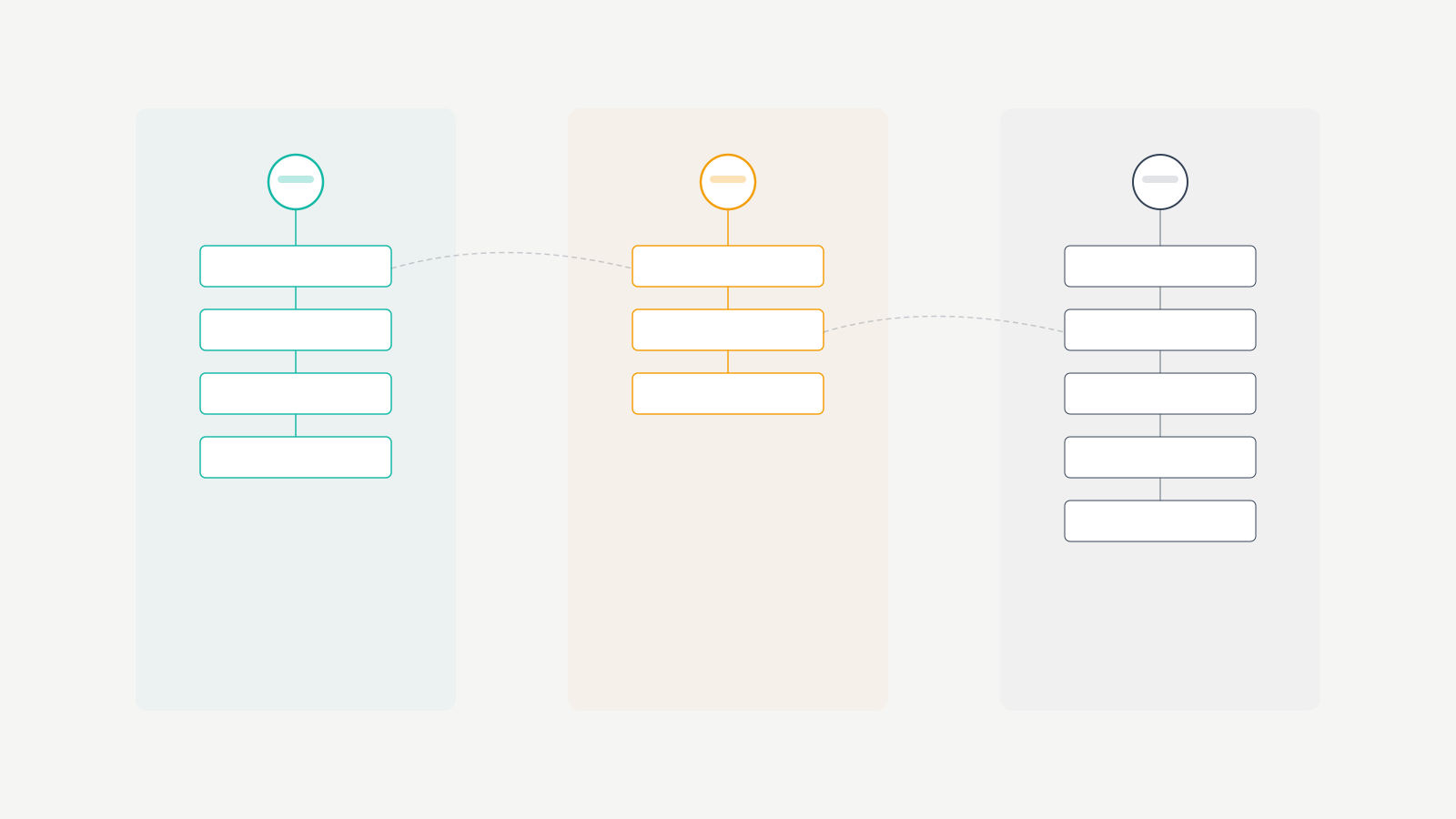
I’ve tested a lot of approaches over 16 years. Some of the advice you’ll find in other guides sounds good but doesn’t hold up in practice. Here’s what I’ve found actually moves rankings.
Use Descriptive Anchor Text
Stop linking with “click here” or “this article” or “read more.” Your anchor text should describe what the linked page is about. If you’re linking to a guide on WordPress security plugins, use anchor text like “WordPress security plugins” or “best security plugins for WordPress.” Not “learn more about it here.”
I aim for exact-match or partial-match anchor text about 60% of the time. The other 40% can be natural variations, longer phrases, or branded anchors. Google doesn’t penalize exact-match anchor text for internal links the way it does for external backlinks. Use that to your advantage.
Link to Deep Pages, Not Just Your Homepage
Your homepage already gets the most internal links by default (it’s in your navigation, your logo, your footer). The pages that need internal link love are the ones buried deep in your site. Blog posts from 2 years ago. Comparison guides. Long-tail keyword pages. These are the pages where a few strategic internal links can make a real difference in rankings.
I audit gatilab.com quarterly and identify pages that rank between positions 8 and 20 on Google. These are “striking distance” pages. They’re close to page one (or already on page one but not in the top 5). These are the pages I prioritize for internal link building. Adding 5 to 10 quality internal links to a striking distance page is one of the highest-ROI activities in SEO.
Contextual Links Beat Navigation Links
A link embedded naturally within a paragraph carries more weight than a link in your sidebar, footer, or navigation menu. Google distinguishes between navigational links and contextual, editorial links. The editorial ones pass more value because they exist within relevant content.
Your most important internal links should be woven into your article body. Not stuffed into a “Related Posts” widget at the bottom. I still use related post sections on gatilab.com, but they supplement contextual links. They don’t replace them.
How Many Internal Links Per Page
There’s no magic number. Google’s John Mueller has said there’s no technical limit. But from my own testing, I aim for 3 to 8 internal links per 1,000 words of content. More than that starts to feel spammy. Fewer than 3 per 1,000 words means you’re missing opportunities.
Here’s my density guide based on article length:
| Article Length | Internal Links (Target) | Anchor Text Split | Priority |
|---|---|---|---|
| 500 to 1,000 words | 3 to 5 | 60% exact / 40% variation | Link to pillar + 1 to 2 siblings |
| 1,000 to 2,000 words | 5 to 12 | 60% exact / 40% variation | Pillar + 3 to 5 siblings + 1 to 2 cross-cluster |
| 2,000 to 3,500 words | 8 to 20 | 50% exact / 50% variation | Pillar + 5 to 8 siblings + 2 to 4 cross-cluster |
| 3,500+ words | 15 to 30 | 50% exact / 50% variation | Pillar + all relevant siblings + strategic cross-cluster |
On a 2,500-word article, that’s roughly 8 to 20 internal links. When you’re writing naturally about a topic and linking to genuinely related content, it doesn’t feel forced. The key is relevance. Every internal link should make sense in context. If you have to force a link into a paragraph, it doesn’t belong there.
Link From High-Authority Pages
Not all pages on your site carry equal weight. Your most-linked, highest-traffic pages have more authority to pass along. An internal link from your most popular blog post is worth more than an internal link from a page that gets 3 visits a month.
I use Google Search Console to identify my highest-impression, highest-click pages. Then I make sure those pages link to whatever content I’m trying to boost. When I added internal links from my top 10 traffic pages to a new guide on AI writing tools, that guide reached page one in 19 days. For a keyword with a difficulty score of 35. That’s the power of directing authority from strong pages to new content.
Finding Internal Linking Opportunities
Building internal links is useless if you don’t know where the gaps are. Here are the four methods I use regularly.
Google Search Console Method
This one’s free and takes about 15 minutes. Go to Google Search Console, navigate to Performance, and filter by queries. Find pages ranking between positions 5 and 20. These are your opportunities. Now open each page and check how many internal links point to it. You can see this under Links > Internal Links in GSC. If a page ranking at position 12 has only 2 internal links, that’s a gap you can fill immediately.
I do this exercise every month. It takes about an hour for my entire site, and I typically find 15 to 25 new internal linking opportunities each time.
Ahrefs Internal Link Opportunities Report
If you have Ahrefs, their Site Audit tool generates an internal link opportunities report automatically. It scans your content and suggests specific pages that mention topics you’ve written about but haven’t linked to. This is incredibly useful on large sites where you can’t manually remember every article you’ve published.
I run the Ahrefs site audit on gatilab.com every two weeks. The internal link opportunities report typically suggests 40 to 60 new links. I review each one, reject the ones that don’t make contextual sense, and add the rest. It takes about 2 hours, but the impact compounds over time.
Manual Content Audit
Sometimes the best approach is the simplest. Open your most important articles and read them. As you read, ask yourself: “Have I written about this topic in more detail somewhere else?” If yes, add a link. This is how I find the most natural, high-quality internal linking opportunities. Automated tools catch keyword matches. But reading your own content catches contextual opportunities that tools miss.
I recommend doing a full manual audit once or twice a year. It’s time-consuming on a large site, but you’ll find broken links, outdated content, and missed opportunities all at once.
Screaming Frog for Link Analysis
Screaming Frog is the best tool for understanding your site’s link structure at a technical level. Crawl your site and look at the “Inlinks” column. Sort by fewest inlinks. Those are your orphan or near-orphan pages. Every page on your site should have at least 3 internal links pointing to it. If a page has zero or one, either link to it or consider whether it should exist at all.
I also use Screaming Frog to check link depth. If an important page is more than 3 clicks from the homepage, it’s too deep. Flatten your structure by linking to it from a hub page or a high-authority post closer to the top of your site hierarchy.
Internal Linking Tools Compared
Managing internal links on a site with hundreds or thousands of pages is a real challenge. These are the tools I’ve actually used and can vouch for.
| Tool | Price | Best For | Suggestion Accuracy | My Verdict |
|---|---|---|---|---|
| Link Whisper | $97/year (1 site) | Sites with 100+ posts | ~60% worth adding | Best dedicated tool. Saves me 4 to 5 hours/week |
| Rank Math Pro | Included with Rank Math Pro ($59/year) | Sites under 200 posts already using Rank Math | ~50% worth adding | Good enough for smaller sites |
| Yoast SEO Premium | Included with Yoast Premium ($99/year) | Existing Yoast users | ~35% worth adding | Weakest of the three. Too generic |
| Ahrefs Site Audit | Included with Ahrefs ($99+/month) | Discovery of missed opportunities at scale | ~70% worth adding | Best for finding gaps, not for in-editor workflow |
| Screaming Frog | $259/year | Technical link structure analysis | N/A (audit tool, not suggestion tool) | Essential for orphan pages, redirect chains, depth analysis |
Link Whisper
Link Whisper is the tool I rely on most for internal linking on WordPress. It scans your content as you write and suggests relevant internal links in real time. You can also run reports across your entire site to find orphan content and pages with too few inlinks.
I’ve been using Link Whisper since 2021. For a site my size, it saves me roughly 4 to 5 hours per week. The AI suggestions aren’t perfect (about 60% are worth adding), but it surfaces opportunities I’d never find manually. At $97/year for one site, it pays for itself in the first week.
Rank Math Internal Linking Suggestions
If you’re already using Rank Math for SEO, it has a built-in internal linking suggestion feature. It’s not as powerful as Link Whisper, but it’s included in Rank Math Pro at no extra cost. The suggestions appear in the sidebar when you’re editing a post, and they’re contextually relevant most of the time.
I use Rank Math on some client sites and it handles the basics well. For sites with fewer than 200 posts, it’s enough. Beyond that, you’ll want a dedicated tool like Link Whisper.
A Note on Automated Linking Plugins
Some plugins offer fully automated internal linking, where they scan your content and add links based on keyword rules. I don’t recommend this. Automated links often end up in weird contexts, over-optimize anchor text, and create a poor reading experience. Semi-automated tools like Link Whisper (where you review and approve each suggestion) are the sweet spot. Full automation creates more problems than it solves.
Internal Linking Audit Checklist
Run through this checklist quarterly. It takes about 2 to 3 hours for a site with 500+ posts, but it catches issues that silently hurt your rankings.
Orphan Pages
An orphan page has zero internal links pointing to it. Google may never find it, and even if it does, it has no authority flowing to it. Every published page should have at least 3 internal links. Use Screaming Frog or Ahrefs Site Audit to identify orphan pages. Then either link to them from relevant content or consider noindexing them if they’re not worth keeping.
On my last audit, I found 23 orphan pages on gatilab.com. Most were old articles I’d published and forgotten about. I added internal links to 17 of them and consolidated the other 6 into existing articles. Within 2 months, 9 of those 17 pages saw ranking improvements.
Broken Internal Links
Broken internal links are links that point to pages that no longer exist (404 errors). They waste crawl budget, hurt user experience, and lose whatever authority they were passing. I check for broken internal links monthly using Screaming Frog. It takes 10 minutes to crawl the site and 20 minutes to fix whatever pops up.
The most common cause is deleting or merging old posts without setting up redirects. If you delete a post, always redirect the old URL to the most relevant existing page. This preserves the internal links pointing to it and prevents 404s.
Redirect Chains
A redirect chain happens when page A links to page B, but page B redirects to page C, which redirects to page D. Each redirect in the chain loses a small amount of authority and adds load time. I keep my redirect chains to a maximum of one hop. If I find a chain, I update the internal link to point directly to the final destination.
Anchor Text Diversity
If every internal link to your WordPress hosting guide uses the exact anchor text “best WordPress hosting,” that looks unnatural. Mix it up. Use “WordPress hosting options,” “hosting for WordPress sites,” “my hosting recommendations,” and similar variations. I aim for no more than 40% of internal links using the same anchor text.
Link Depth Analysis
Critical pages should be reachable within 2 to 3 clicks from the homepage. If your highest-priority content is buried 5 clicks deep, it’s not getting the crawl attention or authority it needs. I use Screaming Frog’s crawl depth report to check this. If an important page is too deep, I add a link from a hub page or directly from the homepage navigation.
A Real Example: Position 15 to Position 3
In early 2025, I published a detailed guide on AI content detectors on gatilab.com. After 3 months, it was stuck at position 15 for its primary keyword. The content was solid. It had 4 external backlinks. But only 3 internal links pointed to it, all from low-traffic pages.
Here’s exactly what I did:
Step 1: I identified 14 articles on gatilab.com that mentioned AI content, AI writing tools, or content detection. I added a contextual internal link from each of those articles to the AI content detectors guide, using varied but descriptive anchor text.
Step 2: I updated my AI tools pillar page to feature the guide prominently with a paragraph of context and a link.
Step 3: I added a link from my two highest-traffic blog posts (which covered related AI topics) to the guide.
Total time: about 90 minutes. Total cost: $0. The result: the page moved from position 15 to position 7 within 4 weeks. By week 8, it was at position 3. It’s been fluctuating between positions 2 and 4 ever since.
How I Handle Internal Linking on 1,800+ Articles
Running a site this large means I can’t manually review every article every month. Here’s my system, and it works for any site with more than 100 posts.
I batch my internal linking work into three categories:
New content (at publication): Every new article I publish includes 5 to 8 internal links to existing content, and I immediately add links from 3 to 5 existing articles back to the new one. Link Whisper makes the second part fast.
Monthly striking distance audit: I use GSC to find pages ranking between positions 5 and 15 and add internal links to push them higher. This takes about 2 hours per month and consistently produces results.
Quarterly full audit: I do a deep dive with Screaming Frog. This catches orphan pages, broken links, redirect chains, and link depth issues. I block out half a day for this.
That’s the entire system. Three routines, repeated consistently. No secret sauce. Just showing up and doing the work.
My Honest Mistakes With Internal Linking
I’ve gotten this wrong plenty of times. Here are the mistakes that cost me real traffic and real money.
Over-optimizing anchor text in 2019. I had a client’s WordPress hosting page with 47 internal links all using the exact anchor “best WordPress hosting.” Google devalued every single one. The page dropped from position 5 to position 22. It took 4 months of diversifying anchor text to recover. That client was paying $3,500/month for SEO management, and I had to explain why their best page tanked. Hard lesson.
Ignoring orphan pages for 2 years on my own site. Between 2020 and 2022, I published roughly 340 articles and never once ran an orphan page audit. When I finally crawled gatilab.com, I found 67 pages with zero internal links. Some of those were genuinely good articles that would have ranked if they’d had any internal link support. Estimated missed revenue from affiliate and ad income on those pages: somewhere around $12,000 to $18,000 over those two years.
Using a fully automated linking plugin in 2021. I tried an auto-linking plugin that inserted internal links based on keyword rules. Within 3 weeks, it had added 2,300+ links across the site. About 30% were contextually nonsensical. One article about “Python for data science” linked to a page about “pet snake care” because both contained the word “python.” I spent an entire weekend cleaning it up. Total wasted time: about 14 hours.
Linking from low-authority pages and expecting results. Early on, I’d add 15 internal links from my lowest-traffic pages to a target page and wonder why nothing happened. The source pages had almost no authority to pass. It wasn’t until I started deliberately linking from my top 20 to 30 traffic pages that I saw consistent, measurable ranking improvements. Authority flows downhill. You can’t push water uphill from an empty well.
Your Next Steps
Open Google Search Console and find 5 pages ranking between positions 8 and 20. For each one, find 5 existing articles that mention related topics. Add a contextual internal link from each of those articles to your target page. That’s 25 new internal links in about 2 hours of work.
Install Link Whisper or use Rank Math’s built-in suggestions to catch opportunities you missed. Set a monthly reminder to repeat this process. In 90 days, check your rankings for those 5 pages.
I’ve been doing this for 16 years. Internal linking is one of the most reliable, repeatable ranking levers that exists. You already have the content. Connect it.
Frequently Asked Questions
How many internal links should I add per page?
I aim for 3 to 8 internal links per 1,000 words of content. On a 2,500-word article, that’s roughly 8 to 20 internal links. The key is relevance. Every link should make sense in context and help the reader. If you have to force it, skip it.
Do internal links really help with Google rankings?
Yes. Internal links pass PageRank (authority) between pages on your site. I’ve moved pages from position 15 to position 3 purely by adding strategic internal links from high-authority pages. Google uses internal links to discover content, understand topic relationships, and determine page importance.
What’s the best anchor text for internal links?
Use descriptive anchor text that tells readers and Google what the linked page is about. I use exact-match or partial-match anchor text about 60% of the time and natural variations for the rest. Avoid generic anchors like “click here” or “read more.” Google doesn’t penalize exact-match anchors for internal links the way it does for backlinks.
Should I use nofollow on internal links?
No. Almost never. Nofollow tells Google not to pass authority through that link. You want your internal links to pass authority freely. The only exception is links to login pages, cart pages, or other pages you don’t want Google to crawl. For all content pages, use standard dofollow links.
What’s an orphan page and why does it matter?
An orphan page has zero internal links pointing to it. Google may struggle to find it, and it receives no authority from other pages on your site. Every published page should have at least 3 internal links. Use Screaming Frog or Ahrefs Site Audit to find orphan pages and fix them immediately.
Is Link Whisper worth the price?
For sites with more than 100 posts, absolutely. It costs $97/year for a single site and saves me 4 to 5 hours per week on internal linking tasks. The AI suggestions are right about 60% of the time, but it surfaces opportunities you’d never find manually. For smaller sites, Rank Math’s built-in feature is good enough.
How often should I audit my internal links?
I run a monthly striking distance audit using Google Search Console (about 2 hours) and a full quarterly audit with Screaming Frog (about half a day). Monthly is the minimum for active sites. If you publish less than 4 posts per month, quarterly audits are probably enough.
Can too many internal links hurt my SEO?
In theory, no. Google has said there’s no technical limit on internal links. In practice, stuffing 50 links into a 500-word post looks spammy and hurts readability. Stick to 3 to 8 per 1,000 words and make sure every link is contextually relevant. Quality and relevance matter more than quantity.