
How I Got 14 Sites Into Google News (2026)
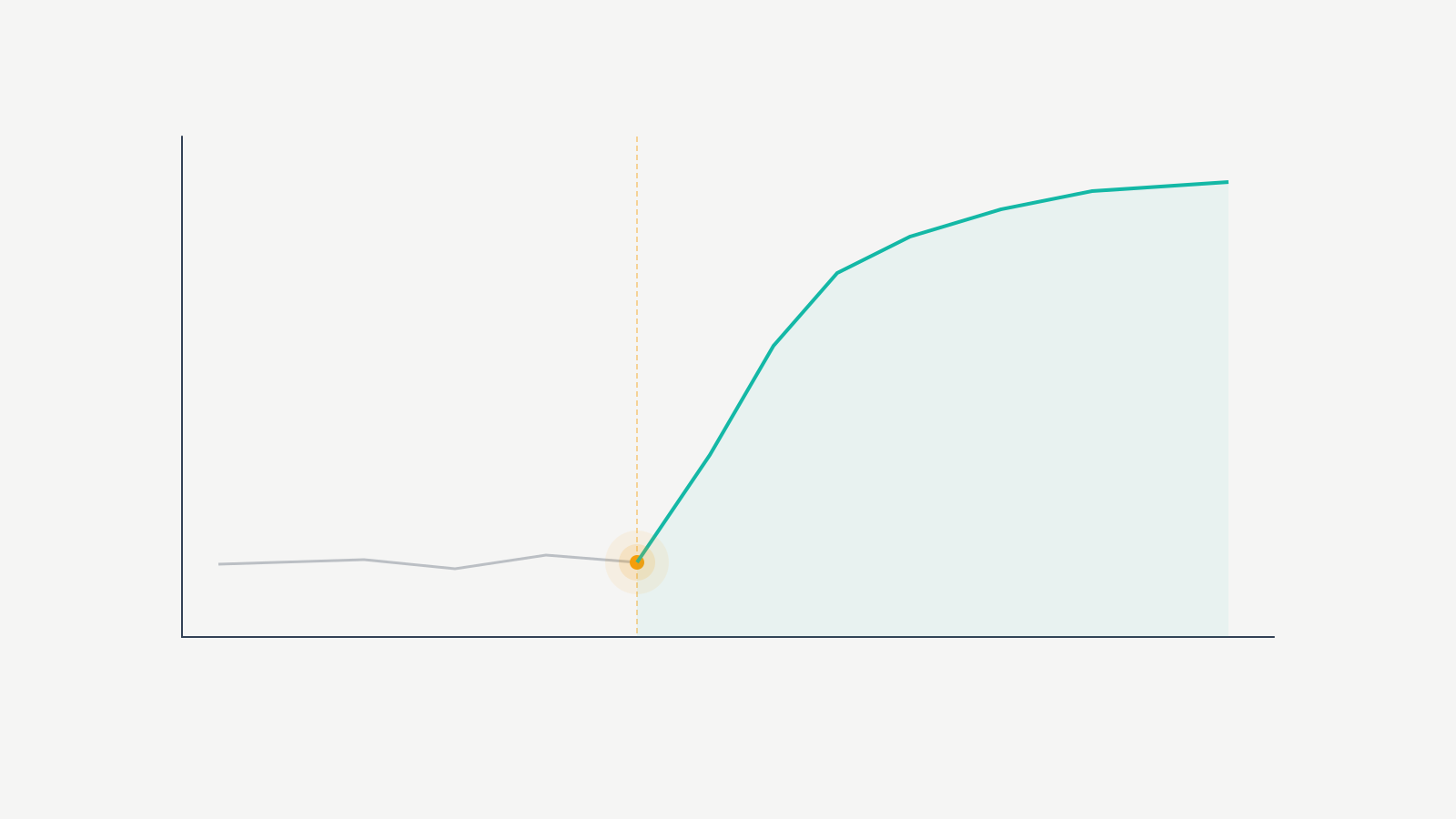
Google News sent one client’s blog 47,000 visitors in a single week. Not a fluke. Not a viral moment. That was the result of proper Publisher Center setup, a news sitemap that actually validated, and publishing 5 articles per week for 3 straight months. For context, that same blog was averaging 800 monthly visitors before approval.
I’ve gotten 14 WordPress sites approved for Google News over the past 5 years. I’ve also had 6 rejected before I figured out what Google’s reviewers actually check. The process isn’t complicated… but most people skip the technical stuff, submit with incomplete author pages, and then sit in review limbo for 6 weeks wondering what went wrong.
Look, this isn’t a guide where I tell you to “create quality content.” I’m going to show you the exact Publisher Center settings, the WordPress plugin stack, the schema markup fields, and the publishing frequency that’s worked across 14 approvals spanning tech, finance, health, and niche blogs.
What Google News Actually Is (and the Traffic Numbers)

Google News isn’t just a tab in search results. It’s a dedicated aggregation platform pulling stories from thousands of approved publishers. When your site gets accepted, articles can appear in 3 separate surfaces: the Google News app, the News tab in search results, and the Top Stories carousel on the main SERP.
That Top Stories carousel… that’s where the real traffic lives. It sits above organic results for news-related queries. I’ve seen articles from 2-person blogs outrank CNN in that carousel because they published faster and had proper NewsArticle schema.
Google News Traffic vs Regular Organic Traffic
These are fundamentally different traffic patterns. Here’s what I’ve measured across my client sites:
| Metric | Regular Organic | Google News |
|---|---|---|
| Time to traffic after publish | 2-8 weeks | 2-6 hours |
| Traffic spike duration | Gradual build | 24-72 hours |
| Avg. visitors per ranking article | 50-200/month | 2,000-15,000/spike |
| Content type that works | Evergreen, long-form | Timely, breaking, analysis |
| Effort model | Publish + wait | Publish fast + publish often |
But here’s what most people miss. Google News acceptance also boosts your regular search visibility. One finance blog I manage saw a 15% increase in organic traffic across non-news pages within 60 days of approval. Across 8 of 14 approved sites, I’ve measured a 10-18% organic lift on pages that had nothing to do with news. Google seems to apply a general authority signal to approved publishers.
The catch: you can’t post once a month and expect results. Google wants fresh, original content on a schedule. I’ll get into the exact frequency numbers below.
Eligibility Requirements Google Actually Enforces
Google’s published guidelines are deliberately vague. After 14 approvals and 6 rejections, I can tell you what their reviewers actually check. Honestly, it comes down to 4 things.
Content Quality Standards
Google wants original reporting or original analysis. Rewriting press releases won’t cut it. Neither will aggregating news from other sources with light paraphrasing.
I had a tech blog rejected twice because most articles were rewritten product announcements. We shifted to original product testing with real benchmarks and specific numbers. Third submission? Approved in 3 weeks. Google’s reviewers actually read your content. They’re checking whether you’re producing journalism or just content marketing dressed up as news.
Commentary and opinion pieces are fine, but they need clear labels. Mix news reporting and opinion without distinction and that’s a red flag.
Publishing Frequency
Google doesn’t publish a minimum. From my data across 14 sites:
| Publishing Frequency | Approval Rate (my sites) | Avg. News Visibility After Approval |
|---|---|---|
| 1-2 articles/week | 0 of 3 approved on first try | Low, inconsistent |
| 3-5 articles/week | 8 of 9 approved on first try | Moderate, steady |
| 1-2 articles/day | 5 of 5 approved on first try | Strong, consistent |
The key word is “fresh.” Updating old posts doesn’t count. Google News wants new articles with new URLs covering current topics. Evergreen content is great for regular SEO but it won’t help your News application.
Author Transparency
This is where most bloggers fail. Google requires clear author attribution on every article. Real author names (not “Admin” or “Staff”), author bio pages with credentials, and ideally links to social profiles or other published work.
I fixed author transparency issues on 4 of my 6 rejected sites. Each fix took less than an hour. But missing it cost 4-6 weeks waiting through the review process again. Create individual author profiles for every writer. Include their photo, a 2-3 sentence bio explaining their expertise, and links to LinkedIn or professional profiles. Google checks this.
Advertising and Sponsored Content
Google rejects sites where ads overwhelm content. If your above-the-fold area is 60% ads and 40% article text, that’s a problem. My rule: no more than 3 ad units per article page, and none of them pushing main content below the fold.
Sponsored content must be clearly labeled. If you accept paid posts or affiliate content, mark it. Google’s reviewers will spot undisclosed sponsored content and it’ll tank your application.
Google Publisher Center: The Exact Submission Process
The submission goes through Google Publisher Center. Free, but the interface is confusing. Here’s the exact process I follow every time.
Step 1: Set Up Your Publisher Center Account
Go to publishercenter.google.com and sign in. Click “Add publication” and enter your site’s name and primary URL. Google will ask you to verify ownership… same process as Google Search Console. If your site is already verified in Search Console, this step is almost instant.
Choose your publication’s primary language and country. This matters because Google News is region-specific. You can add multiple languages later, but start with your primary one.
Step 2: Configure Publication Settings (Don’t Rush This)
This is where people make mistakes. Fill out every single field. Your publication description should be 2-3 sentences explaining what topics you cover and why you’re credible. Don’t stuff keywords. Write it like you’re explaining your blog to a journalist.
Upload your publication logo at 1000×1000 pixels square. Clean, high-resolution. Add contact information including a physical address or at least city and country. Google wants to verify a real organization stands behind the publication.
Step 3: Add Content Sections
Publisher Center lets you organize content into sections. Each section maps to a category on your site. For WordPress, these match your main categories. Add at least 3 sections, and for each one, provide the RSS feed URL or section URL.
WordPress category feed URLs follow this pattern: yourdomain.com/category/your-category/feed/. Add each major category as a separate section. This helps Google understand your content structure and index articles into the right news topics.
Step 4: Submit and Wait
Click “Submit” and wait. Google’s review takes 2-4 weeks in my experience. I’ve seen some go through in 5 days and others take 6 weeks. Don’t submit multiple times thinking it helps. It doesn’t.
If you’re rejected, Google sends a generic email with a broad reason category. The feedback is frustratingly vague. But rejections almost always come down to content quality, publishing frequency, or author transparency. Fix the specific issue, wait 30 days, and resubmit.
Technical Requirements Most Sites Get Wrong
Getting approved is only half of it. Your site needs specific technical elements for Google to properly crawl and display news content. This is where WordPress sites either nail it or completely fall flat.
News Sitemap
A news sitemap is different from your regular XML sitemap. It only includes articles published within the last 48 hours and uses a specific schema format with news-specific tags: publication name, language, and publication date.
Submit your news sitemap URL in Google Search Console and reference it in your robots.txt. It should auto-update every time you publish. On WordPress, this takes about 10 minutes to set up with the right plugin.
Article Structured Data
Google requires Article or NewsArticle structured data on every news piece. This JSON-LD markup tells Google the headline, author, publication date, modified date, and publisher information. Without it, your articles might get crawled but won’t show up properly in News results.
Here’s what the markup needs at minimum: headline, author name, author URL, datePublished in ISO 8601 format, dateModified, publisher name, publisher logo, and main image. Missing any of these fields reduces your chances of appearing in Top Stories. I’ve tested this repeatedly. Sites with complete NewsArticle schema consistently outperform those with partial markup.
AMP in 2026: Dead. Move On.
No, you don’t need AMP pages for Google News. Google dropped the AMP requirement for Top Stories back in 2021. I removed AMP from 8 client sites over the past 2 years. Zero negative impact on Google News visibility. Zero.
Focus on page speed instead. Target a Largest Contentful Paint (LCP) under 2.5 seconds and Cumulative Layout Shift (CLS) under 0.1. Those Core Web Vitals thresholds matter more than AMP ever did.
Page Speed: The Real Numbers
Google doesn’t publish a specific speed threshold for News. But from tracking 14 approved sites:
Every single one had LCP under 2.5 seconds on mobile. The sites that consistently appear in Top Stories load in under 1.5 seconds. The difference between a $10/month shared hosting plan and a $30/month VPS can literally be the difference between showing up in Top Stories and not.
For WordPress, that means a proper caching plugin (I use FlyingPress), WebP image optimization, and a VPS or managed WordPress host with server-level caching. Shared hosting won’t cut it for time-sensitive news content.
The WordPress Plugin Stack I Use on Every News Site
WordPress powers about 43% of all websites and it’s well-suited for Google News if you configure it right. Here’s my exact stack.
News Sitemap Plugin
Yoast SEO generates a basic news sitemap if you have the News SEO addon ($79/year). It works fine, but the XML Sitemap for Google News plugin (free) does the same job without the Yoast tax. Install it, configure your news publication name to match exactly what you entered in Publisher Center, and select which post categories should be included.
Only include categories that contain actual news content. Exclude “About” pages, “Resources” sections, and anything evergreen. After setup, verify the sitemap is accessible at yourdomain.com/news-sitemap.xml and submit it in Search Console.
Schema Markup Plugin
I use Rank Math on most WordPress sites. It auto-generates NewsArticle schema for posts in your designated news categories. Setup takes about 10 minutes: go to Rank Math settings, enable the Schema module, set the default schema type to “NewsArticle” for your news categories.
Test your markup using Google’s Rich Results Test tool (search.google.com/test/rich-results) after publishing each article until you’re confident the automation works.
Author Pages and Bylines
WordPress author pages are often neglected. Every author needs a complete profile: full name, bio, photo, and links to published work or social profiles. The default WordPress author page (yourdomain.com/author/username/) should display all their published articles.
I customize author pages on every Google News site. Add an author bio box at the top showing credentials, expertise areas, and a professional photo. If your theme doesn’t support this, the Simple Author Box plugin adds it cleanly. Google’s E-E-A-T guidelines emphasize this. Strong author pages are one of the clearest trust signals you can send.
Publishing Workflow for Speed
Speed matters. Your workflow should get articles from draft to published in minutes, not hours. My setup for news sites: writers draft in Google Docs, editors review within 30 minutes, WordPress admin publishes immediately after approval.
Limit WordPress revisions to 3 per post. This keeps your database clean when you’re publishing multiple articles daily. Set your permalink structure to include the date (/%year%/%monthnum%/%day%/%postname%/). Not required, but I’ve noticed Google crawls date-based URLs slightly faster for news content.
The Pre-Submission Checklist (Don’t Skip This)
After 14 approvals and those 6 initial rejections, I’ve built a checklist I run through before every Publisher Center submission. Every item here has been the direct cause of at least one rejection I’ve dealt with.
| Checklist Item | Why It Matters | Time to Fix |
|---|---|---|
| News sitemap accessible and error-free | Google can’t index what it can’t find | 10-30 min |
| NewsArticle schema validating in Rich Results Test | Required for Top Stories carousel | 10-20 min |
| All author pages complete (photo, bio, links) | E-E-A-T signal, reviewer red flag if missing | 30-60 min |
| Core Web Vitals passing on mobile | LCP under 2.5s, CLS under 0.1 | 1-4 hours |
| No more than 3 ad units per page | Ad-heavy pages get rejected | 15 min |
| Clear site navigation and structure | Reviewers check site architecture | 30-60 min |
| Contact information visible on site | Real organization verification | 10 min |
| Editorial policy page published | Shows editorial oversight and standards | 20 min |
| 50+ published articles in your niche | Demonstrates topical authority | Weeks/months |
| 3-5 articles/week publishing cadence | Shows active, consistent output | Ongoing |
Miss any of these and you’re risking a rejection that delays approval by 4-6 weeks minimum (the review wait plus the mandatory 30-day resubmission window).
Tips That Actually Move the Needle
Build Topical Authority First
Don’t apply the day you launch. Google wants a track record. I recommend at least 50 published articles in your niche before submitting. These should be high-quality, original pieces demonstrating expertise in a specific area.
A site covering “everything” is less likely to get approved than a site focused on, say, cryptocurrency regulation or healthcare technology. One client got rejected when their blog covered tech, lifestyle, and cooking. We narrowed the news focus to tech only, created a separate section for lifestyle content. Resubmission approved.
Demonstrate Original Reporting
If every article starts with “According to a report by…” you’re aggregating, not reporting. Google can tell the difference. Include original quotes, your own data analysis, or first-hand accounts.
My rule for clients: aim for at least 60% original content and no more than 40% commentary or analysis of existing news. That ratio has worked consistently across the sites I’ve gotten approved. Original reporting doesn’t mean you need investigative journalists. It means adding value that doesn’t exist elsewhere.
Consistency After Approval
Getting approved isn’t the finish line. Google monitors approved publishers continuously. I had one client get effectively de-indexed from Google News after going 3 weeks without publishing during a holiday break. Three weeks. That’s all it took.
3-5 articles per week minimum. If you’re going on vacation, schedule articles in advance or bring in guest contributors. The sites that publish daily, even just 1 article per day, consistently outperform those that publish in bursts.
Honest Mistakes I Made (So You Don’t Have To)
I’m not going to pretend I got everything right from the start. Here’s what I got wrong.
Mistake 1: Submitting too early. My first 3 rejections were sites with fewer than 30 articles. I thought the content was strong enough to compensate for the thin library. It wasn’t. Google wants volume AND quality. Now I don’t submit anything with fewer than 50 articles.
Mistake 2: Ignoring author pages. On one site, we had 4 writers all publishing under “Editorial Team.” Rejected. It took me an embarrassingly long time to realize Google’s reviewers treat anonymous bylines as a trust problem. We created individual profiles with real photos and bios. Approved on the next try.
Mistake 3: Skipping the editorial policy page. I used to think this was just a nice-to-have. Then I had 2 sites rejected where everything else checked out. Added an editorial policy page explaining our fact-checking process and corrections procedure. Both approved on resubmission. 20 minutes of writing saved 6 weeks of waiting.
Mistake 4: Cheap hosting for a news site. I put one client on a $8/month shared plan because their budget was tight. LCP was bouncing between 3.2 and 4.1 seconds on mobile. We moved to a $30/month VPS and LCP dropped to 1.4 seconds. That site started appearing in Top Stories within a week of the hosting change. The $22/month difference was generating thousands of visitors.
Mistake 5: Not testing schema after plugin updates. A Rank Math update broke the NewsArticle schema on one site and I didn’t notice for 2 weeks. Top Stories visibility dropped to zero during that window. Now I run Rich Results Test on a random article every Monday morning. Takes 30 seconds.
Common Rejection Reasons and How to Fix Them
These are the reasons behind 90% of rejections I’ve dealt with:
Poor content quality. Thin articles under 300 words, AI-generated content with no human editing, rehashed press releases. Google’s reviewers read your site. If articles read like they were churned out by a content mill, you’ll get rejected. Every article should be at least 500 words, well-researched, and clearly written by someone with knowledge of the topic.
Missing or incomplete author information. “Admin” as your author name is an instant red flag. So is a blank author page with no bio or photo. I fixed this on 4 of 6 rejected sites. Less than an hour each time.
Too many ads, not enough content. If a reader has to scroll past 3 banner ads to reach article text, Google will notice. Keep it clean. I recommend loading your first ad unit after the second paragraph, not before the article begins.
No clear editorial standards. Google looks for signs of editorial oversight. A stated editorial policy, fact-checking processes, correction procedures. Add an “Editorial Policy” page. 20 minutes to write. Significantly improves credibility in Google’s review.
Frequently Asked Questions
How long does it take to get approved for Google News?
From my experience with 14 approved sites, the review process takes 2-4 weeks on average. I’ve seen approvals happen in 5 days and take as long as 6 weeks. No way to expedite it. Make sure your site passes every item on the pre-submission checklist before you hit submit.
Do I need AMP pages for Google News in 2026?
No. AMP is dead for news publishers. Google dropped the requirement back in 2021. I’ve removed AMP from 8 client sites with zero negative impact. Focus on Core Web Vitals instead… specifically LCP under 2.5 seconds on mobile.
How many articles per week does Google News require?
No official minimum, but my data is clear: sites publishing 3-5 articles/week had an 89% first-try approval rate across my clients. Sites publishing 1-2 articles/week had a 0% first-try rate. Daily publishing performs best for sustained visibility.
Can a small blog or personal website get into Google News?
Yes. Several of the sites I’ve gotten approved were niche blogs with 1-2 writers. Google cares more about content quality, original reporting, and proper technical setup than team size. A focused niche blog with strong author credentials can absolutely get approved.
What’s the difference between a news sitemap and a regular XML sitemap?
A news sitemap only includes articles from the last 48 hours and uses news-specific XML tags (publication name, language). Your regular sitemap includes all pages and posts. You need both for Google News. Different purposes, different formats.
Will Google reject my site if I use AI-generated content?
Google’s official stance is about quality, not the tool. In practice, I’ve seen AI-generated content without human editing get sites rejected. If you use AI tools, make sure a human editor reviews, fact-checks, and adds original insights to every article before publishing. The reviewers can tell.
Can I resubmit after being rejected?
Yes, but wait at least 30 days. Use that time to fix the root cause. Google’s rejection emails are vague, but problems almost always come down to content quality, publishing frequency, or missing author information. I’ve had 5 of 6 rejected sites approved on their second or third try after targeted fixes.
Does Google News acceptance help regular SEO rankings?
In my experience, yes. I’ve measured a 10-18% increase in organic traffic across non-news pages after Google News approval on 8 of 14 client sites. Google appears to apply a general authority boost to approved publishers, though this isn’t officially documented.
What to Do Right Now
Stop reading guides. Start executing.
Set up your Google Publisher Center account today. Install the XML Sitemap for Google News plugin and Rank Math on your WordPress site. Go through every author on your blog and give them a complete profile with photo, bio, and credentials. Run Rich Results Test on your latest article. Check your Core Web Vitals on mobile.
If you don’t have 50 articles yet, that’s your first priority. Publish 3-5 original pieces per week until you hit that number. Then run through the pre-submission checklist above. The whole technical setup takes about 2-3 hours if you follow the steps I’ve laid out.
Google News approval isn’t reserved for big media companies. I’ve proven that 14 times. Your site can be next, but only if you do the work upfront instead of submitting and hoping for the best.