
SEO Terms Glossary: 80+ Definitions Marketers Use
SEO has its own dialect, and most glossaries make it worse by defining jargon with more jargon. This one doesn’t. Every term gets a plain-English definition, a one-line example, and enough context that you can use the word in a meeting without faking it.
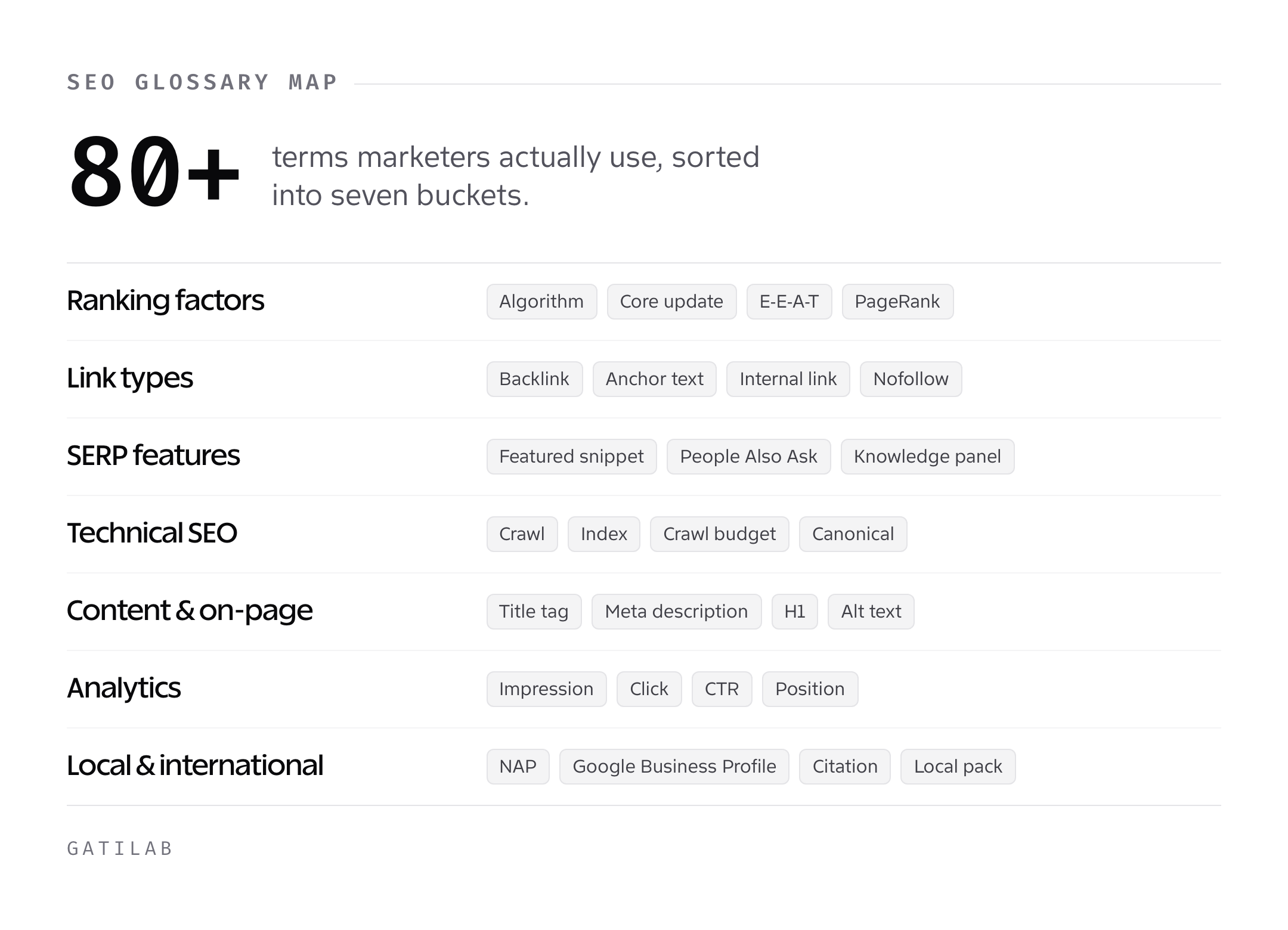
I’ve organized the terms into seven categories the way SEOs actually think about their work. Ranking factors. Links. SERP features. Technical. Content. Analytics. Local and international. Skim to the section you need, or read straight through if you’re onboarding into an SEO role this week.
Ranking factors and algorithm terms
These are the signals and systems Google uses to decide who ranks where. You don’t need to understand every patent to work with them, but you do need the vocabulary.
- Algorithm. The set of rules Google uses to rank pages. Example: the March 2024 core update reshuffled rankings for most affiliate sites overnight.
- Core update. A broad algorithm change Google announces publicly. Example: the August 2023 core update, the March 2024 core update, and so on.
- E-E-A-T. Experience, Expertise, Authoritativeness, Trustworthiness. The four things Google’s raters score on every page. The extra E (experience) was added in December 2022.
- Helpful Content System. Google’s site-wide signal that demotes pages written for search engines instead of people. Rolled into the core algorithm in March 2024.
- Quality Rater Guidelines. The 170-page document Google gives its human raters. Not a ranking factor directly, but a map of what Google values.
- Ranking factor. Any signal that influences where a page ranks. There are hundreds. Most of them don’t matter for your specific page.
- Relevance. How well a page matches what the user searched for. Half the battle.
- Authority. How trusted the site is overall. The other half.
- Freshness. How recently the content was published or updated. Matters more for news and product reviews than for evergreen guides.
- Intent match. Whether your page satisfies what the searcher actually wanted, not just what they typed.
- Search intent. The reason behind a query: informational, navigational, commercial, or transactional.
- SpamBrain. Google’s AI-based spam detection system, rolled out in 2018 and still the quiet workhorse behind manual actions.
- PageRank. The original Google algorithm from 1998 that treated links as votes. Still running under the hood. No longer visible publicly.
- Query deserves freshness (QDF). A Google concept that promotes recent content for queries about current events.
- Semantic search. Google understanding meaning rather than matching keywords. Live since the Hummingbird update in 2013.
Link types and link building
Links are still the most argued-about signal in SEO. Here’s the vocabulary you’ll hear in every link-building conversation.
- Backlink. A link from one website to another. Also called an inbound link or external link.
- Internal link. A link from one page on your site to another. Often underrated, usually the cheapest ranking win available.
- External link. A link from your site pointing outward. Used to cite sources and signal topical relevance.
- Anchor text. The clickable text of a link. Example: “best SEO tools” is the anchor text in a link pointing to your tool roundup.
- Exact match anchor. An anchor that matches the target keyword exactly. Used too much, it triggers spam filters.
- Partial match anchor. An anchor that contains the keyword plus other words. Safer than exact match.
- Branded anchor. An anchor that’s just the brand name. The most natural-looking and Google’s preferred default.
- Naked URL anchor. The raw URL as the anchor. Example:
https://gatilab.com. - Dofollow. A link that passes ranking signal. The default for every link unless marked otherwise.
- Nofollow. A link with
rel="nofollow"that tells Google not to pass PageRank. Now treated as a hint, not a directive. - UGC link. A link marked with
rel="ugc"to signal it came from user-generated content like comments or forums. - Sponsored link. A link marked with
rel="sponsored"to disclose paid or affiliate placements. - Editorial link. A link earned because a writer decided to reference you. The gold standard.
- Guest post link. A link you get by writing a post for someone else’s site.
- Niche edit. A link inserted into an existing, already-ranking article. Sometimes legit, often spammy.
- PBN (Private Blog Network). A network of sites someone owns and uses to link to a money site. Against Google’s guidelines and risky.
- Link farm. A low-quality site that exists only to sell or exchange links. Manual action magnet.
- Reciprocal link. I link to you, you link to me. Fine in moderation, a footprint when overdone.
- Link juice. Informal term for the ranking signal passed by a link. Dated vocabulary, but people still say it.
- Referring domain. A unique site that links to you. Example: 100 backlinks from 20 sites means 20 referring domains.
- Link velocity. The speed at which your site gains new links. Sudden spikes can look unnatural.
- Toxic link. A link so low-quality it might hurt more than help. Ahrefs and Semrush both flag these automatically.
- Disavow file. A text file you upload to Google Search Console to tell Google to ignore specific links pointing to your site.
SERP features
The search result page isn’t ten blue links anymore. It’s a dashboard of boxes, carousels, and widgets. Each one has a name.
- SERP. Search Engine Results Page. The page you see after hitting enter.
- Featured snippet. The answer box at the top of some SERPs that pulls content directly from a ranking page. Also called position zero.
- People Also Ask (PAA). The expandable question box with related queries. Pure content gold for finding subtopics.
- Knowledge panel. The info box on the right for branded or entity queries. Pulled from Wikipedia, Wikidata, and Google’s Knowledge Graph.
- Sitelinks. The mini-links under the top result for branded queries. You don’t pick them, Google does.
- Image pack. A row of images embedded in the SERP. Usually appears for visual queries.
- Video carousel. A row of YouTube or hosted videos. Skews heavily toward YouTube.
- Top stories. The news carousel for time-sensitive queries. Only shows for sites approved for Google News.
- Local pack. The map and three business listings for local queries. Also called the 3-pack.
- AI Overview. Google’s generative answer at the top of the SERP, launched in May 2024. Cites sources inline.
- Zero-click search. A search that ends on the SERP without a click to any site. About 58% of Google searches end this way as of 2024.
- Shopping carousel. Product listings with prices and images. Increasingly prominent for commercial queries.
- Recipe carousel. Recipe cards with ratings, cook time, and calories. Requires Recipe schema to show up.
- Review stars. The yellow stars under a result. Requires Review or Product schema.
- FAQ snippet. Expandable Q&A section under a result. Largely deprecated for most queries in August 2023 but still active for government and health sites.
- HowTo rich result. Step-by-step content with images. Also mostly deprecated in August 2023.
Technical SEO
The plumbing. Get this wrong and the best content in the world won’t rank.
- Crawl. The process Googlebot uses to discover pages by following links.
- Index. Google’s database of pages it’s willing to show in search results. Being crawled doesn’t mean being indexed.
- Crawl budget. The number of pages Googlebot will crawl on your site in a given period. Matters for sites over roughly 10,000 URLs.
- Crawl depth. How many clicks a page is from the homepage. Pages deeper than three clicks get crawled less often.
- Robots.txt. A file at
/robots.txtthat tells crawlers which paths to skip. Can’t force indexing, only block crawling. - Meta robots tag. An HTML tag that controls indexing at the page level. Example:
. - X-Robots-Tag. The same controls as the meta robots tag, delivered via HTTP header. Useful for non-HTML files like PDFs.
- Canonical tag. The
rel="canonical"link element that tells Google which version of a page is the authoritative one. - Canonicalization. The process of picking one URL as the preferred version when duplicates exist.
- Hreflang. The tag that tells Google which language and region a page targets. Essential for international sites.
- XML sitemap. A file listing every URL you want Google to crawl, submitted through Search Console.
- HTML sitemap. A human-readable page of site links. Helps users and internal linking, less about SEO directly.
- Redirect. Sending users and crawlers from one URL to another.
- 301 redirect. A permanent redirect. Passes most link signal to the destination.
- 302 redirect. A temporary redirect. Usually preserves the original URL in the index.
- Redirect chain. URL A redirects to B, which redirects to C. Every hop loses a little signal. Fix these.
- Redirect loop. URL A redirects to B, which redirects back to A. Breaks the page entirely.
- Status code. The three-digit response a server returns. 200 is success, 301 is permanent redirect, 404 is not found, 503 is server unavailable.
- Soft 404. A page that returns a 200 status but looks like a not-found page to Google. Confuses the index.
- Orphan page. A page with no internal links pointing to it. Hard for Google to find and rank.
- JavaScript rendering. The process of executing JS to see what a page actually displays. Google does this in a second wave after initial crawl.
- Schema markup. Structured data in JSON-LD, microdata, or RDFa format that tells search engines what your content means.
- JSON-LD. The preferred format for schema markup. Injected in the
as a script tag. - Structured data. Umbrella term for any markup that adds semantic meaning, including schema.org vocabulary.
- Core Web Vitals. Google’s page experience metrics: LCP, INP, and CLS.
- LCP (Largest Contentful Paint). How quickly the biggest visible element loads. Target under 2.5 seconds.
- INP (Interaction to Next Paint). How quickly the page responds to clicks and taps. Replaced FID in March 2024. Target under 200ms.
- CLS (Cumulative Layout Shift). How much the page jumps around as it loads. Target under 0.1.
- TTFB (Time to First Byte). How long the server takes to start responding. Not a Core Web Vital but tied closely to LCP.
- HTTPS. Encrypted connection. A lightweight ranking factor since 2014 and table stakes for any serious site.
- Mobile-first indexing. Google crawls and indexes the mobile version of your site as the primary one. Fully rolled out by July 2024.
Content and on-page SEO
The stuff you control directly inside a post or page.
- Title tag. The clickable headline in the SERP. 50-60 characters before truncation.
- Meta description. The snippet under the title in the SERP. 150-160 characters, not a ranking factor but a click-through lever.
- H1, H2, H3. The heading hierarchy in HTML. One H1 per page, then nested H2s and H3s for structure.
- Alt text. The text description attached to an image via the
altattribute. For accessibility first, SEO second. - Slug. The readable portion of a URL after the domain. Example:
gatilab.com/seo-termshas the slugseo-terms. - Permalink. The full, permanent URL of a page.
- Keyword. A word or phrase users type into search. The input.
- Head term. A short, high-volume keyword. Example: “seo.”
- Long-tail keyword. A longer, lower-volume, higher-intent phrase. Example: “seo terms glossary for beginners.”
- Search volume. The monthly search count for a keyword. Always an estimate.
- Keyword difficulty (KD). A score from 0-100 estimating how hard it is to rank. Tool-specific and not a Google metric.
- Keyword cannibalization. Two or more pages on your site competing for the same query. Usually hurts both.
- Keyword stuffing. Repeating a keyword unnaturally to manipulate rankings. A spam signal since the early 2000s.
- Topic cluster. A hub page plus supporting pages on related subtopics, all interlinked. A site architecture pattern, not a Google feature.
- Pillar page. The hub of a topic cluster. Typically broad and long.
- TF-IDF. Term Frequency-Inverse Document Frequency. A math formula for scoring how important a word is to a document. SEO tools use it to suggest related terms.
- Entity. A specific thing with a Wikipedia-style identity. Examples: “WordPress,” “Barack Obama,” “Core Web Vitals.”
- Salience. How central an entity is to the page’s topic.
- Content gap. A topic or query your competitors rank for that you don’t cover.
- Content decay. The slow traffic decline old posts experience as rankings slip. Fixable with a refresh.
- Thin content. Pages with little original value. Affiliate doorway pages and AI-generated filler are the usual suspects.
- Doorway page. A low-quality page built only to catch search traffic and funnel users elsewhere. Penalty magnet.
Analytics and reporting
If you can’t measure it, you can’t optimize it.
- Impression. One appearance of your page in the SERP for a query.
- Click. One click from the SERP to your page.
- CTR (Click-Through Rate). Clicks divided by impressions. Position 1 averages around 39%, position 10 around 2%.
- Position. The rank your page held for a given query in the SERP.
- Session. A continuous period of activity from one user on your site.
- Engaged session. A GA4 session over 10 seconds, with a conversion event, or with two or more pageviews.
- Bounce rate. GA4 calls it the inverse of engagement rate. Historically, sessions with a single pageview and no interaction.
- Conversion. A completed goal, like a form submit, purchase, or email signup.
- Attribution. The model that assigns credit for a conversion to one or more touchpoints. GA4 defaults to data-driven attribution.
- Search Console. Google’s free tool for seeing search performance, crawl issues, and Core Web Vitals on your own site.
- Google Analytics 4 (GA4). Google’s current analytics product. Replaced Universal Analytics on July 1, 2023.
Local and international SEO
Two specialty areas with their own vocabulary.
- NAP. Name, Address, Phone number. Must match exactly across your site, Google Business Profile, and citations.
- Google Business Profile (GBP). The free listing that powers your local pack appearance. Formerly Google My Business.
- Citation. A mention of your business NAP on a third-party site. Yelp, Yellow Pages, industry directories.
- Local pack. The 3-pack of business listings with the map. Covered above under SERP features.
- Geo-modifier. A location term added to a keyword. Example: “plumber in Denver.”
- Service area business (SAB). A local business without a storefront, serving customers at their location.
- Hreflang cluster. The set of language and region variations of a page, tagged so each one shows in the right market.
- ccTLD. Country-code top-level domain. Example:
gatilab.co.ukfor the United Kingdom. - Subdirectory structure. International variants under one domain. Example:
gatilab.com/fr/for France.
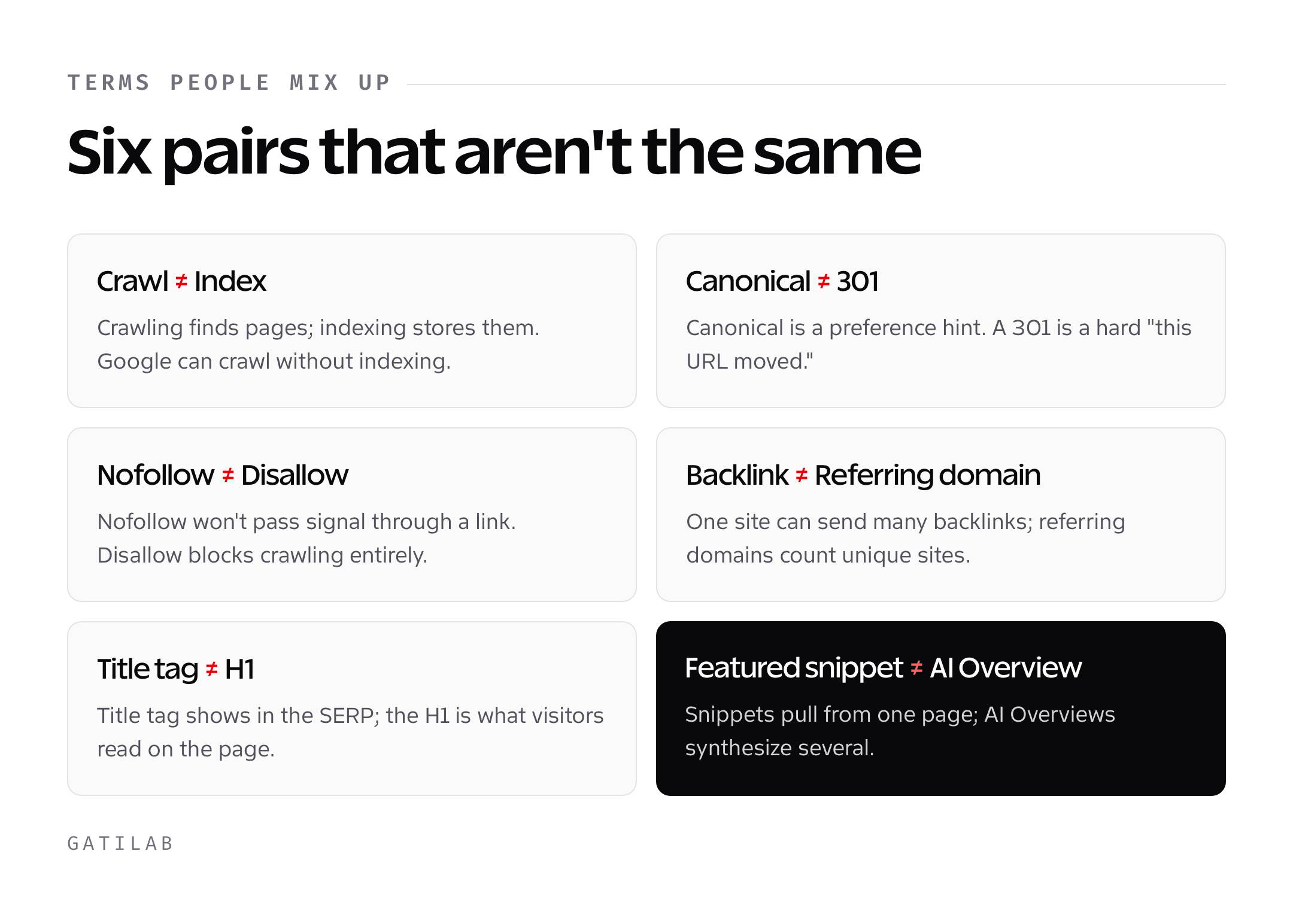
Quick comparison: the terms people mix up most
| Often confused | Actual difference |
|---|---|
| Crawl vs. Index | Crawling finds pages. Indexing stores them for ranking. Google can crawl without indexing. |
| Canonical vs. 301 | Canonical is a preference hint. A 301 redirect is a hard signal the URL has moved. |
| Nofollow vs. Disallow | Nofollow tells Google not to pass signal through a link. Disallow (in robots.txt) tells Google not to crawl a URL at all. |
| Featured snippet vs. AI Overview | Featured snippets pull from one page. AI Overviews synthesize from several. |
| Backlink vs. Referring domain | One site can give you many backlinks. Referring domain counts unique sites, not total links. |
| Title tag vs. H1 | Title tag is what Google shows in the SERP. H1 is what visitors see on the page. |
| GA4 session vs. engaged session | A session starts when someone arrives. An engaged session lasts 10+ seconds or converts. |
| Keyword difficulty vs. SERP competition | KD is a tool estimate. SERP competition is what you actually see when you Google the term. |
How to actually use this glossary
Bookmark it, then close it and go do the work. You don’t need to memorize 80 terms before you can audit a site. You need maybe 15 of them in working memory, and the rest will stick as they come up in real projects.
If you’re new to SEO, start with these fifteen: title tag, meta description, H1, alt text, internal link, backlink, anchor text, canonical, robots.txt, XML sitemap, schema, Core Web Vitals, keyword, search intent, and Search Console. Everything else is a specialization you can learn when you hit it.
If you’re managing an SEO team, send this to every new hire on day one. Half the onboarding confusion I’ve seen comes from senior people using words juniors haven’t learned yet.
And if you’re a marketer who just needs to talk to SEO consultants without getting bulldozed, read the ranking factors and SERP features sections twice. That’s where most vendor pitches hide their weakest claims.
FAQs
How many SEO terms do I actually need to know?
About 15 core terms cover 80% of the work: title tag, meta description, H1, alt text, internal link, backlink, anchor text, canonical, robots.txt, XML sitemap, schema, Core Web Vitals, keyword, search intent, and Search Console. Everything else you pick up as projects demand it.
What’s the difference between crawling and indexing?
Crawling is Googlebot visiting a page. Indexing is Google deciding to store that page in its database so it can rank. A page can be crawled and never indexed if Google thinks it’s low quality or duplicate.
Are nofollow links worthless for SEO?
Not quite. Since 2019, Google treats nofollow as a hint rather than a directive, which means some signal may still pass. They also drive referral traffic and build brand exposure. A nofollow from a major publication is still worth more than a dofollow from a content farm.
What is E-E-A-T and does it directly affect rankings?
E-E-A-T stands for Experience, Expertise, Authoritativeness, and Trustworthiness. It’s what Google’s human quality raters score pages on. It’s not a direct ranking factor you can tweak, but it maps to signals Google does measure, like author bios, first-hand content, and domain reputation.
What’s the difference between a featured snippet and an AI Overview?
A featured snippet pulls extracted text from a single ranking page and shows it at position zero. An AI Overview, launched in May 2024, generates a synthesized answer from multiple sources and cites them inline. Snippets are extractive, overviews are generative.
What does keyword difficulty (KD) really mean?
KD is a 0-100 score from tools like Ahrefs and Semrush estimating how hard it is to rank for a keyword. It’s based mostly on the backlink profiles of the current top-ranking pages. Google doesn’t publish a KD metric, so different tools give different numbers for the same keyword.
Is TF-IDF still relevant in modern SEO?
It’s useful as a content research aid, not a ranking strategy. Tools use TF-IDF to suggest related terms competitors use that you might miss. Google’s ranking systems have moved well beyond it toward neural embeddings and semantic understanding, but the underlying idea of topical completeness still matters.
What are Core Web Vitals in 2026?
Three metrics: LCP (loading), INP (interactivity), and CLS (visual stability). INP replaced FID in March 2024. Targets are LCP under 2.5 seconds, INP under 200ms, and CLS under 0.1. You can check all three in Google Search Console and PageSpeed Insights.
Glossaries age. I update this one every time Google ships something new or deprecates a feature that was on here. The August 2023 FAQ snippet rollback and the March 2024 INP swap already forced two rewrites. Check back in six months and a few more entries will have shifted. That’s the job.
Tell Google you want more of this.
Add Gatilab as a preferred sourceOne tap, and this site shows up more often in your own Top Stories, AI Overviews and AI Mode. Remove it any time.