
Microsoft Advertising: Setup, ROI, and What Works
I spent $2,400 on Google Ads last quarter for a client’s B2B software campaign. Average cost per click: $4.80. I ran the identical campaign on Microsoft Advertising with the same keywords and ad copy. CPC dropped to $1.90. Conversions went up because Bing’s audience skews older, wealthier, and more likely to make purchasing decisions at work. That single experiment convinced me to allocate 20-30% of every client’s paid search budget to Microsoft Advertising.
Most marketers ignore Bing entirely. They assume Google owns search and everything else is irrelevant. That assumption costs money. Microsoft Advertising reaches over 1 billion monthly users across Bing, Yahoo, AOL, DuckDuckGo, and the full Microsoft ecosystem. The people using Bing aren’t there by accident. They’re professionals on work computers, Windows users who never changed their default search engine, and an audience that converts at rates that consistently surprise advertisers who try it.
What Microsoft Advertising Actually Is
Microsoft Advertising (formerly Bing Ads) is Microsoft’s pay-per-click platform. Your ads appear across the Microsoft Search Network: Bing, Yahoo, AOL, DuckDuckGo, and partner sites. They also show in Microsoft Edge, Windows search, and Outlook.com.
Same auction model as Google Ads. You bid on keywords, set a budget, ads appear when users search those terms. The ad formats are nearly identical: text ads, shopping ads, responsive search ads, audience ads. If you’ve used Google Ads, you’ll be productive in Microsoft Advertising within minutes.
Bing holds roughly 9% of global search market share and about 14% of US desktop search. Sounds small until you do the math: over 12 billion monthly searches worldwide. In the US alone, Microsoft Search Network reaches 44% of desktop searchers. That’s not a niche platform.
What makes Microsoft Advertising distinct isn’t Bing search alone. It’s the ecosystem. Windows 10 and 11 have Bing baked into the taskbar search, Cortana, and Microsoft Edge. Every corporate laptop running Windows feeds searches into the Microsoft Search Network. This is why Bing’s audience skews professional and high-income: people searching from work, on company-issued devices where they can’t change the default search engine.
Microsoft Advertising vs Google Ads
Audience Demographics
The biggest difference is who’s searching. Bing’s audience tends to be 35+, with higher household incomes (over a third earn $100K+), and more likely to be college-educated. For B2B products, financial services, luxury goods, and anything targeting professionals with purchasing power, Microsoft Advertising often outperforms Google Ads on conversion rate alone.
Lower Cost Per Click
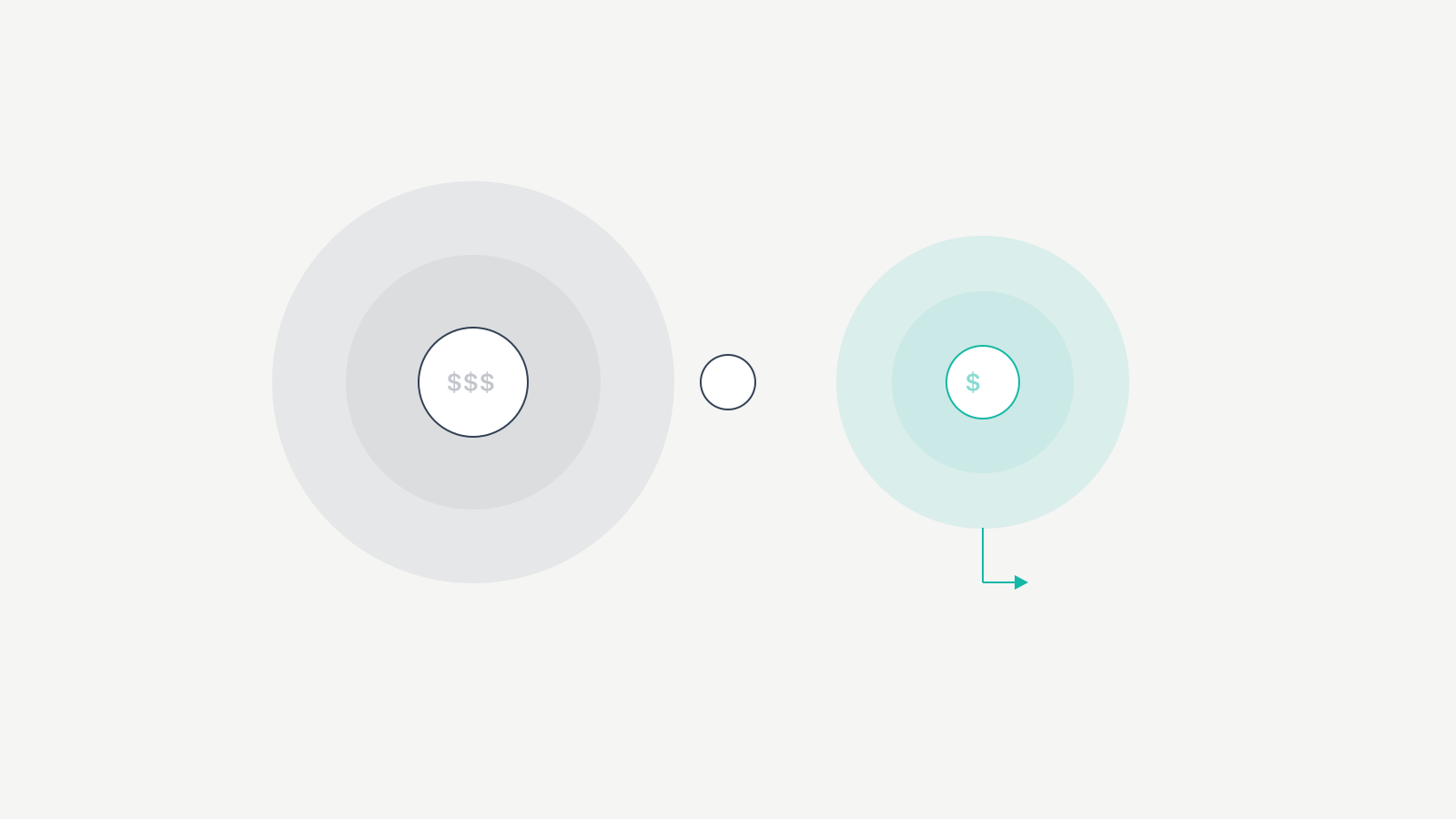
Microsoft Advertising is significantly cheaper for most keywords. Average CPCs on Bing run 30-50% lower than Google across nearly every industry. Some keywords I’ve tested cost 60-70% less. The reason is simple: less competition. Fewer advertisers means lower bids, which means your budget stretches further.
| Metric | Microsoft Advertising | Google Ads | Difference |
|---|---|---|---|
| Average CPC (Search) | $1.54 | $2.69 | 43% cheaper on Bing |
| Average CTR | 2.83% | 3.17% | Google slightly higher |
| Average Conversion Rate | 2.94% | 3.75% | Google slightly higher |
| Desktop Search Share (US) | ~14% | ~80% | Google dominates volume |
| Audience Income ($100K+) | ~36% | ~25% | Bing audience is wealthier |
| LinkedIn Targeting | Yes | No | Bing exclusive |
| Avg Cost Per Lead (B2B) | $16-22 | $28-38 | 40-55% cheaper on Bing |
Notice the pattern: Google wins on raw volume and CTR, but Bing wins on cost efficiency. For budget-conscious advertisers, the math favors running both.
Less Competition
Most advertisers spend their entire PPC budget on Google and never consider Bing. That’s your advantage. Keywords that cost $8-10 on Google might cost $3-4 on Microsoft Advertising. In competitive niches like insurance, legal, and finance, the savings are substantial. I’ve seen legal keywords drop from $12 on Google to $4.50 on Bing for the same ad position.
Import Campaigns from Google Ads
Microsoft Advertising lets you import your entire Google Ads account: campaigns, ad groups, keywords, and ads. A few clicks. The import tool maps everything over. You don’t rebuild from scratch. This single feature removes the biggest barrier to testing Microsoft Advertising.
LinkedIn Profile Targeting
This is Microsoft Advertising’s killer feature. Because Microsoft owns LinkedIn, you can target ads based on LinkedIn profile data: company, industry, and job function. Show ads only to people at companies with 500+ employees, or only to marketing directors, or only to people in financial services. For B2B advertisers, LinkedIn profile targeting on Bing is a genuine competitive advantage that Google Ads can’t replicate.
Why Microsoft Advertising Deserves Your Budget
If you’re only running Google Ads, you’re leaving conversions on the table.
Untapped audience. About 36% of Bing searches happen exclusively on Bing, meaning those users don’t search Google for those queries. If you’re not running Microsoft Advertising, you’re invisible to that segment.
Better ROI for specific industries. Lower CPCs with comparable conversion rates means better return on ad spend. I’ve seen Microsoft Advertising deliver 40-60% better ROAS than Google Ads for B2B SaaS, financial services, and professional services clients. The audience is primed to buy, and you’re paying less to reach them.
Desktop-heavy traffic. About 60% of Bing searches happen on desktop, compared to roughly 40% for Google. Desktop users tend to have higher conversion rates and larger order values. If your product converts better on desktop (most B2B products do), Microsoft Advertising gives you more of the traffic that actually converts.
Platform diversification. Relying entirely on Google Ads is a business risk. Algorithm changes, policy updates, or sudden CPC spikes can tank your campaigns overnight. Running Microsoft Advertising alongside Google gives you a safety net. When Google campaigns hit a rough patch, Bing keeps generating leads.
LinkedIn data on search intent. No other search advertising platform lets you layer LinkedIn targeting onto search intent. Someone searching “project management software” who also happens to be a VP of Operations at a mid-size company? You can target them specifically. That precision justifies testing Microsoft Advertising for any B2B operation.
Setting Up Your First Campaign
Step 1: Create Your Account
Go to ads.microsoft.com and sign up with your Microsoft account. The setup wizard walks you through business information, billing, and time zone. Microsoft often offers promotional credits ($100-$250 in free ad spend) for new advertisers. Check for current offers before signing up.
Step 2: Import from Google Ads
If you’re already running Google Ads, use the import feature. Go to Import > Import from Google Ads, sign in, select campaigns. Microsoft Advertising imports your campaign structure, keywords, ad copy, extensions, and targeting settings. Review the import carefully. Some settings don’t translate perfectly, and you’ll want to adjust bids downward since Bing CPCs are cheaper.
Don’t just import and forget. The import is a starting point, not a finished strategy.
Step 3: Campaign Structure and Settings
If building from scratch, structure your campaigns the same way you’d structure Google Ads: organized by theme, with tightly grouped keywords in each ad group.
Key settings to configure:
- Location targeting. Default is “People in, searching for, or viewing pages about your targeted location.” Change this to “People in your targeted location” for precise targeting.
- Ad schedule. Bing’s audience is heavily desktop and business-hours. Bid higher during 9 AM to 5 PM when the professional audience is most active.
- Device targeting. Set bid adjustments by device. Since Bing is desktop-heavy, increase desktop bids and decrease mobile bids initially.
- Search partners. Microsoft includes Yahoo, AOL, DuckDuckGo by default. Monitor these separately and opt out if performance is poor.
Step 4: Set Your Budget
Start with 20-30% of your Google Ads budget. If your Google monthly budget is $3,000, allocate $600-$900 to Microsoft Advertising. Since CPCs are lower, that budget gets you a proportionally larger number of clicks. After 2-4 weeks of data, adjust based on actual performance.
| Monthly Google Budget | Recommended Bing Allocation | Expected Click Volume vs Google |
|---|---|---|
| $1,000 | $200-$300 | 15-25% of Google clicks at 40% lower CPC |
| $3,000 | $600-$900 | 20-30% of Google clicks at 35% lower CPC |
| $5,000 | $1,000-$1,500 | 25-35% of Google clicks at 30% lower CPC |
| $10,000+ | $2,000-$3,000 | 20-30% of Google clicks at 30% lower CPC |
The CPC savings percentage tends to compress at higher budgets because you’re competing for more of the available inventory. At $10K+, you’ll start bumping into the ceiling of Bing’s search volume for your keywords.
Step 5: Conversion Tracking
Install the UET (Universal Event Tracking) tag on your website. This is Microsoft Advertising’s equivalent of the Google Ads conversion tag. The UET tag tracks conversions, enables remarketing, and provides audience insights. You can install it via Google Tag Manager or directly in your site’s header. Set up conversion goals for form submissions, purchases, signups, or whatever actions matter to your business.
Optimization Practices That Move the Needle
Don’t clone Google campaigns and walk away. Microsoft Advertising and Google Ads have different audiences, CPCs, and conversion patterns. After importing, adjust bids to 70% of your Google bids, review keyword match types, and monitor performance separately. What works on Google won’t always translate.
Use LinkedIn profile targeting for B2B. Layer LinkedIn targeting onto your search campaigns. Target by industry, job function, or company size. Bid higher for high-value prospects while keeping lower bids for general searches. This targeting alone justifies testing Microsoft Advertising for any B2B company.
Optimize for desktop first. Bing’s audience is desktop-heavy. Design your ads and landing pages for desktop. Make sure landing pages load fast. Desktop users expect clean, professional pages with clear calls to action above the fold.
Adjust bids for demographics. Microsoft Advertising gives you demographic bid adjustments for age, gender, and household income. Use data from your first few weeks to increase bids for demographics that convert and decrease bids for those that don’t. The sweet spot is usually the 35-54 age range and $100K+ income bracket.
Test ad extensions aggressively. Sitelink extensions, callout extensions, structured snippets, price extensions. Extensions improve ad visibility and CTR without increasing your CPC. I add every relevant extension to every campaign. There’s no downside.
Monitor search partner performance separately. The Microsoft Search Network includes partner sites beyond Bing. Some partners send quality traffic, others don’t. Check campaign performance by network (Bing vs. search partners) and exclude partners if they’re dragging down ROI.
Best Industries for Microsoft Advertising
Microsoft Advertising isn’t equally effective for every business. Some industries see exceptional performance because of the platform’s audience demographics.
| Industry | Avg. CPC (Bing) | Avg. CPC (Google) | Why It Works on Bing |
|---|---|---|---|
| B2B Software/SaaS | $1.80-$3.50 | $3.50-$7.00 | Professional audience searching from work computers |
| Financial Services | $2.50-$5.00 | $5.00-$12.00 | Higher-income audience, desktop research behavior |
| Legal Services | $3.00-$8.00 | $8.00-$20.00 | 50-70% cheaper than Google for legal keywords |
| Education | $1.20-$2.80 | $2.50-$5.50 | Professional development searches from work |
| Real Estate | $1.50-$3.00 | $3.00-$6.00 | High-income audience on desktop |
| Healthcare | $1.80-$4.00 | $3.50-$8.00 | Older demographic researching health topics |
| Home Services | $1.00-$3.50 | $2.50-$7.00 | Homeowners with higher budgets for repairs |
| Travel | $0.80-$2.00 | $1.50-$4.00 | Disposable income, desktop booking behavior |
Industries where Bing underperforms. If your target audience is under 25, mobile-first, or primarily uses social media for discovery, Microsoft Advertising won’t be your best channel. Fashion, gaming, and social apps tend to see weak results on Bing because the audience doesn’t match.
Mistakes I Made (And What They Cost)
Importing Google campaigns without adjusting bids. My first Bing campaign was a straight import from Google. I left the bids at Google levels. For two weeks, I was paying $3.20 per click on keywords where the going rate on Bing was $1.40. That overspend cost roughly $840 before I caught it. Drop your imported bids to 60-70% of Google levels on day one.
Ignoring search partner performance. I let search partners run for three months without checking. Bing’s own search was converting at 3.1%. Search partners were converting at 0.8%. I’d burned roughly $1,200 on partner traffic that barely converted. Now I check partner performance weekly and exclude underperformers within the first 14 days.
Not using LinkedIn targeting from the start. I ran B2B campaigns for six months before discovering LinkedIn profile targeting. When I finally layered job function targeting onto a SaaS client’s campaign, conversion rate jumped from 2.4% to 4.1% and cost per lead dropped from $22 to $14. That’s money I left on the table for half a year.
Treating Bing as “small Google.” For the first year, I treated Microsoft Advertising as a secondary copy of Google. Same ad copy, same landing pages, same strategy. When I started writing Bing-specific ad copy that acknowledged the audience (more professional, more direct, fewer gimmicks), CTR increased by 18%. The audiences are different. Treat them differently.
Is Microsoft Advertising Worth It for Small Businesses?
Yes, with conditions. Microsoft Advertising is worth testing for almost any small business that’s already running paid advertising on Google. Lower CPCs mean your budget goes further, and the import feature means you don’t need hours setting up new campaigns.
Minimum budget. You can start with as little as $5/day. I recommend $10-15/day for at least 30 days to get meaningful data. That’s $300-$450 for a proper test. At Bing’s lower CPCs, that budget generates enough clicks to evaluate whether the platform works for your business.
When to add Bing to your mix. Add Microsoft Advertising when you’ve got your Google Ads campaigns performing profitably and you want to scale. If Google is already working, Bing will likely work too, at a lower cost. Don’t use Microsoft Advertising as a replacement for Google. Use it as a supplement that diversifies your traffic and reduces dependence on a single marketing channel.
ROI expectation. Expect Microsoft Advertising to deliver 20-40% fewer total conversions than Google (smaller audience) but at 30-50% lower cost per conversion. A client I work with gets 35 leads/month from Google Ads at $28/lead and 12 leads/month from Bing at $16/lead. Both channels are profitable, but Bing’s cost per lead is 43% cheaper.
| Scenario | Google Ads Only | Google + Microsoft |
|---|---|---|
| Monthly Budget | $3,000 | $3,000 ($2,100 Google + $900 Bing) |
| Total Clicks | ~1,115 | ~1,255 (780 Google + 475 Bing) |
| Total Conversions | ~42 | ~43 (29 Google + 14 Bing) |
| Cost Per Conversion | $71.43 | $69.77 |
| Unique Audience Reached | Google searchers only | Google + 36% Bing-exclusive searchers |
| Platform Risk | Single platform dependency | Diversified across two networks |
The combined approach gets you more total reach, slightly better cost efficiency, and platform diversification. The numbers don’t lie.
Frequently Asked Questions
Is Microsoft Advertising the same as Bing Ads?
Yes. Microsoft rebranded Bing Ads to Microsoft Advertising in 2019. The platform, features, and ad network are the same. Your ads appear on Bing, Yahoo, AOL, DuckDuckGo, and other Microsoft Search Network partners. The name changed but the functionality is identical.
How much does it cost to advertise on Bing?
The average CPC on Microsoft Advertising is $1.54, roughly 30-50% cheaper than Google Ads. Actual costs vary by industry and keyword competitiveness. Legal and financial keywords cost more while education and travel keywords cost less. You can start with $5/day and there’s no minimum monthly spend.
Can I import my Google Ads campaigns into Microsoft Advertising?
Yes. Microsoft Advertising has a built-in import tool that copies your Google Ads campaigns including structure, keywords, ad copy, bid amounts, and extensions. Go to Import then Import from Google Ads and follow the prompts. Drop your bids to 60-70% of Google levels immediately since Bing CPCs are lower.
What is LinkedIn profile targeting in Microsoft Advertising?
LinkedIn profile targeting lets you target or adjust bids based on LinkedIn data: company name, industry, and job function. Since Microsoft owns LinkedIn, this data is exclusive to Microsoft Advertising. It’s particularly valuable for B2B advertisers targeting specific professional audiences through search campaigns.
Is Bing Ads worth it for small businesses?
Yes. Lower competition means lower CPCs. A small business with a limited PPC budget gets more clicks and conversions from Bing compared to the same spend on Google. Start with $10-15/day for 30 days to test whether the platform works for your industry.
Where do Microsoft Advertising ads appear?
Microsoft Advertising ads appear across the Microsoft Search Network: Bing search results, Yahoo, AOL, DuckDuckGo, Microsoft Edge, Windows Start Menu search, Outlook.com, and various partner sites. That’s access to over 1 billion monthly users worldwide.
Should I run Microsoft Advertising instead of Google Ads?
No. Microsoft Advertising supplements Google Ads, it doesn’t replace it. Google has roughly 80% of desktop search share and delivers more total volume. Run Google as your primary platform and allocate 20-30% of your PPC budget to Microsoft Advertising for additional reach at lower costs.
Run Both. Track Separately. Decide With Data.
Microsoft Advertising isn’t a gamble. It’s a $300 test with a 30-day timeline. Import your top-performing Google campaigns, drop bids by 30%, enable LinkedIn targeting if you’re B2B, and let the data accumulate. The lower CPCs, wealthier audience, and LinkedIn targeting make it one of the most overlooked profit levers in paid search.
I’ve run Microsoft Advertising alongside Google for over two years now. Every single client who tested it kept it running. Not because I recommended it, but because the cost-per-lead numbers made the decision obvious. The only regret is not starting sooner.